
Vandaag of morgen in huis

Kwaliteit gegarandeerd

Welkomstaanbiedingen ontgrendelen: GRATIS bezorging | Tot 80% korting | Gratis 30 dagen JoyPlus-proefperiode
Download de app
Buying a 3D printer seems straightforward until you start comparing the technical specifications. Manufacturers highlight high speeds, smart features and professional results, but these claims don’t always tell you how easy a printer is to use in a UK workspace. The key differences often come down to build volume, material support, ventilation and how much manual adjustment is needed.
This buying guide helps makers, hobbyists, designers, engineers and small manufacturers choose between an FDM 3D printer, a multicolour 3D printer and a resin 3D printer.
A 3D printer with a speed of 600 mm/s sounds impressive, but this is usually a maximum figure achieved with specific settings. The actual speed also depends on the model, layer height, filament, temperature and the surface finish you want. So check the recommended print speed, acceleration and motion system, such as CoreXY, too.
A multicolour 3D printer can print in different colours, but that doesn’t automatically mean you can combine different materials in the same print. Check whether the system uses independent printheads, a multicolour unit or a filament changer. Also consider filament drying, spool capacity and material compatibility.
Some systems have exceptions. For example, TPU isn’t suitable for the multicolour unit on certain Anycubic ACE systems, so the filament must be fed directly into the printer.
An enclosure helps you manage the temperature and airflow more effectively. However, ventilation and choosing the right material are still important. Manufacturers’ safety information warns that some filaments can produce fumes or odours. Always use your printer as instructed, with adequate ventilation and suitable protective equipment.
A build volume of around 220 × 220 × 220 mm may be enough for small decorative models. If you want to print prototypes, functional parts or several small components, you’ll need more space.
Use these guidelines:
A larger print volume does require more room, a sturdy surface and enough space around the machine.
A standard FDM 3D printer with a heated bed is often enough for PLA and PETG. For ABS, ASA, polycarbonate or fibre-reinforced materials, you may need a higher nozzle temperature, a stable enclosure and, in some cases, a 3D printer with a heated chamber.
At a minimum, check:
For example, the QIDI Q2 specifies a nozzle temperature of up to 370 °C and a heated chamber of up to 65 °C. The QIDI Max4 Combo specifies a build volume of 390 × 390 × 340 mm, a maximum speed of 800 mm/s and support for several technical filaments. These are product specifications; the results you achieve will depend on the material, settings and working environment.
A 3D printer with automatic levelling measures or compensates for the distance between the nozzle and the print bed. This can make setup easier, but it doesn’t replace a clean print surface or correct assembly.
Useful features include:
Think of AI detection as a helping hand, not a guarantee. A camera can flag visible problems, but it won’t detect every fault.
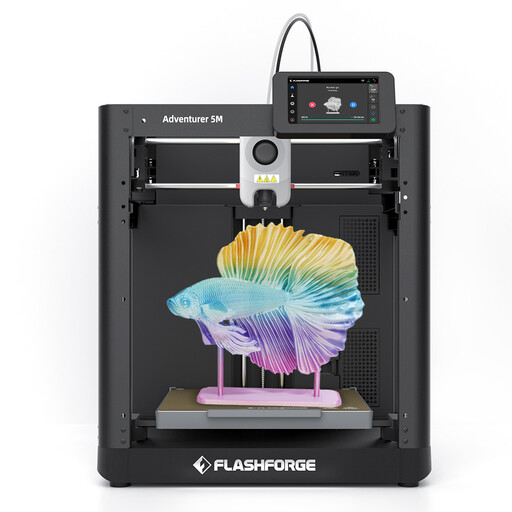
Why it suits this user: Automatic bed levelling and a build volume of 220 × 220 × 220 mm make this model a practical choice for first projects, parts and desktop prototypes.
The specifications list both a maximum speed of 600 mm/s and automatic levelling, so you don’t have to choose based on a speed claim alone.
280 °C direct-drive extruder, interchangeable nozzles and a double-sided PEI print platform.
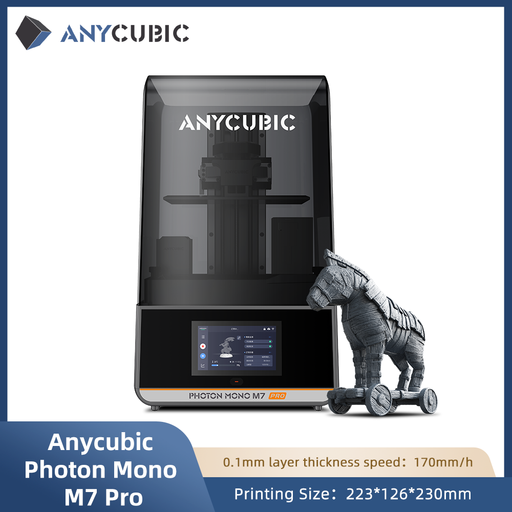
Why it suits this user: If you need fine detail for miniatures, design models or prototypes, you can compare its 14K resolution and resin technology with FDM printing.
The stated speed is linked to the type of resin: up to 170 mm/h with high-speed resin. That gives you more context than a speed figure on its own.
14K monochrome screen, layer heights of 0.01–0.15 mm and support for several types of resin.
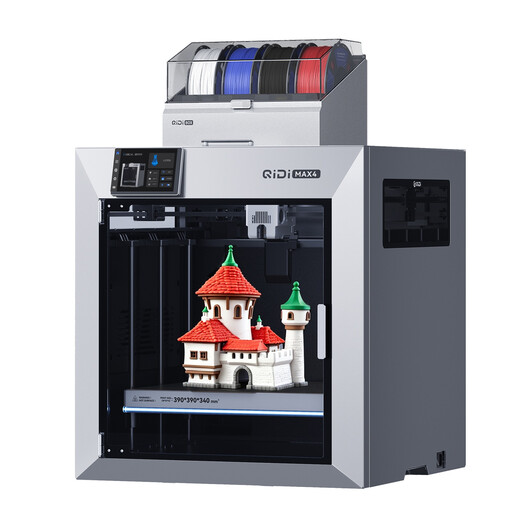
Why it suits this user: According to the product description, this model is designed for larger prototypes, technical materials and more intensive workflows.
The active heated chamber, hardened nozzle and filament support make it easier to choose suitable materials than with an open-frame entry-level model.
390 × 390 × 340 mm build volume, a heated chamber up to 65 °C and support for QIDI BOX with up to 16 colours.
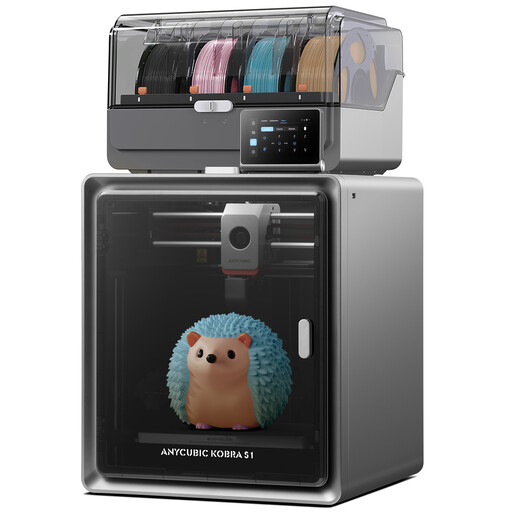
Why it suits this user: This enclosed CoreXY printer combines multicolour printing with automatic levelling, filament drying and remote control.
The product specifications list four colours as standard, with expansion to sixteen, as well as active drying up to 65 °C.
250 × 250 × 250 mm build volume, nozzle temperatures up to 320 °C and a quiet mode from 44 dB, according to the product information.
We’ve put together a complete, up-to-date list of products that meet these strict selection criteria and comply with current European safety regulations.
Choose an FDM 3D printer if you want to make sturdy parts, enclosures, prototypes or larger models using PLA, PETG, TPU or technical filaments. FDM is generally more practical for functional objects and larger prints.
A resin 3D printer is a good choice when fine detail, smooth surfaces and small models are your priority. Bear in mind that resin printing involves extra steps: resin must be handled safely, models usually need to be washed and cured, and the room must be well ventilated.
As well as the purchase price, you’ll need to budget for filament or resin, print plates, nozzles, release films, filters and possibly a dryer. Multicolour printing can use extra material during colour changes. According to the product description, independent toolheads or systems with fewer purge cycles can reduce this waste, but always check the actual settings and printing method.
Make a simple estimate in advance:
Yes. Automatic levelling reduces the number of manual adjustments you need to make. You’ll still need to keep the print bed clean, place the printer on a stable surface and check the first layer. Automation makes printing easier, but it can’t prevent every failed print.
Its lifespan depends on print hours, maintenance, material choice and components such as the nozzle, belts, fans and print surface. Regular cleaning, using the correct temperatures and replacing worn parts when needed will help keep your printer in good working order.
Not necessarily. Higher print speeds can reduce production time, but may require more filament, more powerful heating or more expensive materials. So don’t compare maximum speed alone: check the recommended speed, build quality and cost per print too.
