
Vandaag of morgen in huis

Kwaliteit gegarandeerd

Welkomstaanbiedingen ontgrendelen: GRATIS bezorging | Tot 80% korting | Gratis 30 dagen JoyPlus-proefperiode
Download de app
A multicolor 3D printer lets you create models with multiple colours or materials in a single print job. That’s ideal for model making, prototyping, education, product design and small batch production. However, a long list of features doesn’t automatically mean a printer will suit your workspace or filament.
Three common pitfalls keep cropping up:
First, look at the actual build volume, not just the printer’s dimensions. For small figures, 220 × 220 × 220 mm may be enough. If you want to print large models or multiple parts at once, you’ll need more space.
A 3D printer for large models, for example, offers a build volume of 350 × 350 × 350 mm or larger. According to the product information, the Anycubic Kobra 3 Max Combo reaches 420 × 420 × 500 mm. Bear in mind you’ll need a sturdy table, enough ventilation space and the machine’s weight.
A CoreXY 3D printer typically moves the print head efficiently across the X and Y axes. You’ll see this in models like the FlashForge Adventurer 5M, Elegoo Centauri Carbon and various QIDI and Anycubic printers. The construction alone doesn’t guarantee perfect results: frame rigidity, calibration and belt tension all remain important.
Check whether the printer is suitable for the filament you actually want to use. For standard projects, PLA and PETG are practical. TPU, ABS, ASA, PA and fibre-reinforced filaments place higher demands on the extruder, nozzle and print environment.
Keep these points in mind:
A 3D printer with filament drying can condition moisture-sensitive filaments during storage or printing. Check whether the drying system is compatible with your filament and whether TPU needs to be fed directly into the printer. With some systems, TPU isn’t suitable for the multicolor module.
A 3D printer with auto-levelling measures the distance between the nozzle and print bed, so the first layer requires less manual adjustment. This is especially useful for beginners and for users who frequently swap print plates.
A 3D printer with an AI camera can, according to the product description, detect spaghetti-like print errors or interruptions. See this as a helpful tool, not a guarantee. A camera won’t catch every adhesion fault, material defect or mechanical issue.
Also check for:
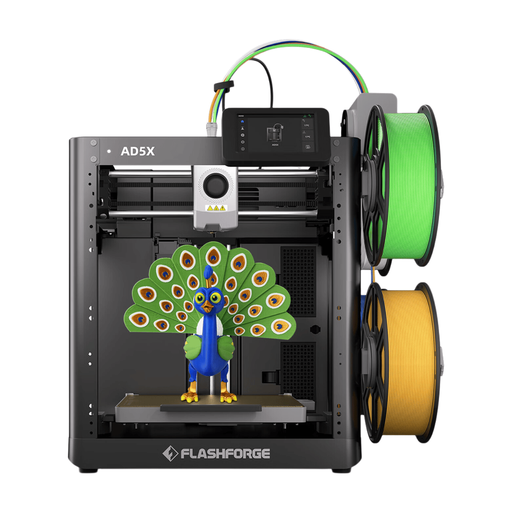
Why it fits this profile: The combination of auto-levelling, a 220 × 220 × 220 mm build volume and support for up to four colours keeps things straightforward for home use.
The recommended speed and maximum build volume are clearly separated in the product information, so you can compare machines more realistically.
CoreXY construction, 300 °C extruder, automatic filament feed and options for 0.25, 0.4, 0.6 and 0.8 mm nozzles.
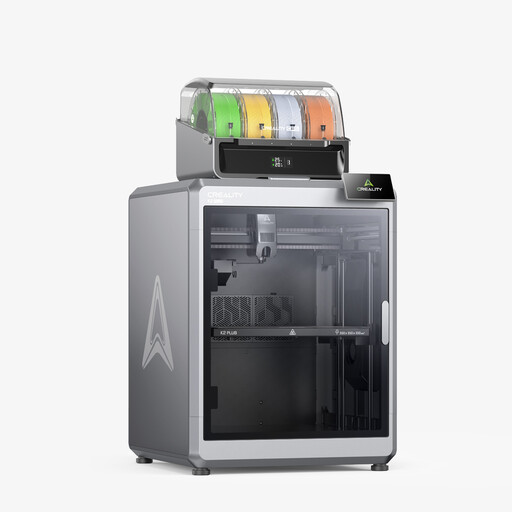
Why it fits this profile: The large build volume of 350 × 350 × 350 mm suits designers and makers who want to print multiple parts or larger models.
The specifications list both a recommended speed of 300 mm/s and a maximum of 600 mm/s. Suitable filament types and temperature limits are also clearly stated.
Support for the CFS multicolor system, dual AI cameras according to the product information, an enclosed build chamber and a nozzle up to 350 °C.
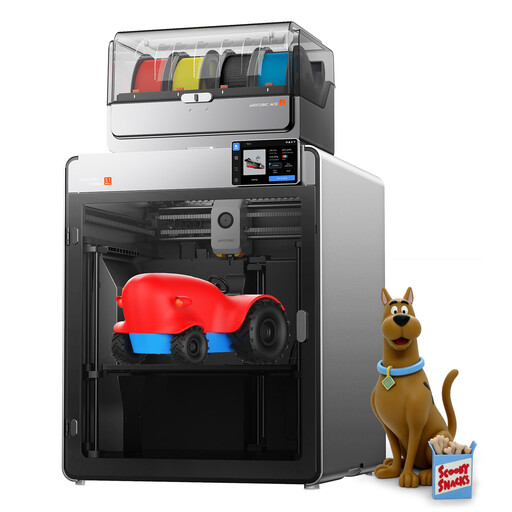
Why it fits this profile: This combination is designed for large models, batch production and materials that need a controlled print environment.
The system combines a 350 × 350 × 350 mm build volume with active filament drying and a heated chamber, so the conditions for a wider material choice are clearly visible.
Fully enclosed CoreXY design, nozzle up to 350 °C, active chamber up to 65 °C and expansion to up to 16 colours according to the product information.
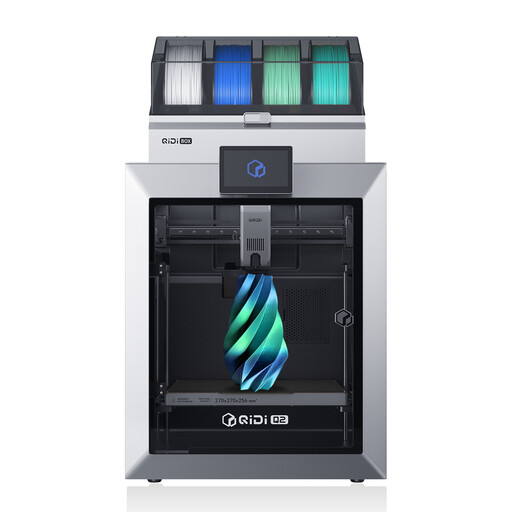
Why it fits this profile: The enclosed FDM printer combines automatic calibration with an AI camera, air filtration and support for a wide range of materials.
The product information mentions a recommended fast workflow, but also lists limitations and an optional QIDI BOX for multicolor use. So check what’s included with the version you choose.
270 × 270 × 256 mm build volume, 370 °C all-metal hotend, auto-levelling and, according to the product information, a heated chamber up to 65 °C.
We’ve put together a full, up-to-date list of products that fully meet these strict selection criteria and comply with current European safety regulations.
It can be, especially if the model has auto-levelling, a clear interface and filament detection. Start with PLA and use the manufacturer’s recommended profiles. A printer with four colours is usually more straightforward than a system that needs lots of extra modules straight away.
On top of the purchase price, you’ll pay for filament, electricity, wear parts and possibly purge material during colour changes. Multicolor printing can use more filament than a monochrome print. A system with automatic filament drying may also use extra electricity. So don’t just compare the printer price – also compare the cost per model and the expected print volume.
The lifespan depends on usage hours, maintenance, material and the availability of parts. Clean the nozzle and print bed regularly, keep filament dry and check belts, fans and moving parts. Don’t leave a print running unattended and follow the safety instructions: the nozzle, heated bed and any heated chamber can reach high temperatures.
