
Vandaag of morgen in huis

Kwaliteit gegarandeerd

Welkomstaanbiedingen ontgrendelen: GRATIS bezorging | Tot 80% korting | Gratis 30 dagen JoyPlus-proefperiode
Download de app
Buying a 3D printer may seem straightforward until you start comparing specifications. Print speeds of hundreds of millimetres per second, automatic functions and multicolour options sound appealing, but they do not tell you everything about the day-to-day user experience. A printer may be fast on paper, for example, but calibration, material changes or failed first layers can still cost you a great deal of time.
For Dutch home users, makers, students and small businesses, three pitfalls are particularly important:
Start by looking at the build volume. For many models, prototypes and decorative objects, around 220 × 220 × 220 mm is practical. If you want to make larger parts in one piece, you will need more space. According to the product information, the Creality Ender-3 V3 KE has a print volume of 220 × 220 × 240 mm. The Anycubic Kobra S1 ACE 2 Pro Combo offers 250 × 250 × 250 mm.
A high speed is particularly useful for prototyping and batch production. As well as the maximum speed, check the recommended speed and acceleration. The FlashForge Adventurer 5M lists a maximum movement speed of 600 mm/s and has a CoreXY design. The Creality Ender-3 V3 KE lists a maximum of 500 mm/s, with a stated typical speed of 300 mm/s. Treat these figures as product specifications, not a guarantee for every print.
A 3D printer with automatic levelling measures the print bed at multiple points and compensates for minor height differences. This reduces the need for manual adjustment, particularly during initial setup or if you move the printer regularly. However, it will not prevent every adhesion problem: a clean bed, the correct bed temperature and a suitable first layer remain important.
Also pay attention to the type of extruder. A direct-drive extruder feeds the filament into the nozzle from close by. This is useful for flexible materials such as TPU and can improve material control. The FlashForge Adventurer 5M has a direct extruder with a maximum nozzle temperature of 280 °C. The Creality Ender-3 V3 KE lists a Sprite Direct Extruder and a maximum temperature of 300 °C.
Most of the models mentioned use PLA filament 1.75 mm. Always check this before buying a reel. A different diameter can result in inconsistent feeding or insufficient material.
According to the product information, eSUN PLA-Basic 1.75 mm is designed for most FDM printers, with a print speed of up to 300 mm/s listed. This speed depends on the printer, nozzle, temperature and profile. For PETG, you could consider JOYBUY x ANYCUBIC PETG 1 kg or eSUN Matte PETG 1.75 mm, among other options. Store filament in a dry place and preferably in a sealed container with a desiccant.
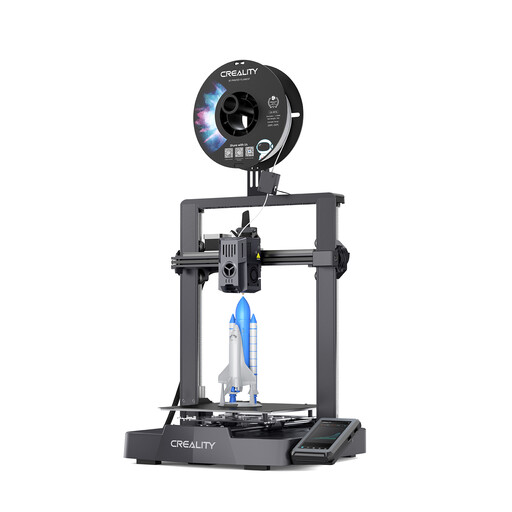
Why it suits this profile: A practical FDM 3D printer for home use, students and beginners looking for a compact model with modern setup features.
Automatic levelling, filament detection and power-loss recovery reduce the amount of manual intervention required during everyday use.
Listed maximum speed of 500 mm/s, 220 × 220 × 240 mm build volume, Wi-Fi and support for PLA, PETG, ABS, TPU and ASA.
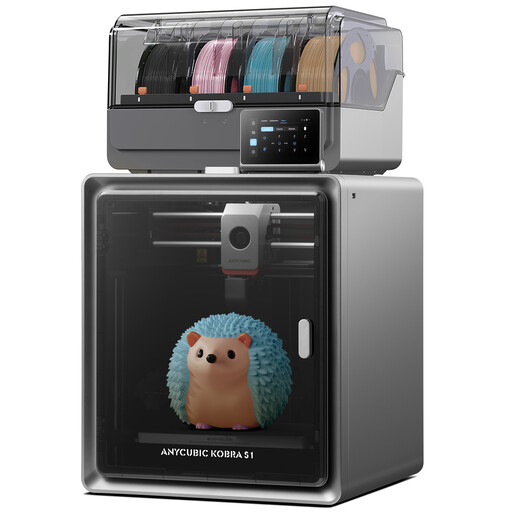
Why it suits this profile: For designers, creative makers and small studios looking to combine multiple colours, an enclosed housing and network features.
The ACE 2 Pro offers active filament drying up to 65 °C and enclosed storage. This addresses a common cause of inconsistent material feeding: moisture.
Four colours as standard, expandable to sixteen colours, automatic levelling, integrated camera and a listed maximum speed of 600 mm/s.
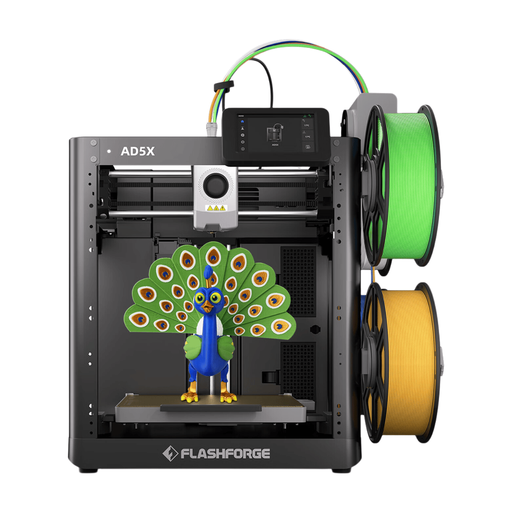
Why it suits this profile: Suitable for users who want to create prototypes, batches or colourful models without having to change reels manually each time.
Automatic filament feeding, 1-click auto levelling and resuming after a power cut reduce interruptions during longer jobs.
Support for up to four colours, a 300 °C direct extruder, 220 × 220 × 220 mm print volume and interchangeable nozzles from 0.25 to 0.8 mm.
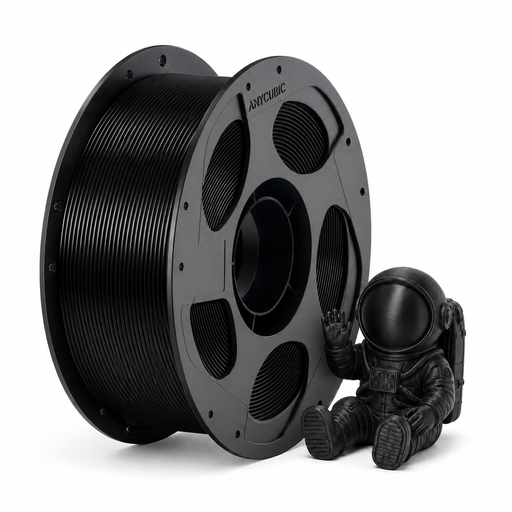
Why it suits this profile: For makers who want to use PETG filament as well as PLA for functional prototypes and parts.
The reel is vacuum-packed with desiccant. This helps protect the filament from moisture during storage; still keep an opened reel sealed.
1 kg PETG, 1.75 mm diameter and, according to the product description, suitable for most FDM and FFF printers.
We have put together a complete, up-to-date list of products that fully meet these strict selection criteria and the applicable European safety regulations.
Check these points on the product page and in the manual:
A 3D printer with Wi-Fi is useful for transferring files and monitoring, but check that the required app or software is compatible with your computer and phone. Ventilation is also important for an enclosed printer. Do not touch the nozzle or heated bed during use, and allow parts to cool before removing a print.
In addition to the purchase price, you will pay for filament, electricity and sometimes replacement nozzles or build plates. PLA is often an accessible starting choice. PETG may be more suitable for functional parts, but it generally requires more attention to temperature and adhesion. Multicolour systems may use extra material due to colour changes.
Yes, especially if the model has automatic levelling, a clear interface and filament detection. Start with PLA, a standard nozzle and small models. Learn the basics of slicer settings before moving on to complex materials or very high speeds.
Its lifespan depends on hours of use, maintenance, dust, temperature and the quality of replacement parts. Clean the nozzle and build plate regularly, check moving parts and store filament in a dry place. A printer used only for occasional models has different maintenance needs from a machine used for daily prototyping.
