
Vandaag of morgen in huis

Kwaliteit gegarandeerd

Welkomstaanbiedingen ontgrendelen: GRATIS bezorging | Tot 80% korting | Gratis 30 dagen JoyPlus-proefperiode
Download de app
Buying a 3D printer may seem straightforward until you start comparing specifications. Manufacturers quote high speeds, automatic calibration and smart cameras, but those figures do not tell the whole story. A printer capable of moving at up to 600 mm/s will not automatically print every model at that speed. The right choice depends on your material, build volume, desired level of detail and how much maintenance you are prepared to handle yourself.
For home users, makers, designers and small businesses, three pitfalls are particularly important.
A fast 3D printer may quote impressive maximum figures, but practical print speeds are often lower. Quality is affected by factors including layer height, nozzle, material settings, cooling and the motion system. As well as the maximum speed, check the recommended speed, maximum acceleration and the extruder’s maximum flow rate.
A 3D printer with automatic levelling can automatically measure or adjust the distance between the nozzle and print bed. This helps with the first layer, but the print bed still needs to be clean and components may require maintenance over time. Automatic calibration is therefore no substitute for correct placement, cleaning and checks.
A multicolour 3D printer can process several colours, but check how many colours are supported as standard and how much material is used during colour changes. With a printer featuring an AI camera, it is equally important to check which functions are actually included. According to the brand’s product description, a camera may support monitoring or error detection, for example; this does not guarantee that every printing error will be recognised.
An FDM 3D printer melts filament, usually PLA, PETG, TPU or ABS, and builds a model layer by layer. This type is practical for parts, enclosures, prototypes, decorative items and larger models. PLA is generally an accessible choice for a 3D printer for beginners.
A resin 3D printer uses liquid resin and UV exposure. This makes fine details and small figures possible. However, you will be working with liquid, gloves, cleaning and post-curing. Use a resin printer in a well-ventilated room and follow the manufacturer’s safety information.
Build volume determines how large an object you can print in one go. A printer measuring 220 × 220 × 220 mm is suitable for many everyday projects. For larger parts or several models at once, a 3D printer with a large build area is more practical.
Do not look only at the dimensions of the print volume. Also consider the space around the device. An enclosed printer may be taller or deeper than an open model. Measure your workspace and allow for ventilation, cables and access to the print bed.
Check that the nozzle temperature is suitable for your materials. PLA and PETG have different requirements from ABS, ASA or fibre-reinforced filaments. A hardened nozzle is useful if you regularly work with carbon- or glass-fibre-reinforced filaments.
For standard FDM printers, 3D filament PLA 1.75 mm is a popular choice. Always check the filament diameter in the product specifications. According to the product description, eSUN PLA-Basic filament is intended for most FDM printers and has a stated diameter of 1.75 mm. The manufacturer quotes print speeds of up to 300 mm/s and a flow rate of up to 35 mm³/s under specific conditions. Treat these figures as the brand’s product specifications; your final results will depend on the printer, nozzle and slicer settings.
Store filament in a dry place. Moisture can affect extrusion and the surface finish of prints. High-speed PLA filament can only offer an advantage if the printer supports sufficient flow, cooling and motion control.
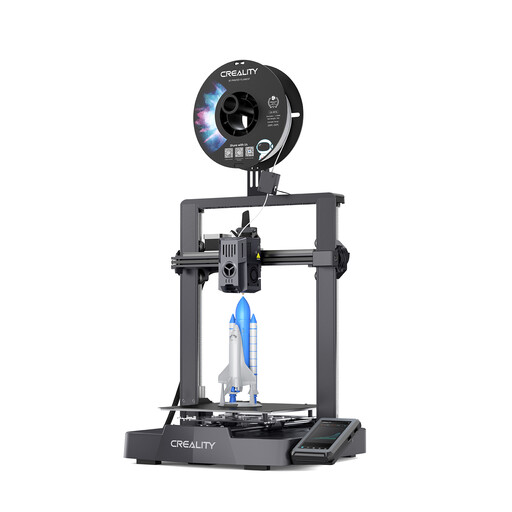
Why it’s a good fit: A practical FDM choice for home use, makers and beginners who want to try PLA, PETG or TPU.
The listing mentions automatic levelling and a maximum nozzle temperature of 300 °C, so you do not have to choose based on speed alone.
Maximum speed according to the product specification: 500 mm/s. Build volume according to the listing: 220 × 220 × 240 mm.
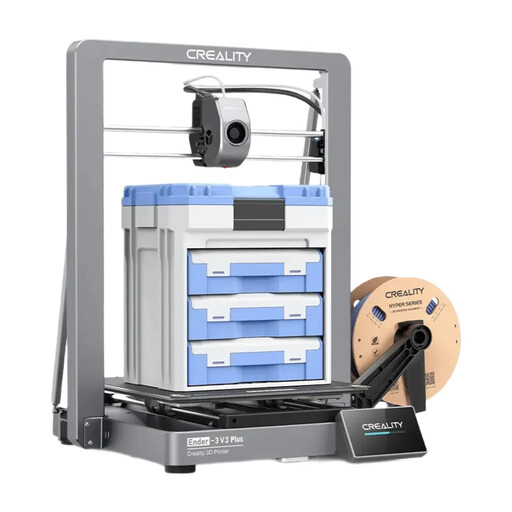
Why it’s a good fit: Suitable for larger models, batches of small parts and prototyping applications.
The 300 × 300 × 330 mm build volume reduces the need to split larger models into multiple parts.
The listing mentions CoreXZ, automatic calibration, direct drive and support for PLA, PETG, ABS, TPU and some fibre-reinforced materials.
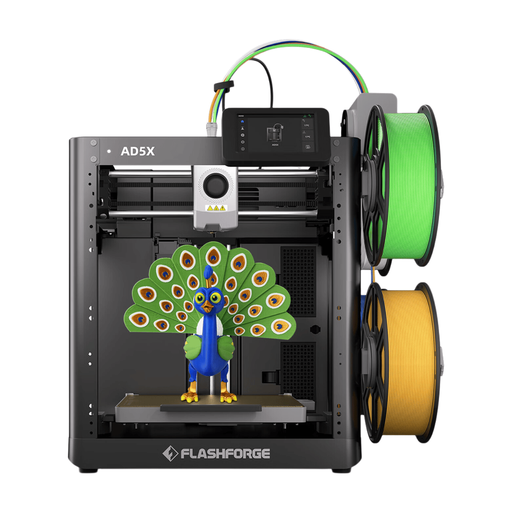
Why it’s a good fit: For models where colour changes matter more than having the simplest possible basic setup.
Check the colour capacity and material consumption in advance; this listing mentions support for up to four colours.
CoreXY structure, automatic levelling, 300 °C extruder and a print size of 220 × 220 × 220 mm.
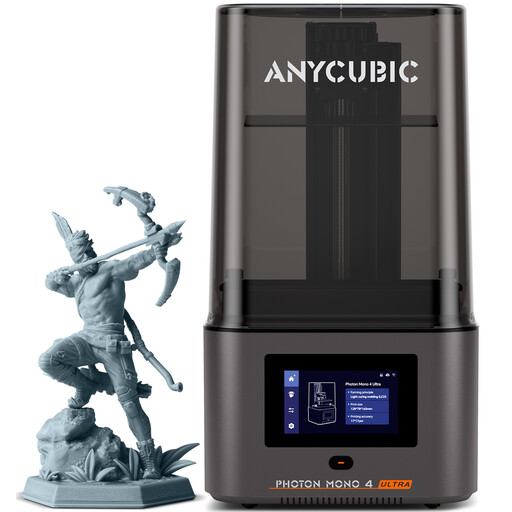
Why it’s a good fit: For miniatures, jewellery models and small prototypes where detail is important.
This choice is based on resolution and resin compatibility, not just movement speed. Resin does require additional cleaning and safety measures.
The product description mentions a 10K monochrome screen, a pixel size of 17 × 17 μm and a build volume of 153.4 × 87 × 165 mm.
Browse a current selection of printers and filaments based on speed, build volume, material support and ease of use.
For everyday prototypes and decorative models, black or white PLA-Basic is a practical choice. The eSUN PLA-Basic variants in black, white and brown are linked to FDM printers and high print speeds in the product descriptions. For example, take a look at the black eSUN PLA-Basic filament or the white version.
For decorative prints, the eSUN PLA Matte Rainbow variants are an option. Before buying, check whether the colour transitions suit your design and whether your printer is suitable for the chosen filament.
It can be, provided the printer has automatic levelling, a clear interface and a well-supported slicer profile. Also consider maintenance, nozzle changes and material choice. In practice, a lower maximum speed with simple controls may be more convenient than a complicated model with higher figures.
Its lifespan depends on hours of use, material, cleaning and wear to the nozzle, print bed, belts and fans. Clean the print bed regularly, store filament in a dry place and follow the manufacturer’s maintenance instructions.
As well as the purchase price, you will pay for filament or resin, electricity and any replacement parts. PLA per kilogram is often straightforward to budget for. Resin printers involve additional costs for resin, cleaning fluid, gloves, protective equipment and post-curing. Calculate the total running costs, not just the price of the printer.
