
Vandaag of morgen in huis

Kwaliteit gegarandeerd

Welkomstaanbiedingen ontgrendelen: GRATIS bezorging | Tot 80% korting | Gratis 30 dagen JoyPlus-proefperiode
Download de app
A wireless gaming mouse needs to offer more than just a high DPI rating and eye-catching design. For dedicated PC gamers, a stable connection, predictable tracking, low weight and a battery that does not run out halfway through a gaming session are what really matter. The Rapoo VT3 wireless gaming mouse combines these features with programmable buttons and macro functions.
Even so, it is wise not to treat marketing claims as a guarantee of better performance. Always check which settings are required, what the battery life actually refers to and whether the shape suits your hand and grip style.
A sensor with 26,000 DPI sounds impressive, but most players use much lower sensitivity settings in games. Stable tracking, a suitable sensor setting and the ability to switch DPI profiles quickly are more important.
Also pay attention to how a manufacturer describes accuracy. According to Rapoo’s own information, the VT3 has a resolution accuracy of 99.6 per cent. This is a brand claim from the product description, not a general guarantee for every surface, game or computer configuration.
According to the product specification, a gaming mouse with an 8K polling rate sends up to 8,000 updates per second to the computer. This can reduce the time between mouse updates, but the difference is mainly relevant during fast movements, at high refresh rates and when your system can process the additional data.
Therefore, check:
According to Rapoo’s own product information, the Rapoo VT3 comes with native 8K wireless polling, without relying on a software algorithm or an additional polling dongle. After purchase, however, check the latest installation instructions in A HUB.
According to Rapoo’s own figures, the stated Rapoo VT3 750-hour battery life applies at a polling rate of 1000 Hz. If you use 8K, lighting or other demanding settings, the actual usage time may be lower. Treat 750 hours as a stated maximum under specific conditions.
A built-in rechargeable battery is also different from replaceable batteries. You do not need to buy separate AA or AAA batteries, but you do need to charge the mouse via USB in good time.
With a stated weight of 53 grams, the Rapoo VT3 falls into the 53-gram ultra-light gaming mouse category. Low weight can be useful for large arm movements in FPS games, but it is no substitute for a good fit. Pay attention to the length, width, height and position of the thumb buttons.
A mouse that is too small may feel unstable when using a palm grip. A larger model may be less agile for fingertip or claw grips. Check the dimensions and make sure the buttons are easy to reach without constantly repositioning your hand.
According to the product specification, the VT3 supports 26,000 DPI and independent settings for the X and Y axes. This means you can adjust horizontal and vertical sensitivity separately. This may be useful with certain screen aspect ratios or personal in-game settings.
For everyday use, these options are particularly relevant:
A high DPI is therefore an available setting, not a recommendation that you must use it.
The Rapoo VT3 has 10 programmable buttons. According to the product information, you can use Rapoo A HUB for Windows and Mac to configure button functions and macros. The mouse also features onboard memory, so profiles do not need to be configured again every time you switch between devices.
However, check in advance whether macros are permitted in the games you play. In some online games, certain forms of automation may breach the rules. Use programmable buttons mainly for permitted shortcuts, controls and productivity.
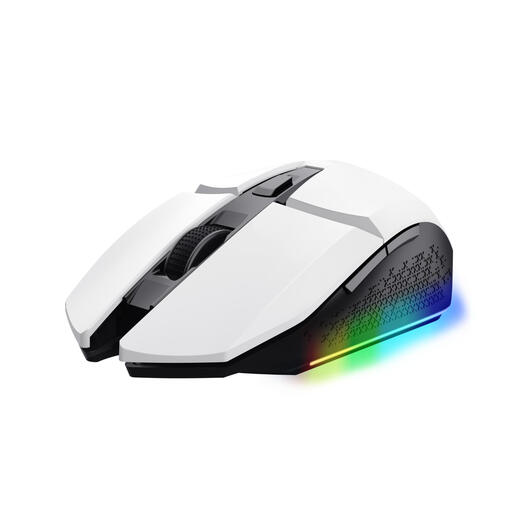
Why it suits this profile: An accessible wireless mouse for anyone who values basic functions, RGB lighting and charging more than 8K or an extremely low weight.
The stated specifications clearly list 4,800 DPI, six buttons and up to 80 hours of battery life. This makes expectations clearer than with general performance claims.
2.4GHz wireless, rechargeable battery, six buttons and use while charging, according to the product information.

Why it suits this profile: Designed for players looking for a lightweight wireless FPS mouse with 8K polling, plenty of buttons and a high stated battery capacity.
The polling rate, weight, DPI and number of programmable buttons are listed separately. The battery claim of up to 750 hours is linked to 1000 Hz.
53 grams, native 8K wireless, 26,000 DPI with independent X/Y adjustment and 10 programmable buttons with macro support.

Why it suits this profile: A right-handed FPS mouse for players looking for very low weight, 8K polling and a high-resolution optical sensor.
The product details state both the 54-gram weight and the maximum polling rate of 8,000 Hz. The stated battery life is 95 hours, clearly lower than the Rapoo claim.
54 grams, 8K HyperPolling according to the product information, 35,000 DPI sensor and six programmable buttons.
We have put together a complete, up-to-date list of products that fully meet these strict selection criteria and the applicable European safety regulations.
Do not use the mouse if it shows visible damage, unusual heat, smoke or a swollen battery. Do not expose the built-in battery to water, fire or extreme heat. At the end of its service life, dispose of the device in accordance with Dutch regulations for electronic waste.
The combination of 53 grams, native 8K wireless polling and a sensor of up to 26,000 DPI makes the VT3 suitable for fast-paced FPS games on paper. The actual experience also depends on your grip, mouse mat, monitor, game settings and computer.
According to Rapoo’s own figures, the battery lasts up to 750 hours at 1000 Hz. With 8K polling or other demanding settings, the usage time may vary. Check the battery status in the software and charge the mouse before starting a long session.
According to the product description, Rapoo A HUB supports Windows and Mac. This allows you to configure the 10 buttons and macro functions. After installation, check that your operating system and the current software version support all the features.
