
Vandaag of morgen in huis

Kwaliteit gegarandeerd

Welkomstaanbiedingen ontgrendelen: GRATIS bezorging | Tot 80% korting | Gratis 30 dagen JoyPlus-proefperiode
Download de app
A wireless gaming mouse needs to offer more than just a high DPI value. For FPS gamers, a stable connection, low weight, suitable shape and settings that work in practice are what really matter. The Rapoo VT3 wireless gaming mouse is aimed at players looking for an ultra-light mouse with an 8K polling rate, programmable buttons and long battery life.
However, there are several common purchasing pitfalls to watch out for. A high polling rate will not automatically work optimally in every game or on every PC. A high DPI value also means little if your sensor settings, mouse grip and surface are not suited to one another. Below, you can read which specifications to check and which type of user the Rapoo VT3 or an alternative may suit.
According to the product specification, a wireless gaming mouse with an 8K polling rate records up to 8,000 reports per second. This can refine cursor movement and reduce input latency. However, the benefits depend on your game, screen refresh rate, processor and settings.
Therefore, check:
For the Rapoo VT3, the product description states a battery life of up to 750 hours at 1,000 Hz. So do not automatically assume that the same battery life applies at 8,000 Hz.
A 26,000 DPI gaming mouse sounds impressive, but the maximum value is not useful for every player. Many FPS gamers actually play at a lower DPI and adjust their sensitivity in-game.
According to the product information, the Rapoo VT3 features an independent 26K X/Y DPI setting. This allows you to configure horizontal and vertical sensitivity separately. That is useful for players who want to fine-tune their settings, but check beforehand whether the driver supports this function on your operating system.
An ultra-light 53-gram gaming mouse can feel comfortable for fast flicks and repositioning. However, light does not necessarily mean comfortable. The length, width, button placement and shape determine whether a claw, fingertip or palm grip works well.
Pay particular attention to:
According to the product description, the VT3 has an optimised grip and more easily accessible side buttons. These are design features that can be checked, but the way the mouse feels in your hand remains a personal matter.
According to the manufacturer, the Rapoo VT3 supports a native 8K wireless polling rate. The product description states that this does not require a software algorithm or an additional wireless dongle. For competitive FPS gaming, this can be appealing if your PC, screen and game can process this frequency effectively.
Start by using the mouse at 1,000 Hz, then increase the polling rate gradually. This allows you to see whether your system remains stable and whether you can actually notice a difference in cursor display or input.
With a stated weight of 53 grams, the VT3 falls into the ultra-light gaming mouse category. The mouse also has 10 programmable buttons. According to the product information, you can use Rapoo’s A HUB software for Windows and Mac to configure functions and macros.
A programmable gaming mouse with macro functions can be useful for MMOs, simulations and productivity. For FPS gaming, however, restraint is advisable: only assign functions that comply with the rules of the game and competition you are taking part in. Also check whether the settings are saved to the onboard memory. The VT3 is listed as having onboard memory, so profiles do not need to be set up again every time.
According to the product description, the Rapoo VT3 uses a sensor with up to 26,000 DPI and independent X/Y settings. The stated resolution accuracy of 99.6% is a claim from the brand’s product information and should therefore be understood as a specification provided by Rapoo, not as a universally guaranteed real-world result.
The mouse has mechanical switches with a stated lifespan of 100 million clicks. According to Rapoo’s own information, the design is intended to reduce double-clicking issues. This is a brand claim; the actual lifespan depends, among other things, on usage, maintenance and environmental conditions.
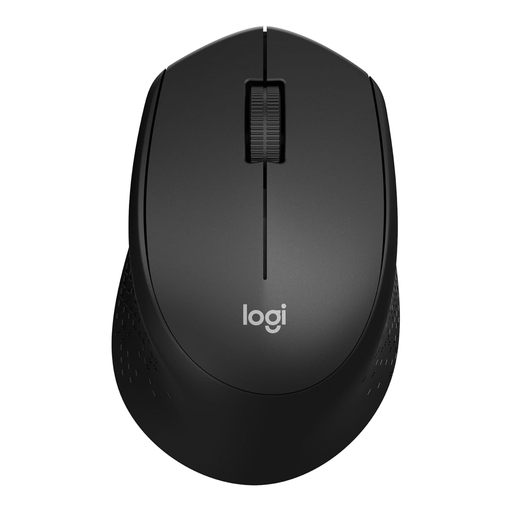
Why it suits this profile: A simple wireless mouse for everyday use and casual gaming, without complex software or a high upfront cost.
The specifications are straightforward: 1,000 DPI, three buttons and a USB receiver. You are not paying for features you will not use.
According to the product information, this mouse has silent clicks, a range of up to 10 metres and battery life of up to 24 months.
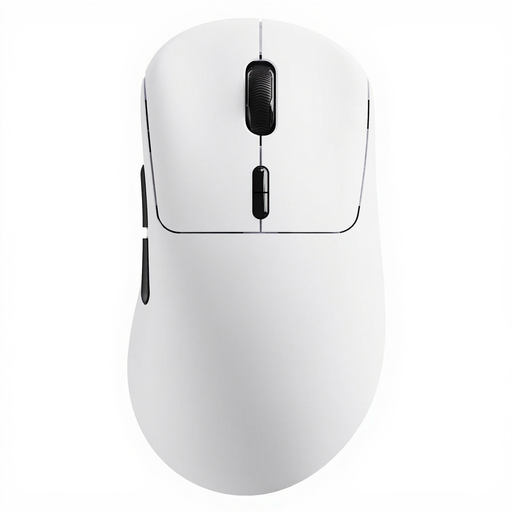
Why it suits this profile: For players looking for a lightweight, customisable mouse with a high polling rate, plenty of buttons and long stated battery life.
The product information lists separate X/Y DPI settings, onboard memory and 8K wireless polling. However, check software and game compatibility beforehand.
53 grams, up to 26,000 DPI, 10 programmable buttons and, according to the product specification, up to 750 hours at 1,000 Hz.
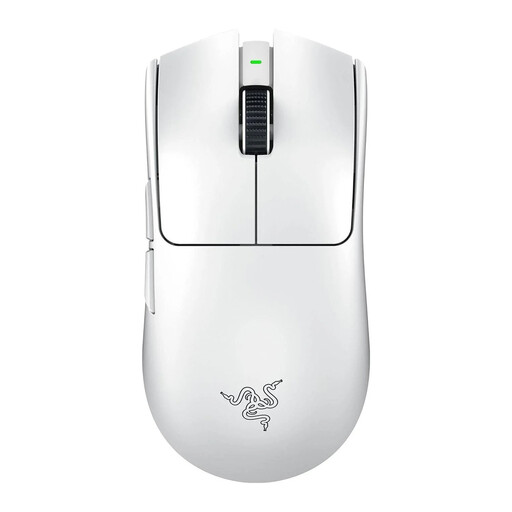
Why it suits this profile: Designed for right-handed FPS players looking for a lightweight shape, an 8K polling rate and a sensor with a high adjustable resolution.
The choice is more straightforward for FPS gaming: six buttons and a right-handed shape limit unnecessary controls while aiming.
54 grams, up to 8,000 Hz according to the product specification and a stated battery life of up to 95 hours.
Take care with battery safety during maintenance. A built-in battery must not be opened, pierced or exposed to extreme heat. Stop using the mouse if it becomes unusually hot, swells, emits smoke or develops an unusual smell. Dispose of discarded equipment in accordance with Dutch regulations for electronic waste.
We have put together a complete, up-to-date list of products that fully meet these strict selection criteria and the applicable European safety regulations.
The combination of 53 grams, an optical sensor with up to 26,000 DPI and a stated 8K wireless polling rate is well suited to fast FPS movements. Whether you notice a difference depends on your game, screen and PC. The shape and button placement must also suit your grip.
According to the product description, the battery lasts up to 750 hours at 1,000 Hz. Power consumption may differ at higher polling rates. Treat this as a stated maximum under specific conditions, rather than a fixed battery life for every setting.
Yes. According to the product information, you can configure functions and macros using Rapoo A HUB. The mouse has 10 programmable buttons and onboard memory. After setting everything up, check that the profiles have been saved correctly and that using macros is permitted in your game or competition.
