
Vandaag of morgen in huis

Kwaliteit gegarandeerd

Welkomstaanbiedingen ontgrendelen: GRATIS bezorging | Tot 80% korting | Gratis 30 dagen JoyPlus-proefperiode
Download de app
Buying a wireless gaming mouse sounds simple: look at the weight, DPI and battery life. However, those figures do not tell the whole story. Especially with a mouse for competitive PC gaming, small differences in connectivity, shape and software can be noticeable every day.
The Rapoo VT3 wireless gaming mouse is aimed at FPS players looking for low weight, a high polling rate and plenty of customisation options. The product description lists 53 grams, a wireless polling rate of up to 8,000 Hz, a maximum of 26,000 DPI, ten programmable buttons and a quoted battery life of up to 750 hours at 1,000 Hz. Below, we look at what these specifications mean in practice and which pitfalls you can avoid.
According to the product specification, a gaming mouse with an 8K polling rate sends data to the computer more frequently than a 1,000 Hz model. This can be useful with fast movements and a monitor with a high refresh rate. However, the difference is not equally noticeable in every game or on every screen.
So check:
According to the product description, the Rapoo VT3 offers native wireless 8,000 Hz, without an additional wireless dongle for this function. The actual experience may depend on the game, system, screen and settings.
26,000 DPI sounds impressive, but most players use much lower sensitivity during FPS games. DPI is mainly the range you can choose from; it does not, by itself, determine how accurately you aim.
Also consider the sensor, the ability to switch DPI levels quickly and the option to adjust the X and Y axes independently. The Rapoo VT3 lists independent X/Y DPI settings and DPI increase and decrease buttons. This can be useful if you want to configure horizontal and vertical movements differently.
An important tip: first set your preferred speed in the game and use a consistent sensitivity. A higher DPI does not automatically make a mouse more suitable for competitive gaming.
The quoted 750-hour battery life is linked to use at 1,000 Hz. According to Rapoo’s own product information, this figure is based on the energy-efficient Nordic nRF54L15 MCU. Using 8,000 Hz, lighting and other settings can affect battery life. Therefore, check how battery performance is defined in the product information.
A good wireless mouse should also remain usable while charging or be easy to connect via a USB cable. Check that the receiver, cable and charging port are all supplied correctly.
At 53 grams, the Rapoo VT3 falls into the 53-gram ultralight gaming mouse category. A low weight can make quick lifts and repositioning easier, particularly at low sensitivity. It is not a guarantee of better performance: hand size, grip style and the shape of the housing are just as important.
Pay attention to the positioning of the thumb buttons. The VT3 is described as having more accessible side buttons. This is useful for players who want to use additional functions, but too many buttons can also lead to accidental presses.
The VT3 uses mechanical switches with a quoted lifespan of 100 million clicks. According to Rapoo’s own research and product information, the lifespan has been increased compared with the previously stated figure of 60 million clicks, with efforts made to reduce double-clicking issues.
This remains a manufacturer’s claim and is not a guarantee of a specific service life. Mechanical switches also produce a noticeable, audible click. If you prefer a different click feel or an optical switch, you could consider a model from the VT2 MAX or VT3 MAX series, for example.
According to the product listing, the Rapoo VT3 has 10 programmable buttons and supports macros through Rapoo A HUB. The software is available for Windows and Mac OS, and the mouse features onboard memory according to the description.
Always check the rules of the game or competition when using macro functions. Certain forms of automation are not permitted in some esports titles. For everyday use, programmable buttons can also be handy for push-to-talk, media controls or quickly switching between functions.

Why it suits this profile: The VT3 combines low weight, wireless connectivity and extensive software features in one model for players looking for their first serious gaming mouse.
The product listing mentions not only DPI, but also 53 grams, 8,000 Hz wireless, ten programmable buttons and onboard memory.
53 grams, up to 26,000 DPI, macro function and a quoted battery life of up to 750 hours at 1,000 Hz.
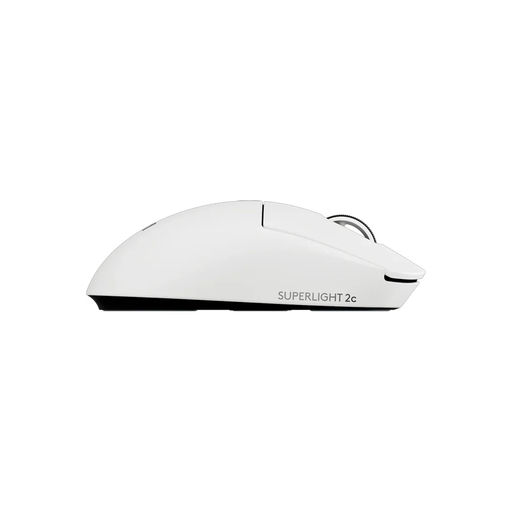
Why it suits this profile: A compact wireless FPS mouse for players looking for a lightweight model, a sensor with a high DPI range and an 8K polling rate.
The product information mentions 53 grams and up to 8 kHz, as well as the compact dimensions and programmable buttons.
53 grams, up to 44,000 DPI, optical sensor and a quoted battery life of up to 95 hours.

Why it suits this profile: For users who want to combine plenty of buttons and long-lasting wireless use with an optical switch.
The product information lists 120 million clicks for the optical switch and notes that the latest driver may be required for low-power mode.
53 grams, 30,000 DPI, 10 programmable buttons and up to 750 hours at 1,000 Hz according to the product information.
We have put together a complete, up-to-date list of products that fully meet these strict selection criteria and the applicable European safety regulations.
The combination of 53 grams, an optical sensor, programmable buttons and a quoted wireless polling rate of up to 8,000 Hz makes it suitable for fast-paced FPS games. Your results will also depend on your grip, sensitivity, mouse mat, monitor and PC.
According to Rapoo’s product information, the battery lasts up to 750 hours at 1,000 Hz. Battery life may vary at higher polling rates and with other settings. Therefore, treat this figure as a quoted maximum under specific usage conditions.
Yes. According to the product description, Rapoo A HUB works on Windows and Mac OS. You can use it to customise buttons, macros and DPI settings. After installation, check that the mouse and software have the latest firmware, and use macros within the rules of the relevant game.
