
Vandaag of morgen in huis

Kwaliteit gegarandeerd

Welkomstaanbiedingen ontgrendelen: GRATIS bezorging | Tot 80% korting | Gratis 30 dagen JoyPlus-proefperiode
Download de app
A monitor arm can free up space on your desk and give you more flexibility when positioning your screen. Yet many people choose a model based solely on screen size or an appealing product claim. This can result in an unstable setup, an arm that slowly drops or cables that become taut with every movement.
This buying guide from the Joybuy Product Recommendation Officer will help you check the most important specifications. That way, you can find the right monitor arm, monitor stand or monitor mount for working from home, the office, gaming or professional use.
A 32-inch monitor may fit a monitor mount that supports screens up to 32 inches, but that tells you nothing about the weight. A heavy screen, ultrawide model or curved display may exceed the maximum load capacity.
Always check:
VESA refers to the distance between the mounting holes on the back of your screen. Many monitor arms support VESA 75 × 75 mm and 100 × 100 mm, but larger screens may use, for example, 200 × 200 mm or 600 × 400 mm.
Measure the horizontal and vertical distance between the holes before ordering. A VESA adapter plate may accommodate some unusual patterns, but this must be explicitly stated in the product details.
A desk monitor arm is usually attached with a clamp or a grommet mount, also known as a through-desk mount. A thin desktop, glass surface or lightweight chipboard may be unsuitable for a heavy setup.
Pay attention to:
A 180° stop can prevent an arm from swinging into a wall or panel. This is a practical limitation, but it is no substitute for secure mounting.
Choose a monitor arm with some capacity to spare above the weight of your screen. For example, a model with a load capacity of 9 kg is not automatically suitable for every screen up to 35 inches; the screen must also fall within the specified size and VESA requirements.
For multiple screens, you should check the load per arm. A monitor arm for 2 screens may, for example, have a capacity of 7 kg per screen. A monitor arm for 3 screens also requires a desk that can support the combined weight of the screens, arm and mounting hardware.
A fixed monitor stand is suitable if your screen stays in virtually the same position. An adjustable monitor arm offers greater flexibility. Check which movements are actually available:
A monitor arm with a gas spring is useful if you regularly move the screen higher, lower, forwards or backwards. With a gas spring, the screen weight must fall within the specified range. Tension adjustment is often required after installation.
Cable-management systems on monitor arms route power and signal cables along the arm. Check whether cable clips or integrated cable channels are included, and whether the cables are long enough for the full range of movement.
For a wall-mounted setup, a monitor wall mount is suitable when you need to keep your desk clear. Check the type of wall and use mounting hardware that is suitable for the surface. A monitor ceiling mount requires extra attention to the load-bearing capacity of the ceiling structure and safe cable routing.
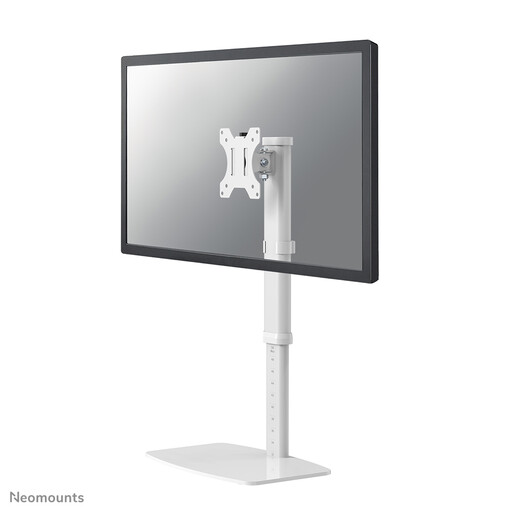
Why it suits this profile: For one standard screen and a straightforward desk setup, this model offers manual height adjustment from 36 to 54 cm, with tilting, turning and swivelling.
The specifications state both the screen size and a maximum of 6 kg per screen, along with VESA 75 × 75 and 100 × 100 mm.
Suitable for one screen from 10 to 30 inches; tilts up to 80° and offers 360° rotation.
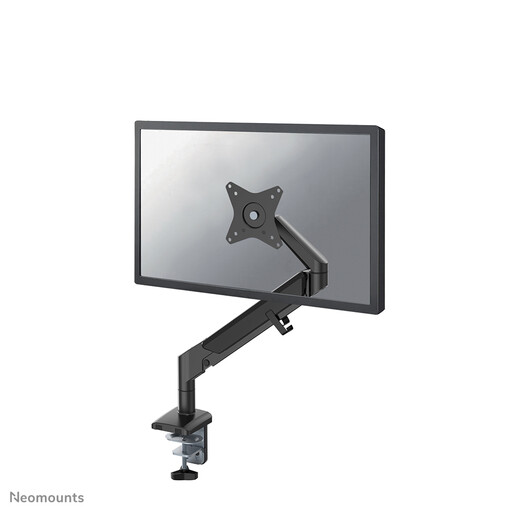
Why it suits this profile: This VESA monitor arm is designed for users who frequently adjust their screen and want to keep cables neatly out of sight.
The gas spring is designed for screens weighing from 1 to 9 kg. The 180° stop limits swivelling towards a wall or partition.
Gas-spring height adjustment from 26.5 to 55 cm; cable clips and Quick-release VESA.

Why it suits this profile: This model is for multitaskers, IT managers and gamers who want to position three screens side by side without using three separate stands.
The load capacity is specified as 6 kg per screen. The arm has a welded base and a 180° stop for positioning close to a wall.
Supports three screens from 10 to 27 inches; height adjustment from 14 to 40 cm and integrated cable management.
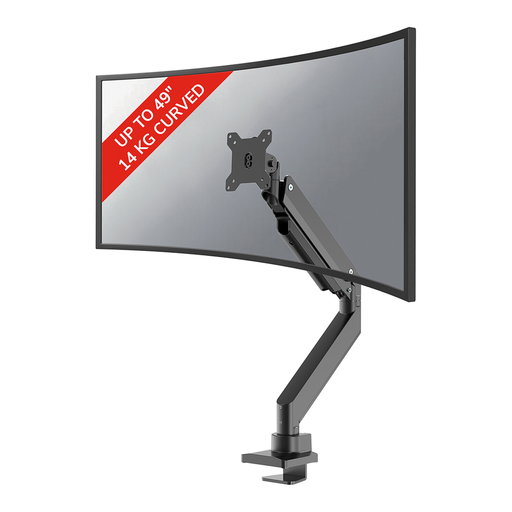
Why it suits this profile: This model is designed for a large curved or ultrawide screen up to 49 inches, for example at a reception desk or on a spacious workstation.
The product details specify a maximum of 18 kg and a gas spring, as well as a 180° stop. Before buying, check the VESA size of your specific screen.
Suitable for curved screens up to 49 inches; depth adjustment up to 63 cm and integrated cable management.
Only install a desk monitor arm on a flat, sturdy surface. Attach the clamp or grommet first, then check that all screws are firmly tightened. Do not attach the screen until the arm has been installed correctly.
After installation, check three points:
For wall or ceiling mounting, the surface must be suitable for the combined weight of the screen and mount. Do not drill without checking whether pipes or electrical cables run behind the wall.
We have put together a complete, up-to-date list of products that fully meet these strict selection criteria and the applicable European safety regulations.
No. The monitor must have a suitable VESA pattern and fall within the specified screen size and weight limits. Check these three details separately before buying a monitor mount.
That depends on how often you move the screen. For a fixed workstation, a manually adjustable monitor stand may be sufficient. If you regularly switch between sitting and standing or use different viewing angles, a gas spring could be beneficial. Always check the minimum and maximum screen weight.
Its lifespan depends on the materials, load, installation and how often the arm is adjusted. Regularly check the clamp, screws, VESA mount and cable clips. Do not use the arm above its specified load capacity, and replace damaged parts according to the manufacturer’s instructions.
