
Vandaag of morgen in huis

Kwaliteit gegarandeerd

Welkomstaanbiedingen ontgrendelen: GRATIS bezorging | Tot 80% korting | Gratis 30 dagen JoyPlus-proefperiode
Download de app
A monitor arm can free up desk space and give you more flexibility when positioning your screen. But not every monitor arm is suitable for every workspace. A heavy monitor on a lightweight arm may start to droop, while the wrong VESA size can make installation impossible.
For home workers, gamers, office workers and IT professionals, three common pitfalls are particularly relevant:
Always check the weight of your monitor without its original stand. Look at the maximum load capacity per arm, not just the total weight.
Examples:
A monitor with a heavy built-in power supply or extra-wide casing can affect the balance. With spring-assisted models, you also need to adjust the tension to suit the weight of the screen.
VESA refers to the distance between the mounting holes on the back of a monitor. Many monitor arms support 75 x 75 mm and 100 x 100 mm. Measure the distance horizontally and vertically before you order.
Also consider how the arm is mounted:
If you’re using a desk clamp, check the maximum desk thickness and make sure there’s enough space at the back.
An adjustable monitor arm lets you change the screen’s height, depth and viewing angle. Check the stated adjustment range, including:
A gas-spring monitor arm is especially practical if you move your screen regularly. A manually adjustable arm may be enough if your screen usually stays in one place. On a narrow desk, a short-arm design can be a good choice because it takes up less depth.
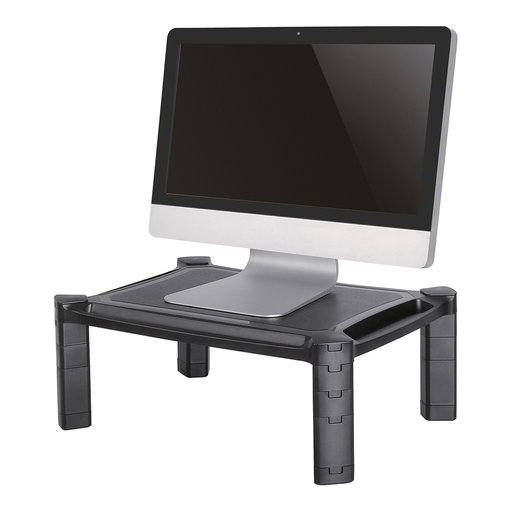
Why it suits this profile: This monitor riser is a good choice if you want to raise a screen or laptop without using a clamp or drilling a hole. Its height adjusts from 4.6 to 16.8 cm.
You don’t need to check an arm’s maximum capacity or a VESA size. The riser supports up to 10 kg and sits freely on a flat desk.
Suitable for monitors and laptops up to 32 inches; storage space and cable routing at the back.
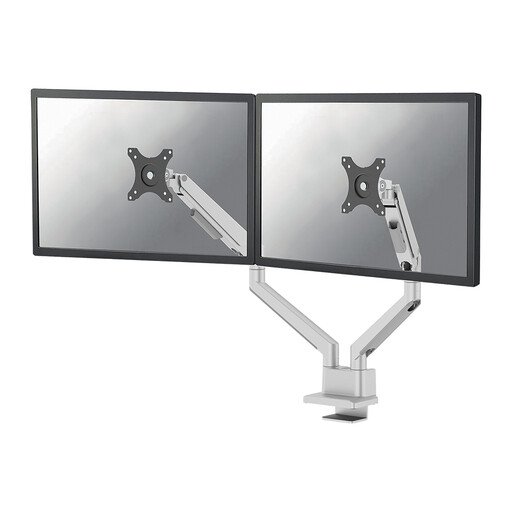
Why it suits this profile: This dual monitor arm is designed for two screens from 17 to 32 inches. The gas spring allows height adjustment from 21.5 to 49.5 cm, and the arm supports up to 9 kg per screen.
The product specifications list both the screen size and the load capacity per monitor. The 180° stop limits movement towards a wall or partition.
Tilts up to 90°, rotates up to 360° and swivels up to 180°; top-fix clamp or grommet mount, plus cable management.
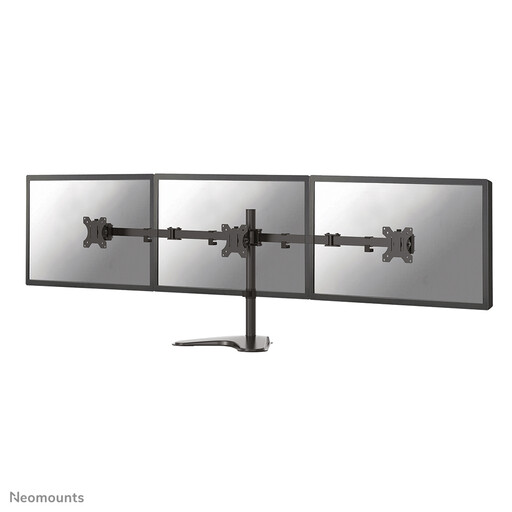
Why it suits this profile: This monitor arm for three screens is designed for a workspace with multiple windows, dashboards or applications. It supports three screens up to 27 inches and up to 6 kg per screen.
The separate load capacities let you check each screen individually. The 75 x 75 mm and 100 x 100 mm VESA fittings are clearly specified.
Height adjustment from 0 to 43.2 cm; tilt, rotation and swivel; cable clips for a tidy setup.
Don’t attach the clamp to a rounded or damaged desk edge. For a grommet mount, use a sturdy mounting point and tighten the screws evenly. Only hang the monitor once the arm is securely fixed.
Keep the following in mind when making adjustments:
A product with a longer manufacturer’s warranty may be worth considering, but check the statutory warranty and the seller’s terms as well. The stated product specifications determine the supported size, load capacity and compatibility.
We’ve put together a complete, up-to-date list of products that meet these strict selection criteria and the applicable European safety regulations.
No. Check the VESA size, weight and screen size. A monitor without VESA holes can sometimes be fitted using an adapter, but the adapter must be suitable for that specific model and weight.
It depends on how you use it. If you regularly move your screen higher, lower or closer, a gas-spring mechanism can make things easier. For a fixed workspace, a manually adjustable monitor arm may be enough.
Its lifespan depends on the materials, load, installation and how often you move the arm. Stay within the stated load capacity, mount it on a stable desk and check the fixings regularly. Stop using it if any parts become loose, warped or damaged.
