
Vandaag of morgen in huis

Kwaliteit gegarandeerd

Welkomstaanbiedingen ontgrendelen: GRATIS bezorging | Tot 80% korting | Gratis 30 dagen JoyPlus-proefperiode
Download de app
A monitor arm can free up desk space and give you more flexibility when positioning your screen. However, not every arm is suitable for every desk or monitor. Choosing the wrong one can result in a wobbly setup, an arm that gradually sinks or monitors that don’t fit neatly side by side.
For home workers, gamers, office professionals and creative users, there are three main pitfalls to watch out for:
Always check the maximum weight per monitor, not just the total capacity. A dual monitor arm with a limit of 8 kg per arm can support two screens weighing up to 8 kg each. You don’t need to include the monitor stand if you’re removing it, but do allow for accessories such as a VESA adapter.
Specifications vary across the range. For example, the Neomounts DS70-250BL2 supports up to 9 kg per screen and screen sizes from 17 to 32 inches. The Neomounts DS70-750BL2 is designed for two screens measuring 17 to 27 inches and weighing up to 7 kg each.
VESA refers to the distance between the mounting holes on the back of your monitor. Many monitor arms support 75 × 75 mm and 100 × 100 mm. Also check:
A large monitor isn’t automatically unsuitable, but its centre of gravity may put more strain on the arm. For a curved screen up to 49 inches, a dedicated model with a reinforced head, such as the Neomounts NM-D775SILVERPLUS, is a more sensible choice than a standard monitor arm.
An adjustable monitor arm lets you change the height, viewing angle, depth and rotation. Consider the difference between manual adjustment, spring assistance and a gas spring monitor arm. Gas springs are useful if you move your screens regularly, but the tension needs to suit the weight of your monitor.
Also consider the mounting options:
Cable management is useful too. An arm with integrated clips or cable channels keeps power and display cables away from moving parts. Make sure there’s enough slack, though, so a cable doesn’t become taut when you turn the screen.
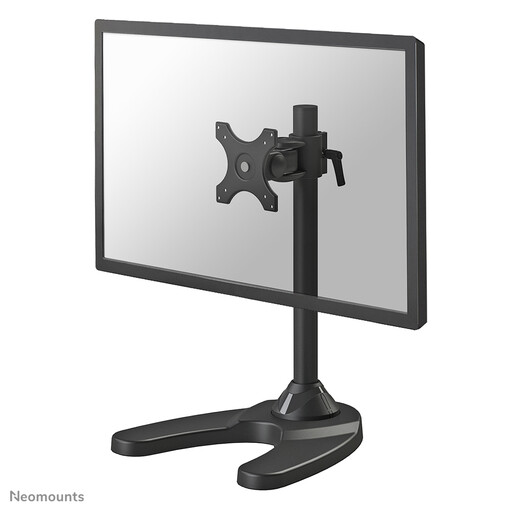
Why it suits this user: This monitor stand is suitable for one screen measuring 10 to 30 inches, with manual height adjustment from 15 to 45 cm. It’s a straightforward choice for a first setup at home or in the office.
The product specifications state both the screen size range and a weight capacity of 10 kg, as well as VESA 75 × 75 and 100 × 100 mm. So you don’t have to rely on screen size alone.
One screen, 10 kg weight capacity, manual height adjustment, plus tilt, rotation and swivel adjustment.
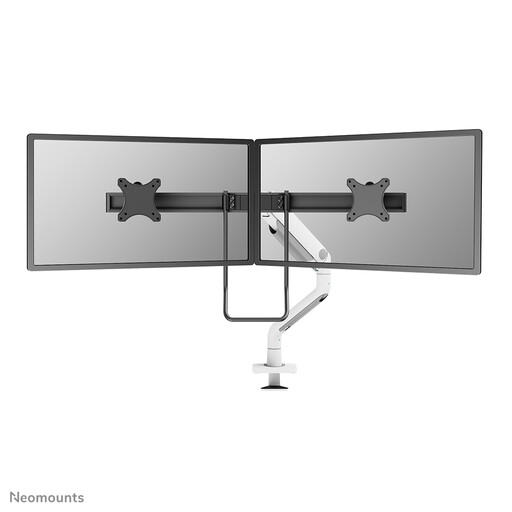
Why it suits this user: If you often readjust two larger screens, this gas spring monitor arm offers independent height and depth adjustment. It supports screens up to 32 inches and 8 kg per screen.
The 180° stop limits movement towards a wall or partition. The VESA sizes and maximum load are clearly specified.
Gas spring, 19.1–52.7 cm height adjustment, 17.3–71 cm depth adjustment and cable management.
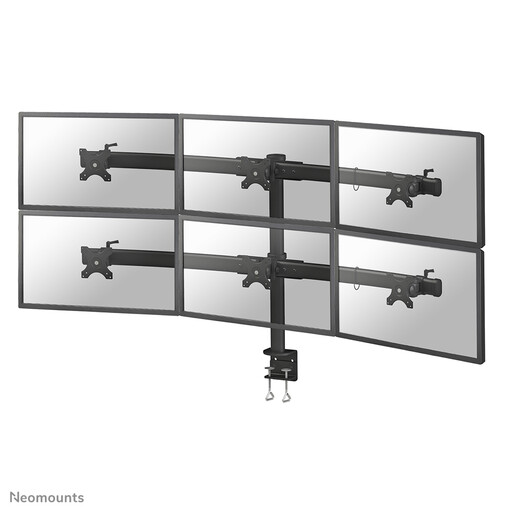
Why it suits this user: This monitor arm for six screens is designed for trading platforms, control rooms, video editing and other workspaces with multiple monitors. It’s suitable for screens measuring 19 to 27 inches.
The weight capacity is specified as 8 kg per screen. However, check beforehand that your desk can support the combined weight of the arm and six monitors.
Six screens, height adjustment from 22–70 cm, VESA 75 × 75 and 100 × 100 mm, and integrated cable management.
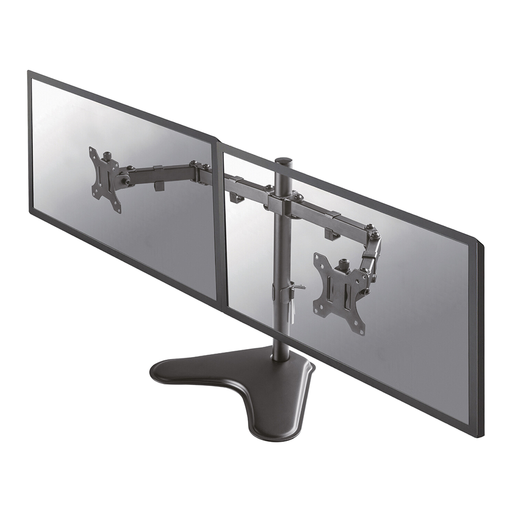
Why it suits this user: This laptop and monitor arm is ideal if you use an external screen alongside a notebook. It supports one screen up to 32 inches and a notebook up to 15.6 inches.
The maximum load is listed separately: 8 kg for the screen and 4.5 kg for the notebook. It can also be fitted with either a desk clamp or a grommet mount.
Tilt up to 45° in either direction, swivel 180°, rotate 360° and adjust the depth from 4–52 cm.
We’ve put together a complete, up-to-date list of products that meet these strict selection criteria and current European safety regulations.
Before fitting the arm, check that your desk is thick and sturdy enough. Attach the arm according to the instructions and tighten all the screws before mounting a screen. With a gas spring monitor arm, adjust the tension to suit the screen’s weight. Keep your fingers away from the joints and leave enough slack in the cables to allow the arm to move fully.
With an arm for two or three screens, it’s a good idea to distribute the screens evenly. A heavy monitor on one side can throw the setup off balance. After a few days, check the clamp, VESA screws and pivot points again.
No. Check the VESA pattern, the screen weight and the maximum screen size. The most common sizes are 75 × 75 and 100 × 100 mm, but not every screen uses these fittings.
It depends on your desk. A monitor arm with a desk clamp frees up space beneath the monitor and often gives you more flexibility. A monitor stand is easier to position and may be a better choice for a fragile or rented desk where you don’t want to use a clamp.
Its lifespan depends on the materials, load, installation and how often you move the screen. Keep within the specified weight capacity and check the connections periodically. The statutory guarantee in the European Union is at least two years; some manufacturers also offer a longer commercial warranty on specific models.
