
Vandaag of morgen in huis

Kwaliteit gegarandeerd

Welkomstaanbiedingen ontgrendelen: GRATIS bezorging | Tot 80% korting | Gratis 30 dagen JoyPlus-proefperiode
Download de app
A monitor mount can free up space on your desk, give you more flexibility when positioning your screens and help keep cables tidy. However, the range often looks more straightforward than it really is. An incorrect combination of screen weight, VESA size or mounting method can result in an unstable setup, limited freedom of movement or unnecessary extra costs.
The Joybuy Product Recommendation Officer helps you assess the most important specifications without taking marketing claims at face value. This makes it easier to compare a monitor stand, monitor arm, monitor wall mount or TV wall mount based on practical considerations.
A mount for screens up to 32 inches is not automatically suitable for every 32-inch monitor. The weight per screen and the VESA pattern are just as important. A heavy screen may exceed the load limit, even if the diagonal measurement is suitable.
Always check:
A full-motion monitor mount can generally tilt, rotate and swivel. However, the actual range of movement depends on the number of pivot points, the depth adjustment and the distance from the wall or edge of the desk.
A wall mount with a short arm is suitable for a setup close to the wall. If you regularly need to move the screen forwards or around a corner, you will need more extension space. Also check that the cables have enough slack when the screen is moved.
A desk mount places a relatively high load on a small area of the desk. A glass desk, thin chipboard surface or hollow worktop is not automatically suitable for a clamp or through-desk mounting system. With a wall mount, you need to consider concrete, brick, wooden studs or another load-bearing structure.
Use fixings suitable for the mounting surface and check after installation that all screws and connections are securely tightened. If you are unsure about a heavy wall or ceiling installation, a qualified installer can help.
VESA refers to the distance between the mounting holes on the back of the screen. Many monitors use 75 × 75 mm or 100 × 100 mm. Larger TVs may use 200 × 200, 400 × 200 or 400 × 400 mm, for example.
Measure the horizontal and vertical distance between the holes and compare it with the product specifications. If your pattern is not listed, you may need a suitable adapter plate. A universal description is therefore not enough: check the exact measurements.
For one screen, compare the monitor’s weight with the maximum load capacity of one arm. With a monitor mount for 2 screens or a monitor mount for 4 screens, you must also check whether the desk and the mounting system can support the total weight.
Take into account:
Do not exceed the limit. An adjustable monitor mount that moves smoothly is only suitable when the screen falls within the specified weight range.
A desk monitor mount is usually attached to the edge of the desk with a clamp. Some models use a fitting that passes through the desktop. A monitor stand sits on the desk and does not require a hole to be drilled, but it does take up more workspace.
For wall installation, choose a monitor wall mount. A larger television may require a TV wall mount with a higher load capacity. A TV ceiling mount is particularly relevant in reception areas, shops or rooms with limited wall space. In these cases, check the load-bearing capacity of the ceiling structure especially carefully.
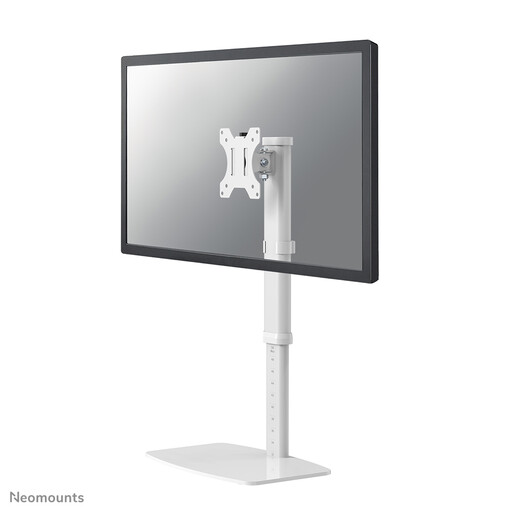
Why it suits this profile: This monitor stand is designed for one screen and sits on the desk, so there is no need to drill. Manual height adjustment from 36 to 54 cm allows you to adapt the viewing position.
The specifications clearly state that it supports one screen, up to 30 inches, weighing up to 6 kg, with VESA 75 × 75 or 100 × 100 mm. This makes it easy to check in advance whether your monitor is compatible.
Tilts up to 80°, 360° rotation, 60° swivel and a stated 5-year product warranty.
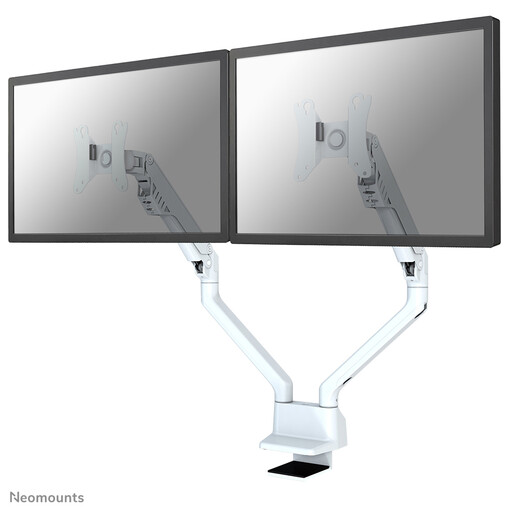
Why it suits this profile: For home workers and office planners using two screens, this monitor arm offers gas-spring height adjustment and a top-fix desk mount. The arm is suitable for screens from 10 to 32 inches.
The maximum weight of 8 kg per screen and the VESA patterns 75 × 75 and 100 × 100 mm are clearly stated. You will still need to compare the maximum desk load with the construction of your desk.
Height 20–51 cm, depth 0–53 cm, cable management and three pivot points per adjustable screen.
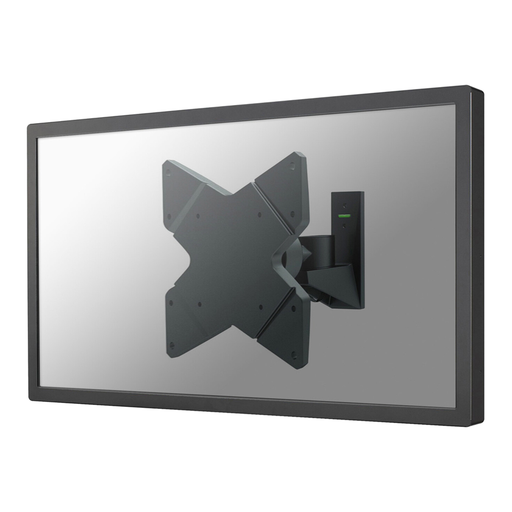
Why it suits this profile: This monitor wall mount is suitable for one screen from 10 to 40 inches and can also be used in a living room or media room. After use, the screen can be pushed back to within 9 cm of the wall.
The wall mount specifies a maximum load of 20 kg and VESA support from 75 × 75 to 200 × 200 mm. Before installation, check that the wall can support this load.
Tilts up to 30°, 360° rotation, 180° swivel and mounting hardware included according to the product description.
We have compiled a complete, up-to-date list of products that fully meet these strict selection criteria and the applicable European safety regulations.
Use this checklist before ordering a monitor mount:
For a fixed TV setup, a TV wall mount with few moving parts may be sufficient. If you have an adjustable workstation, multiple viewing angles or a screen that is moved regularly, look for an adjustable monitor mount or ergonomic monitor arm with the appropriate load capacity.
No. The monitor must have a suitable VESA pattern and fall within the specified screen size and load capacity. Also check that the supplied screws are suitable for your screen.
Not always. Check the thickness, strength and construction of the desktop. Do not attach a clamp to glass, a weak panel or a hollow worktop without checking first. A suitable drilled hole is also required for a through-desk fitting.
Its service life depends on the load, installation quality and how often the arm is adjusted. Regularly check the clamp, pivot points and screws. Do not use the mount above its stated maximum load, and replace any parts that are damaged or have become loose.
