
Vandaag of morgen in huis

Kwaliteit gegarandeerd

Welkomstaanbiedingen ontgrendelen: GRATIS bezorging | Tot 80% korting | Gratis 30 dagen JoyPlus-proefperiode
Download de app
Buying a new reel of filament seems straightforward – until a print fails halfway through, the colour turns out differently than expected or the material doesn’t feed properly through your printer. If you’re looking for PLA+ Bio 3D printer filament, you’ll also quickly come across terms such as “Bio”, “PLA+” and “eco-friendly”, without always finding clear technical details.
For hobbyists, model-makers and small design studios, making the right choice comes down to three things: does the filament work with your FDM 3D printer, is the colour right for your project, and can you verify the product claims?
The word “Bio” in a product name does not automatically guarantee a specific certification or that the product can be composted at home. CaiLab uses “PLA+ Bio” in the product name, but the product information provided doesn’t include a certificate, material percentage or standard for biodegradation.
So always check:
Don’t treat a brand’s claim as an established technical fact. A brand’s own research may suggest that a product has certain properties, but check the official specifications and documentation before buying.
A product photo may look different from the printed model because of screen settings, lighting and image editing. This is particularly relevant if you’re using several reels for one decorative project.
The CaiLab range includes 3D filament in various colours, including yellow, grey, orange, desert, ruby, green, lime, tangerine, blue, black, white, Sakura Pink, lavender, violet and ice blue. The product name indicates the colour, but the information available doesn’t specify a colour code or tolerance. If colour accuracy matters for your project, it’s a good idea to order one reel first or print a small test model.
PLA+ filament won’t necessarily work with every printer setting. Before you check out, confirm:
The available product description for these CaiLab reels doesn’t specify the diameter, net weight, nozzle temperature or bed temperature. Don’t assume these details based on the product name. Ask the seller or check the technical datasheet before buying a larger quantity.
PLA is a popular material for filament for FDM 3D printers, thanks to its ease of use and wide range of applications, including decorative objects, models and prototypes. Brands often use the “+” to indicate a modified PLA formula, but the exact composition varies between manufacturers.
So look for verifiable information such as:
A reel that has absorbed moisture can be more prone to stringing, an uneven surface or inconsistent extrusion. Keep an opened reel sealed and dry, especially if you don’t print regularly.
Compare more than just the price per reel: check how much filament you’re getting, too. Colourful PLA+ filament can be appealing for small projects, but using several colours often leaves you with offcuts. Work out how much material your model needs in advance, and allow for supports, a brim and failed test prints.
For multi-colour projects, it can be practical to start with a limited palette, such as white, black, grey and one accent colour. Ruby, tangerine, lavender or Sakura Pink are great additions for figures, decorations and model-making.
The CaiLab product description advises printing in a well-ventilated room. Keep filament and the hot nozzle away from children and pets. Don’t touch hot parts, let printed models cool completely before removing them, and don’t eat the filament.
Place your printer on a stable surface and, after maintenance, check that the nozzle, cables and moving parts are fitted correctly. This safety information comes from the manufacturer’s product description; always follow your own printer’s manual as well.
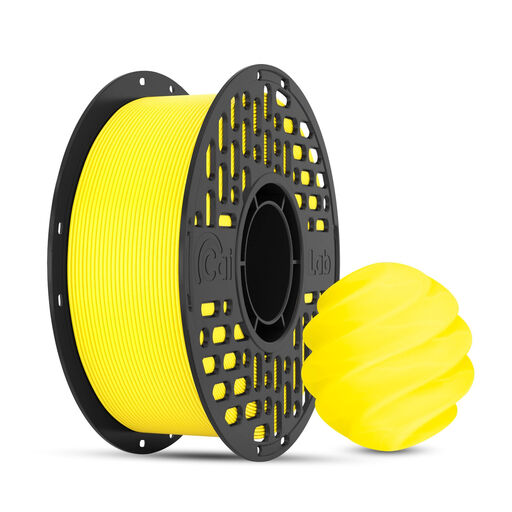
Why it suits this user: Yellow is easy to see on initial test prints and works well for simple decorations, parts and practice models.
The colour is clearly stated in the product name. However, check the diameter and print settings first, as these aren’t included in the product description provided.
PLA+ Bio in the product name; yellow makes models and prototypes easy to see.
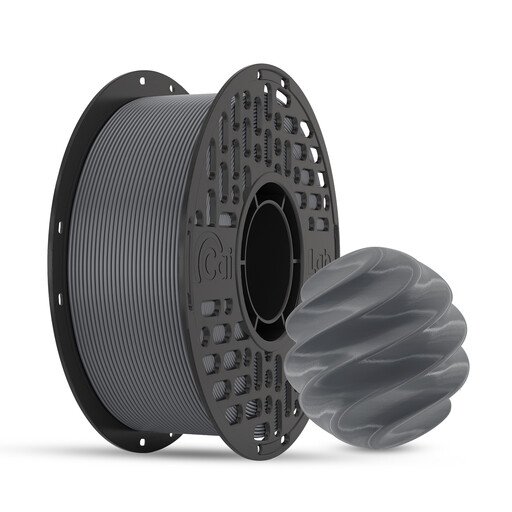
Why it suits this user: Grey works well for technical models, architectural miniatures and designs where detail matters more than a bold colour.
A neutral shade makes colour differences between parts less noticeable. For precision models, you should still check the tolerances and dimensions.
PLA+ Bio product designation; grey is ideal for functional prints with a subtle look.
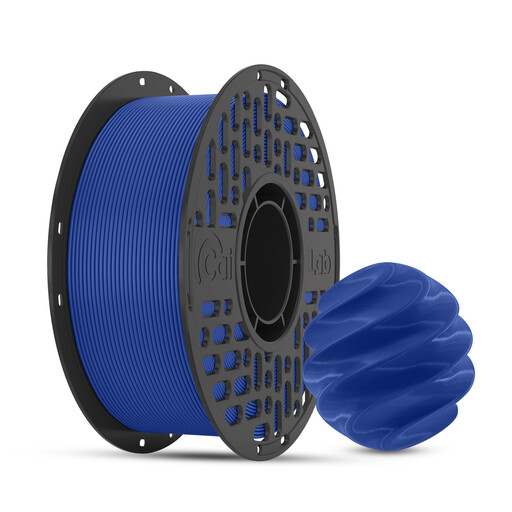
Why it suits this user: Blue works well for larger print runs, props, model-making and projects that need a distinctive accent colour.
The colour is easy to identify from the product name. For frequent use, buy one reel first to check how it feeds, adheres and looks on your printer.
PLA+ Bio designation; blue for repeat prints and creative projects.
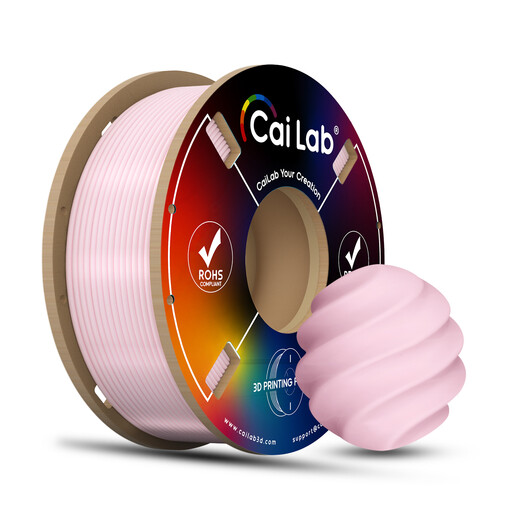
Why it suits this user: Sakura Pink is ideal for decorative prints, figures, accessories and colourful display models.
A specific colour name makes it easier to put together a palette. Compare the product photo with a test print before buying several reels.
PLA+ Bio product designation; a distinctive pink colour for creative projects.
We’ve put together a complete, up-to-date list of products that meet these strict selection criteria and current European safety regulations.
Not necessarily. Check the filament diameter, recommended nozzle and bed temperatures, and maximum reel dimensions. As these details aren’t included in the CaiLab description provided, it’s best to check the product page or ask the seller before buying.
That depends on storage, moisture and how often the reel is used. Keep opened filament sealed, dry and out of direct sunlight. With older reels, look out for brittleness, inconsistent extrusion and poorer layer adhesion. A small test print can help prevent waste when printing a larger model.
The price of the reel is only part of the cost. Factor in failed prints, supports, purge material and electricity, too. An accurate slicer profile and a suitable colour choice can help reduce material waste. If you print regularly, it’s also worth testing one reel before buying several colours at once.
