
Vandaag of morgen in huis

Kwaliteit gegarandeerd

Welkomstaanbiedingen ontgrendelen: GRATIS bezorging | Tot 80% korting | Gratis 30 dagen JoyPlus-proefperiode
Download de app
A reel of 1.75 mm 1 kg PLA filament may seem straightforward to choose at first glance. However, small differences in diameter, finish and recommended print speed can have a noticeable effect on your print. The wrong purchase can quickly result in failed models, colours that turn out differently than expected or a reel that has absorbed moisture.
This buying guide helps beginners, makers and experienced users distinguish marketing claims from verifiable product information.
Some packaging lists a speed of, for example, 300 mm/s. That does not automatically mean that every printer or model can handle this speed. The actual speed also depends on the nozzle, layer height, cooling, volumetric flow and the printer’s movement speed.
According to eSUN’s product information, ePLA-Basic can reach up to 300 mm/s and a flow rate of 35 mm³/s under certain conditions. Treat this as a product specification under the stated conditions, not as a fixed expectation for every FDM printer. After purchase, always check the recommended temperature and speed settings.
PLA Silk filament has a glossy, silky appearance. This makes it suitable for decorative models, vases and art projects, but the shine can diminish at excessive speeds. According to eSUN’s product information, the outer wall of Silk material is best printed somewhat more slowly.
Matte PLA filament visually hides certain layer transitions more effectively and works well for prototypes, figures and minimalist designs. A glossy finish is therefore not necessarily more practical; it depends on the purpose of your print.
PLA and PLA+ are hygroscopic materials: they can absorb moisture from the air. This can result in crackling during extrusion, stringing, small air bubbles or a less even surface. Store an opened reel in a dry box or a well-sealed bag with desiccant.
PLA is also not intended for applications involving prolonged exposure to high temperatures. CAILAB PLA+ Bio products, for example, list a softening temperature of around 55 °C. Do not use prints without checking their suitability in a hot car, near a heat source or for food contact.
Check that your printer is suitable for 1.75 mm filament. Most modern desktop FDM printers use this size, but some older or specialised models work with 2.85 mm. The wrong diameter can result in an incorrect material feed.
A small dimensional tolerance helps ensure consistent feeding. The JOYBUY x ANYCUBIC PLA Basic series, for example, lists a diameter of 1.75 mm with a tolerance of ±0.02 mm. Also check that the reel physically fits in the holder and that the filament guide operates without sharp bends.
With 1 kg of 3D filament, this generally means 1 kg of material on a reel, but check the product listing when the weight is important. Vacuum packaging with desiccant is practical for storage, but it does not keep a damp reel usable indefinitely once the packaging has been opened.
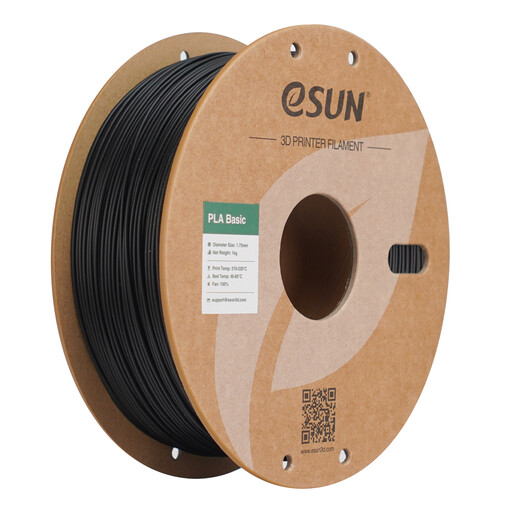
Why it suits this profile: Black PLA filament is useful for test prints, components, models and props. The 1 kg reel is practical for anyone who prints regularly and does not want to keep buying small packs.
The product information mentions broad printer compatibility and settings for high-speed printing. However, check that your printer supports the stated flow rate and speed.
1.75 mm diameter, 1 kg capacity and a basic black colour. According to eSUN, suitable for high-speed FDM printing tasks.
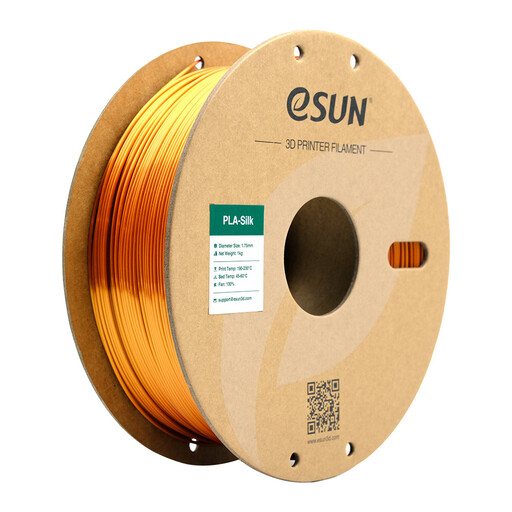
Why it suits this profile: A copper-coloured satin finish works well for art objects, decorative models and display pieces where surface appearance matters more than maximum print speed.
The product information warns that high speeds can reduce the shine. Printing the outer wall more slowly helps you make better use of the chosen finish.
Silky copper finish, 1.75 mm filament and a 1 kg reel. The product information states that it comes in vacuum packaging with desiccant.
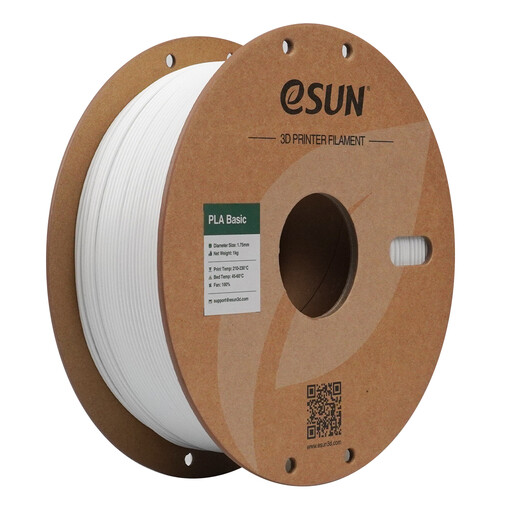
Why it suits this profile: White filament is useful for prototypes, scale models, cosplay components and models that will later be painted or finished.
The manufacturer cites low warping, controlled extrusion and reduced stringing. These are product specifications, not a guarantee for every model or printer.
According to eSUN, support for high-speed printing of up to 300 mm/s under specific conditions, plus a 1.75 mm diameter and 1 kg capacity.
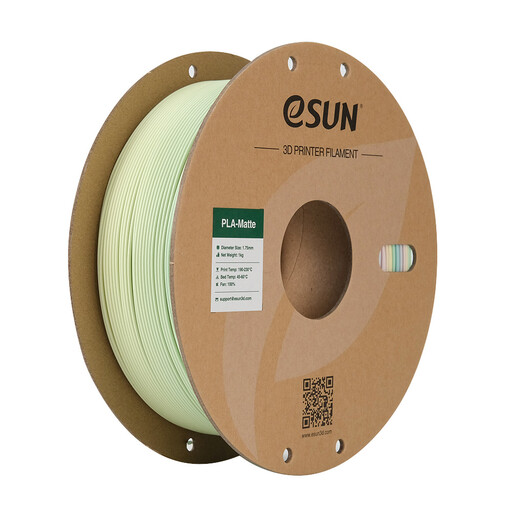
Why it suits this profile: Rainbow filament gives decorative figures, art projects and props multiple colour tones without having to change between several reels.
The matte finish means you are not relying solely on gloss. Bear in mind that the colour transition varies from print to print because of the model size and the colour progression on the reel.
Matte texture, multicolour effect and 1 kg of filament for FDM printers. The product name states support for high-speed printing.
We have put together a complete, up-to-date list of products that fully meet these strict selection criteria and the applicable European safety regulations.
Start with the temperature settings on the packaging or product page. Then carry out a small temperature or retraction test. Pay attention to the following:
A 1 kg reel can be cost-effective if you print regularly, but colour choice and material type determine how worthwhile it is. For functional models, standard PLA or PLA+ is often a more logical choice than Silk. For figurines and decorations, matte, Silk or rainbow variants may be a better fit.
That depends on the weight of your models, infill, wall thickness and support material. A small decorative object may use just a few dozen grams, while a large prototype can consume hundreds of grams. Your slicer will usually show the estimated material usage in advance.
Only if the printer supports the correct filament diameter and material settings. Check whether your machine uses 1.75 mm filament, what nozzle temperature is available and whether the reel holder is suitable. For the high-speed PLA speeds mentioned above, you also need a printer capable of handling the required flow rate.
Store an opened reel in an airtight container with desiccant, or use a filament dry box. If you notice stringing, crackling sounds or a rough surface, moisture could be the cause. Follow the manufacturer’s drying instructions and then check your print settings again.
