
Vandaag of morgen in huis

Kwaliteit gegarandeerd

Welkomstaanbiedingen ontgrendelen: GRATIS bezorging | Tot 80% korting | Gratis 30 dagen JoyPlus-proefperiode
Download de app
Buying a 3D printer seems straightforward until you start comparing specifications. Manufacturers talk about high print speeds, smart features and multicolour printing, but these terms don’t always tell you what you’ll need in practice. A compact model, for example, may not be suitable for large prototypes, while a professional 3D printer may be more than you need for a few models a month.
The main pitfalls are:
The print volume determines how large a single object can be. For small decorative models, around 220 × 220 × 220 mm may be enough. A larger volume is more practical for a 3D printer for prototyping, functional parts or batch production.
Pay attention to the motion system, too:
A large print volume also calls for a sturdy surface. Check in advance that the printer will fit on your workbench and that the location can support its weight.
An FDM 3D printer uses filament, usually with a diameter of 1.75 mm. PLA is generally a good starting point for beginners. PETG is worth considering for parts that will be under a little more mechanical stress. ABS, ASA, PC and fibre-reinforced filaments place greater demands on temperature, ventilation and printer construction.
So check the following:
According to the product specifications, for example, the Anycubic Kobra S1 Max Combo supports a nozzle temperature of up to 350 °C, a print bed temperature of up to 120 °C and a heated chamber temperature of up to 65 °C. Always check that the material profiles and ventilation instructions suit your needs.
A 3D printer for beginners benefits from automatic levelling, straightforward software and a clear initial setup. For schools and home use, filament detection, power-loss recovery and a camera can also be useful additions.
For intensive use, other features matter:
Automatic levelling doesn’t mean maintenance is no longer needed. Clean the print bed, check the nozzle and store filament in a dry place. Storing materials properly can make a noticeable difference, particularly in a humid indoor environment.
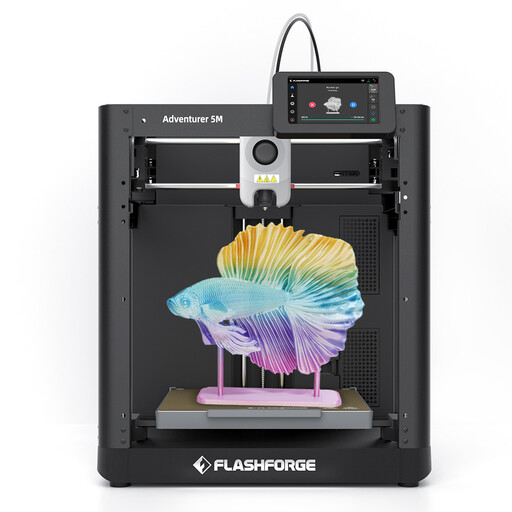
Why it suits this profile: Automatic levelling and a compact print volume of 220 × 220 × 220 mm make it suitable for first projects, models and simple prototypes.
Automatic bed calibration reduces the need for manual adjustments. The direct-drive extruder and interchangeable nozzles offer more flexibility than a basic entry-level model.
According to the product specifications: speeds of up to 600 mm/s, a nozzle temperature of up to 280 °C and automatic levelling.
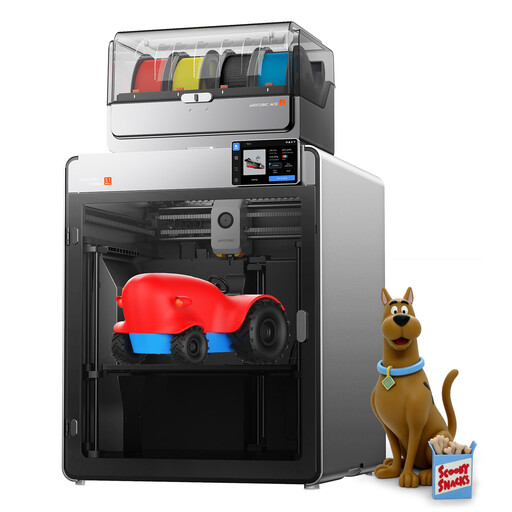
Why it suits this profile: This model is designed for large prints, colour projects and materials that need a controlled printing environment.
The product specifications list a print volume of 350 × 350 × 350 mm, active chamber heating and filament drying. This makes it clearer what the extra investment is for.
Four colours as standard, expandable to a maximum of 16 colours according to the product information, plus a nozzle temperature of up to 350 °C.
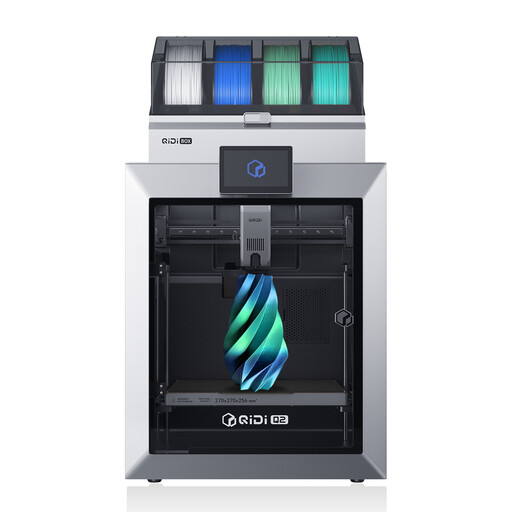
Why it suits this profile: The enclosed casing, heated chamber and optional multicolour upgrade make it a good fit for engineers, designers and small businesses working with a range of materials.
The product specifications list a chamber temperature of up to 65 °C, automatic levelling, air filtration and a hot end temperature of up to 370 °C. Do check that the settings and ventilation are suitable for each material.
A print volume of 270 × 270 × 256 mm, automatic calibration and support for PLA, PETG, ABS, ASA and fibre-reinforced materials, among others.
We’ve put together a complete, up-to-date list of products that meet these strict selection criteria and the applicable European safety regulations.
A modern entry-level model doesn’t have to be complicated. Features such as automatic levelling, pre-set material profiles and straightforward slicer software make it easier to get started. You’ll still need to learn how to load filament, clean the print bed and choose the right temperature.
Its lifespan depends on how it’s used, how well it’s maintained and which parts it has. Clean the print bed regularly, check the belts and moving parts, and replace wear parts such as nozzles when print quality starts to drop. A printer used daily for prototypes needs more maintenance than one used once a month.
As well as the purchase price, you’ll pay for filament, electricity and sometimes nozzles or build plates. Multicolour printing can use extra material during colour changes. So compare more than just the price of the printer: consider the material options, drying capabilities and expected print hours, too.
