
Vandaag of morgen in huis

Kwaliteit gegarandeerd

Welkomstaanbiedingen ontgrendelen: GRATIS bezorging | Tot 80% korting | Gratis 30 dagen JoyPlus-proefperiode
Download de app
Buying a 3D printer seems straightforward until you start comparing specifications. Print speeds of up to 600 mm/s, automated features and multicolour modules may sound appealing, but they don’t tell you everything about the finished result. In practice, the printing technology, build volume and materials determine whether a printer is right for your workspace and projects.
As a Joybuy Product Recommendation Officer, I focus on the practical details in product information. This helps you avoid paying mainly for features you’re unlikely to use.
Manufacturers often list a maximum speed, such as 600 mm/s or even 800 mm/s. This is a technical upper limit under certain settings. The recommended speed is often lower, for example, around 300 mm/s. Layer height, material, model shape and the finish you want all affect the actual print time.
So don’t look at maximum speed alone. Check:
A multicolour 3D printer can be appealing for models, prototypes and educational projects. However, changing colours can lead to material waste, longer print times and extra maintenance. Systems with a single nozzle may need purge cycles. Independent toolheads, such as those on the FLASHFORGE Creator 5, are designed to reduce colour mixing and lengthy purge cycles. According to Flashforge product information, this can reduce material waste, but the result depends on the profiles and models you use.
Also check whether a printer genuinely supports multiple materials at the same time. Some systems are mainly designed for different colours of the same filament, while others can handle combinations such as PLA, PETG, TPU or support material.
A 3D printer with automatic levelling, an AI camera or filament detection still needs maintenance. A dirty print bed, damp filament or partially blocked nozzle can affect the first layer. An AI camera may not always detect visible problems. Treat automated features as a helping hand, not a reason to leave a printer running completely unattended.
An FDM 3D printer melts filament, such as PLA, PETG, TPU or ABS, layer by layer. This technology works well for functional parts, larger prototypes and relatively affordable models. Check the maximum nozzle temperature, bed temperature and whether there’s a heated chamber if you want to use engineering filaments.
A resin 3D printer cures liquid resin using light. These printers are well suited to miniatures, jewellery prototypes and models with fine details. However, they do involve extra steps: handling resin safely, washing models and post-curing them. Use a resin printer in a well-ventilated room and follow the safety information for the resin you use.
The build volume determines the maximum size of a single object. A printer measuring 220 × 220 × 220 mm is suitable for many everyday projects, while a large 3D printer measuring 350 × 350 × 350 mm or 420 × 420 × 500 mm can print larger parts in fewer sections.
Measure in advance:
A large build volume doesn’t automatically mean better print quality. The frame and moving parts need to be stable enough.
A heated bed is often enough for PLA and many PETG projects. For ABS, ASA, PC and fibre-reinforced materials, an enclosed design is more practical. According to the product specifications, a 3D printer with a heated chamber can provide a more stable environment for engineering filaments. Also check the nozzle temperature: a heated bed or chamber alone doesn’t automatically make a printer suitable for a particular material.
For composite filaments, look for a hardened nozzle. Carbon-fibre- and glass-fibre-filled materials can wear softer nozzles down more quickly.
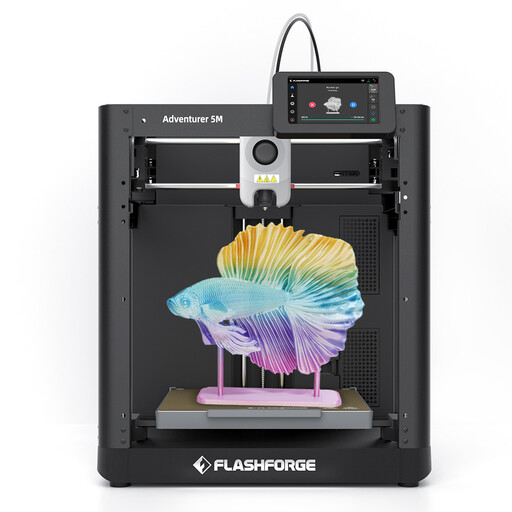
Why it suits this profile: This compact FDM printer combines automatic levelling with a build volume of 220 × 220 × 220 mm. It’s well suited to makers who mainly use PLA, PETG and similar materials.
The product information lists automatic bed levelling and calibration, so you’ll need to make manual adjustments less often. The maximum speed of 600 mm/s is a specification; use the recommended settings for consistent results.
Automatic levelling, direct-drive extruder, interchangeable nozzle sizes and a double-sided PEI platform.
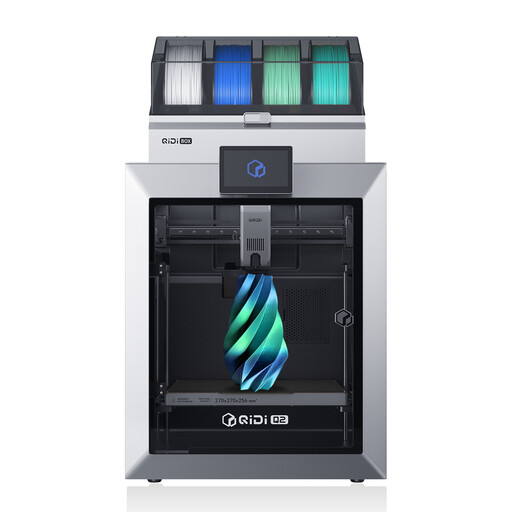
Why it suits this profile: This enclosed FDM model is designed for users looking to combine speed, material choice and monitoring features in one system.
The specifications list a heated chamber of up to 65 °C, automatic levelling and an all-metal hot end rated up to 370 °C. According to QIDI, the AI camera can help flag visible print problems; you should still check prints yourself.
Build volume of 270 × 270 × 256 mm, enclosed design, air filtration and support for a range of filaments.
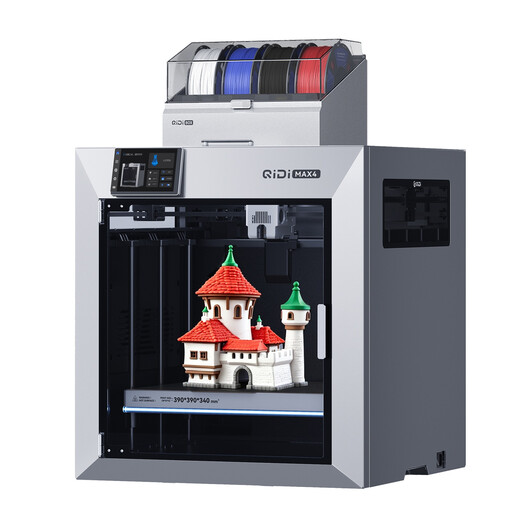
Why it suits this profile: This large printer is designed for intensive use, larger prototypes and engineering filaments in a professional workspace.
The manufacturer lists an actively heated chamber of up to 65 °C, a hardened nozzle and a build volume of 390 × 390 × 340 mm. The stated speed of up to 800 mm/s needs to be matched to the material and model.
Large build volume, 65 °C heated chamber, AI camera and compatibility with QIDI BOX for up to 16 colours, according to the product description.
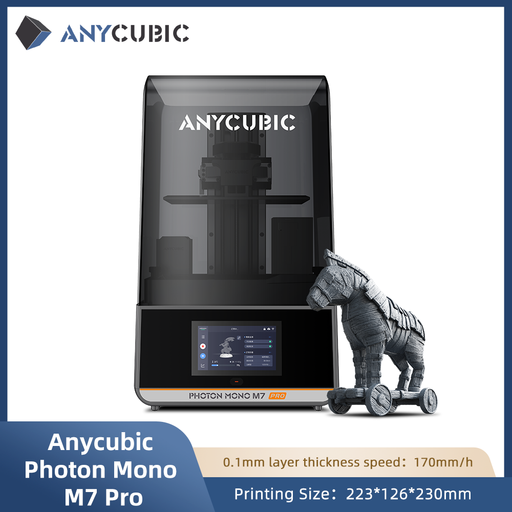
Why it suits this profile: This resin printer is designed for users who value fine detail more than a large FDM build volume, for example when making miniatures and precision models.
The product specifications list a 14K monochrome screen, temperature control and automatic resin replenishment. Resin is still a consumable that must be handled safely, with ventilation, gloves and suitable cleaning.
Build volume of 223 × 126 × 230 mm, 14K resolution and support for standard, water-washable and ABS-like resins.
We’ve put together a complete, up-to-date list of products that meet these strict selection criteria and current European safety regulations.
As well as the purchase price, you’ll pay for filament or resin, electricity, nozzles, print beds and possibly filters. FDM filament is generally easy to keep in stock. Resin printing also involves gloves, cleaning fluid and post-curing equipment. Multicolour printing can increase material use, depending on the switching system and the model.
Its lifespan depends on print hours, maintenance, material choice and replaceable parts. Clean the nozzle and print bed regularly, keep filament dry, and check the belts, guides and fans. Automatic levelling reduces the need for adjustments, but doesn’t prevent wear and tear.
Not always. An open FDM printer can be enough for PLA and many hobby projects. An enclosed model is more practical if you’re working with ABS, ASA, PC or other engineering materials, if draughts are a problem in the room, or if you want to limit noise and access to moving parts. Always check the material’s ventilation requirements.
