
Vandaag of morgen in huis

Kwaliteit gegarandeerd

Welkomstaanbiedingen ontgrendelen: GRATIS bezorging | Tot 80% korting | Gratis 30 dagen JoyPlus-proefperiode
Download de app
Buying a 3D printer seems simple until you start comparing specifications. Print speeds of 500 or 600 mm/s, automatic calibration, AI cameras and multicolour systems all sound appealing. However, these selling points alone do not determine whether a printer is right for your workspace and choice of materials.
The most common unsuitable purchases are caused by three incorrect assumptions:
First, look at the build volume, not just the size of the enclosure. A print volume of 220 × 220 × 220 mm is suitable for many models and prototypes. If you want to print larger parts, moulds or several components at once, a large 3D printer with, for example, 300 × 300 × 330 mm or 390 × 390 × 340 mm will be more suitable.
Also measure the space where you plan to place the printer. Allow for:
A larger build volume often also means a heavier printer and a larger working area. So check that the table is stable and heat-resistant.
An FDM 3D printer uses filament that is melted and applied layer by layer. The maximum nozzle temperature partly determines which materials you can use, but temperature alone does not guarantee a successful print.
A simpler system is generally sufficient for PLA and PETG. ABS, ASA, PC, PA and fibre-reinforced filaments also require a suitable print plate, good temperature control and, in some cases, an enclosed or heated chamber.
Pay attention to these points:
According to the manufacturers’ product information, various models support PLA, PETG, TPU, ABS, ASA and fibre-reinforced variants. Always check the latest manual and material guidelines before using a technical filament.
A fast 3D printer with a CoreXY or similarly rigid movement structure can be efficient for prototypes and small production runs. However, you should consider the stated speed together with the acceleration, volumetric flow and desired layer quality.
Useful features include:
A 3D printer with an AI camera can detect visible print problems. According to the product information from the relevant brands, this feature is intended for monitoring and automatic pausing. Do not treat it as a replacement for supervision, especially when printing at high temperatures or for long periods.
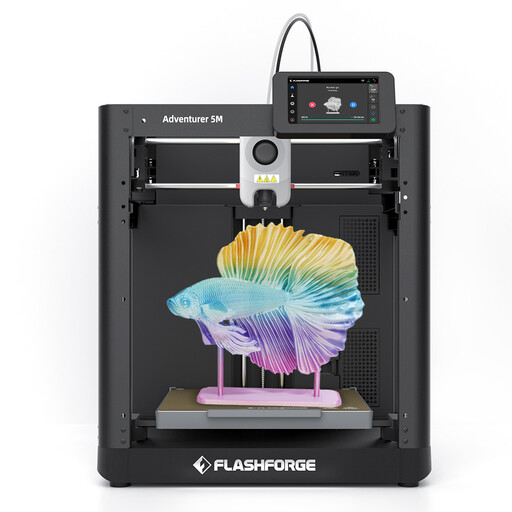
Why it suits this profile: According to the product information, this printer is largely designed for easy setup, with automatic bed levelling and a print volume of 220 × 220 × 220 mm.
Automatic levelling reduces the need for manual adjustment. However, bear in mind that the stated maximum speed of 600 mm/s is not the same as the recommended operating speed.
CoreXY structure, automatic levelling, 280°C direct-drive extruder and quick-change nozzle according to the product description.
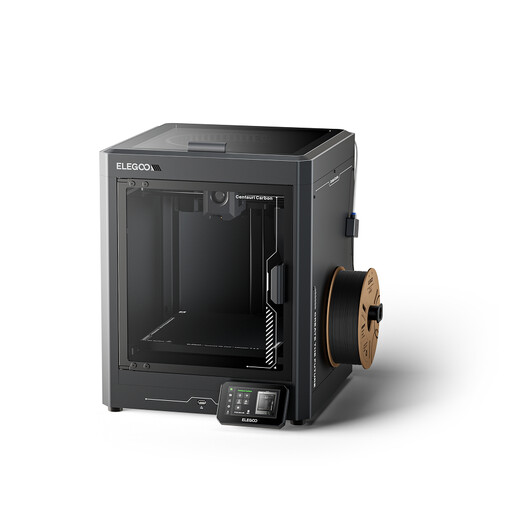
Why it suits this profile: This model combines an enclosed CoreXY design with a build volume of 256 × 256 × 256 mm and a nozzle temperature of up to 320°C.
The specifications list automatic calibration, vibration compensation and an integrated camera. These features help with monitoring, but regular maintenance is still required.
Maximum speed of 500 mm/s, automatic levelling, Wi-Fi and support for PLA, PETG, ABS, ASA, TPU and fibre-reinforced filaments, among others, according to the product page.
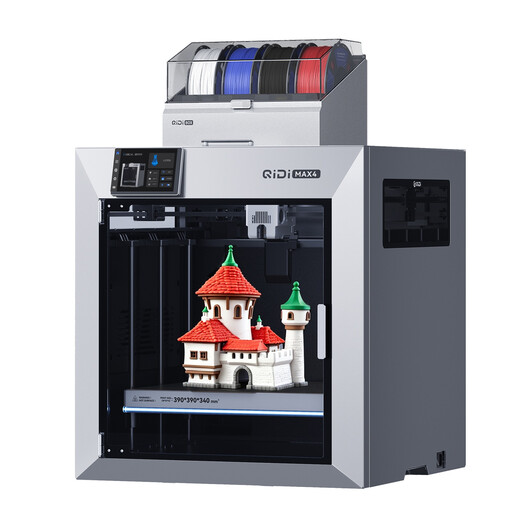
Why it suits this profile: For large prototypes, technical parts and small production runs, this model offers a build volume of 390 × 390 × 340 mm.
The active chamber, which reaches up to 65°C, and the AI camera are useful features for demanding applications, but ventilation and the safety instructions remain essential.
The product specifications list up to 800 mm/s, a hardened high-flow nozzle, AI fault detection and support for PC, PA and fibre-reinforced filaments, among others.
We have put together a complete, up-to-date list of products that fully meet these strict selection criteria and the applicable European safety regulations.
Yes, but ideally choose a model with automatic levelling, clear slicer software and a preconfigured filament profile. An open FDM printer using PLA is often easier to understand when you are starting out than a professional 3D printer with a heated chamber and technical filaments.
Its lifespan depends on usage, maintenance and components such as the nozzle, print plate, belts and fans. Clean the print plate, store filament in a dry place and check moving parts according to the manual. Replace wear parts when print quality noticeably deteriorates.
In addition to the purchase price, you will pay for filament, electricity and sometimes nozzles, print plates and filters. Multicolour printing can use extra material due to colour changes. A system with multiple toolheads or automatic filament changing can limit this effect, but check the specifications and expected consumption for each print.
