
Vandaag of morgen in huis

Kwaliteit gegarandeerd

Welkomstaanbiedingen ontgrendelen: GRATIS bezorging | Tot 80% korting | Gratis 30 dagen JoyPlus-proefperiode
Download de app
A stuttering recording or a corrupt video file is the last thing you want after a long day of shooting. Yet, this is a common problem, often caused by using the wrong memory card. When searching for a 256GB microSD card for 4K video, it's easy to fall for marketing claims that don't reflect real-world performance. Before making a purchase, it's crucial to recognise two common mistakes.
To avoid wasting money on an underperforming card, there are a few technical specifications you must check. These determine whether a card is suitable for your drone, action camera, or smartphone.
These codes guarantee a minimum sustained performance. For smooth 4K recording, they are indispensable.
A 256GB capacity offers a good balance between recording time and file management. However, always check the maximum supported capacity of your device. Some older cameras or drones may not support cards larger than 128GB. A 256GB SD card with an adapter is a flexible choice. The included adapter allows you to use the microSD card in devices that have a standard SD card slot, such as many mirrorless cameras and laptops.
Based on these objective criteria, we have selected several cards that suit different user profiles.
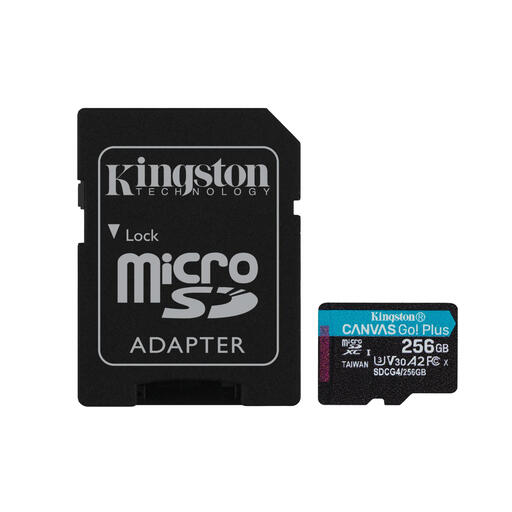
Why This Fits Their Persona: For the user who films with a drone, action camera, or mirrorless camera. This card provides the speed and capacity needed for long, uninterrupted 4K recording sessions without worrying about performance issues.
The U3 V30 memory card specification guarantees a minimum write speed of 30 MB/s, avoiding the pitfall of using a card that is too slow for 4K video.
High write speed (up to 160 MB/s according to Kingston) for 4K/60fps and burst photography. Includes an SD adapter for broad compatibility.
Why This Fits Their Persona: Ideal for users of high-end Android smartphones who are not only looking for extra storage but also want to boost their device's performance for gaming and demanding applications.
The A2 microSD card classification ensures fast app performance, sidestepping the pitfall of a sluggish user experience on your smartphone.
Combines storage for 4K video with performance enhancement for apps. The V30 rating also ensures smooth video recording directly on your phone.
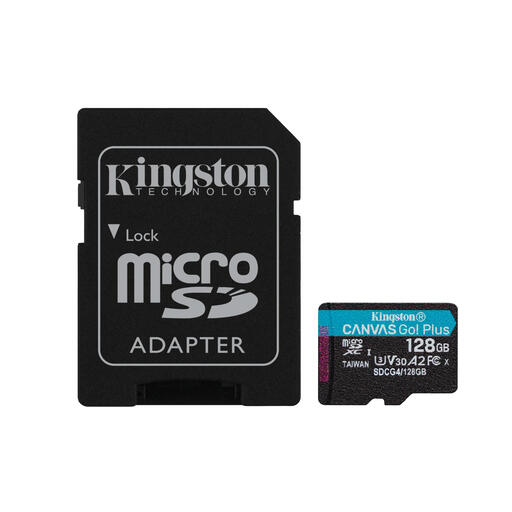
Why This Fits Their Persona: For those starting out with 4K video who need a reliable card without immediately opting for maximum capacity. This 128GB version offers the same professional specifications at a more accessible price point.
It offers all the crucial specifications (U3, V30, A2), preventing you from buying a cheap, slow card unsuitable for 4K just to save on cost.
The same reliable performance as the 256GB variant, but at a lower entry price. Sufficient capacity for shorter projects or as a backup card.
We have compiled a complete, up-to-date list of products that fully meet these strict selection criteria.
The exact recording time depends on the bitrate (Mbps) your camera uses. As a rule of thumb, a 256GB card can hold approximately 6 to 8 hours of 4K video at a standard bitrate of 60-100 Mbps. This time will be shorter for recordings with a higher bitrate or frame rate.
Yes. Devices like a GoPro or drone write data at a high, constant speed. A card without U3/V30 certification cannot guarantee this speed. This leads to 'dropped frames' (stuttering in the video), overheating of the card, or even the recording stopping abruptly, resulting in corrupt files. It is a requirement for reliable recording.
Both are designed to make apps run faster on an Android device, but the A2 standard has significantly higher requirements. An A2 card must achieve a minimum random read of 4000 IOPS and a random write of 2000 IOPS, whereas for A1, these figures are 1500 and 500 IOPS, respectively. In practice, this means an A2 card will launch apps and run them noticeably faster and more smoothly.
