
Vandaag of morgen in huis

Kwaliteit gegarandeerd

Welkomstaanbiedingen ontgrendelen: GRATIS bezorging | Tot 80% korting | Gratis 30 dagen JoyPlus-proefperiode
Download de app
A 256GB microSD card gives you plenty of extra room for photos, videos, apps and games. Even so, storage capacity isn’t the only thing to look at. A card might say 256 GB, yet still be too slow for 4K video, not play nicely with your smartphone, or lack the adapter your camera requires.
The Joybuy Product Recommendation Officer helps you assess the key differences. You’ll see which specifications matter in practice, and which marketing claims you should treat with a little caution.
A high read speed sounds appealing, but for video recording it’s the write speed that really counts. A card might read at up to 200 MB/s while its actual write speed is lower. Reading matters when copying files to your laptop; for a camera, drone or dashcam, sustained write speed is far more important.
Watch out for the wording ‘up to’. This is typically a maximum speed under ideal conditions. The card reader, the device, file size and file types can all affect real-world performance.
A 256GB microSDXC card uses the SDXC standard and usually the exFAT file system. Older devices sometimes only support microSDHC or a lower capacity. Always check the manual or product specifications of your smartphone, tablet, camera, drone or Nintendo Switch before you order.
An SD adapter lets you use a microSD card in a full-size SD slot, but it doesn’t change speed or capacity. Without an adapter, you can’t insert the card directly into every camera or laptop.
The markings on a memory card each mean something different:
A U3 microSD card or V30 memory card can be suitable for certain 4K recordings, but always check your camera or drone’s requirements. Not every 4K mode has the same requirements.
A 256GB microSD card suits users who regularly store photos, Full HD videos, 4K files or multiple games. Usable space is slightly lower than the stated capacity due to formatting and system data.
For a smartphone, 256 GB is handy if you keep lots of apps, offline videos and photos. For a Nintendo Switch, the space you need depends on how many digital games you install. Check that your model and system version support the card’s capacity.
When choosing a fast microSD card, look at both speeds:
The figures come from the product information. According to manufacturers, performance can vary depending on the host device, card reader and the files.
For a microSD card used in a camera, drone or action cam, protection against water, shocks and temperature extremes is useful in practice. However, these features don’t automatically protect your data against deletion, faults or loss. Regularly back up important files to a computer or cloud storage.
Also check the warranty and its terms. A manufacturer’s warranty is no substitute for a back-up and usually doesn’t cover damage caused by misuse.
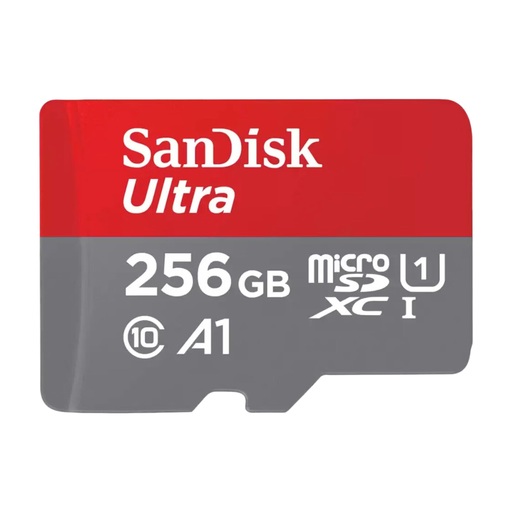
Why this suits the profile: This card offers 256 GB of storage, an A1 app rating and an SD adapter for use with compatible Android devices and SD slots. It’s a practical choice for everyday use without paying extra for higher-end video specs.
The product information lists not only capacity, but also the UHS-I and A1 ratings plus the stated read and write speeds. Do check whether your 4K device requires V30.
256 GB, A1, UHS-I, SD adapter included and, according to the product description, suitable for Full HD video and Android smartphones.
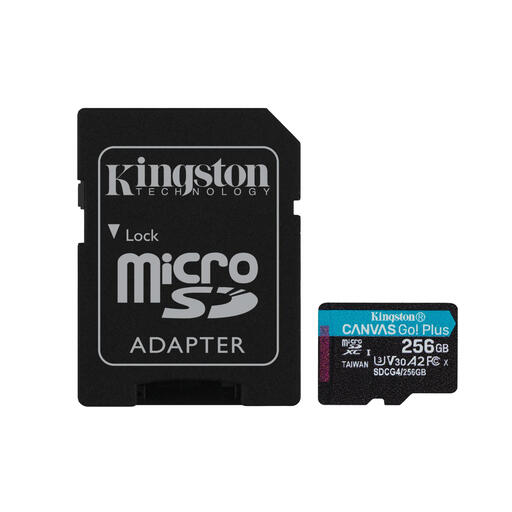
Why this suits the profile: The combination of A2, U3, V30 and an included adapter is ideal for users who mix apps, games, action cams and 4K recording.
Alongside a read speed of up to 200 MB/s, the card lists a write speed of up to 160 MB/s and a V30 rating. That makes it easier to judge whether it meets your recording needs.
256 GB, UHS-I, U3, V30, A2 and SD adapter included. According to Kingston, the card is tested for, among other things, water and temperature resistance.
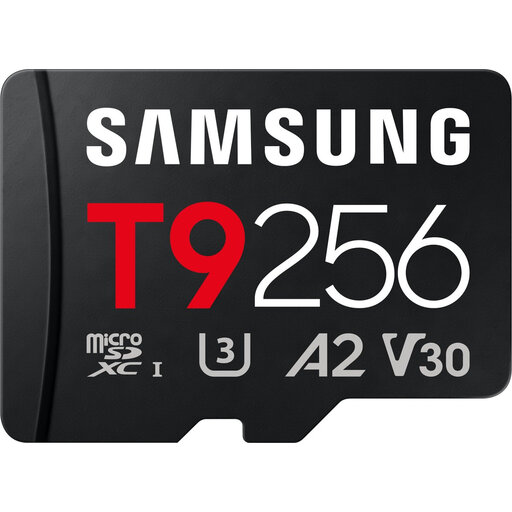
Why this suits the profile: For video makers, drone users and gamers, the stated transfer speeds and ratings are highly relevant. According to the product description, the card is intended for 4K UHD video, apps and games, among other uses.
The product description states read speeds up to 200 MB/s and write speeds up to 130 MB/s, plus U3, V30 and A2. That makes the choice more verifiable than relying on capacity alone.
256 GB, UHS-I, U3, V30, A2 and a stated 3-year limited warranty. Performance remains dependent on the compatible device.
We’ve compiled a complete, up-to-date list of products that fully meet these stringent selection criteria and comply with current European safety regulations.
A microSD card for a smartphone, camera, drone or Nintendo Switch can last for years in normal use, but flash memory doesn’t have a guaranteed unlimited lifespan. Frequent writing, erasing and long-term use in a dashcam or security camera can increase wear. For such scenarios, a card with an appropriate endurance rating is often more relevant than a high read speed alone.
That depends on the camera, bitrate and recording settings. A U3 microSD card with V30 is a practical starting point for many 4K uses, but check the minimum speed required by the manufacturer of your camera, drone or action cam.
It varies by resolution, file format and bitrate. RAW photos take significantly more space than compressed JPEGs. 4K video also uses far more storage than Full HD. Treat 256 GB as a generous capacity, not a fixed amount of recording time.
Only if your device has a standard SD slot. A smartphone, drone or many action cams use a microSD slot directly. An adapter is useful for cameras, laptops and card readers with a larger slot. Check at purchase whether one is included.
