
Vandaag of morgen in huis

Kwaliteit gegarandeerd

Welkomstaanbiedingen ontgrendelen: GRATIS bezorging | Tot 80% korting | Gratis 30 dagen JoyPlus-proefperiode
Download de app
A static screen in a dynamic work environment limits your potential. Whether for a presentation in a conference room, an interactive lesson in a classroom, or a product demonstration at a trade show, flexibility is essential. A fixed wall mount simply won't suffice. A mobile TV stand provides the mobility needed to use a single screen effectively across multiple spaces.
This guide is intended for facility managers, IT administrators, and educators seeking a practical and reliable solution. We will discuss the key considerations and highlight several models suitable for professional use.
Choosing the right mobile TV stand depends on more than just screen size. Functionality and safety are decisive, especially in a corporate or educational environment.
Before considering a model, check two key specifications: the stand's maximum weight capacity and your screen's VESA pattern.
An office TV stand or educational stand needs to do more than just hold a screen. Consider how the stand will be used in practice.
A professional appearance is partly defined by the finishing touches. A good cable management system prevents a cluttered look and reduces the risk of tripping. Many models feature a hollow column where cables can be neatly concealed. Additional shelves for a laptop, webcam, or other equipment are a practical addition for video conferences and presentations.
Based on specifications and functionality, we have selected a number of Neomounts TV stands suitable for various professional applications.
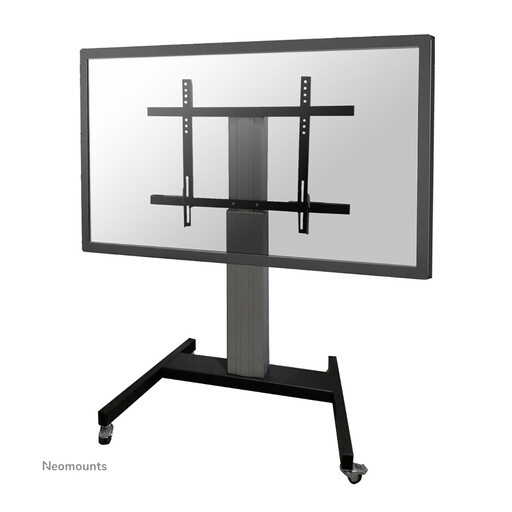
Why this model stands out: This model is designed for large and heavy screens. The motorised height adjustment allows you to change the viewing height with the push of a button, which is ideal for screens that are too heavy to lift manually.
Advantages:
Who is this for? For large conference rooms, auditoriums, or reception areas where very large screens are used for presentations or digital signage. The electric operation offers maximum convenience and a professional look.
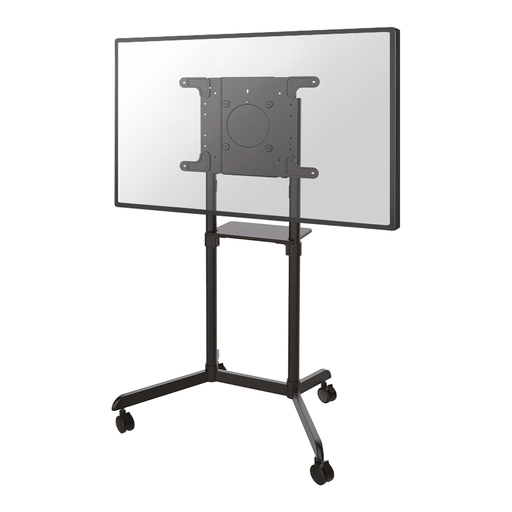
Why this model stands out: The key feature of the NS-M1250BLACK is its ability to rotate the screen 90 degrees. This makes it easy to switch between horizontal and vertical display modes without having to dismount the screen.
Advantages:
Who is this for? Ideal for dynamic presentations, creative brainstorming sessions, or digital signage where content needs to be displayed in both portrait and landscape modes. A versatile choice for marketing departments, schools, and event organisers.
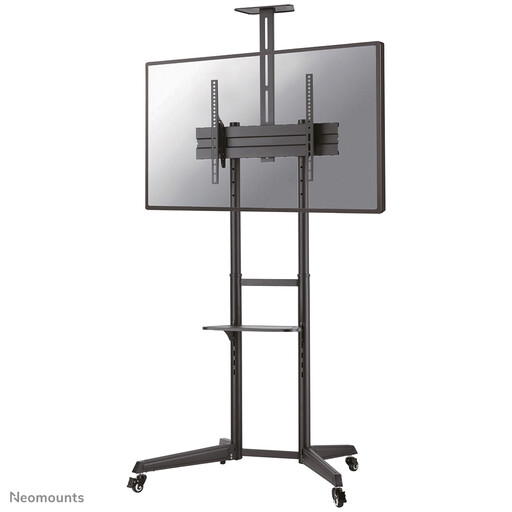
Why this model stands out: This model offers a complete solution with both a height-adjustable shelf for a laptop and a camera shelf. The combination of tilt function, height settings, and included accessories makes it a practical all-rounder.
Advantages:
Who is this for? An excellent choice for classrooms and medium-sized conference rooms where video conferences are held regularly. The included shelves provide a convenient place for a laptop and webcam, creating a complete mobile setup.
The right solution depends entirely on your specific requirements. If one of these models isn't exactly what you're looking for, or if you want to explore other screen mounting options, check out our full range in the TV Furniture category for more professional display solutions.
1. How do I know what VESA pattern my screen has? The VESA pattern is usually listed in the specifications or manual of your television or monitor. You can also measure it yourself: measure the distance in millimetres between the four mounting holes on the back of the screen, first horizontally and then vertically. The result is the VESA pattern (e.g., 400 x 400 mm).
2. Is a mobile TV stand safe for a large screen? Yes, provided you choose the correct model and follow the instructions. Pay close attention to the maximum weight capacity and the recommended screen size. Always use the stand on a flat, stable surface and engage the wheel brakes when the stand is stationary. Move the trolley by pushing its base, not the screen.
3. What is the advantage of an electric TV stand? An electric TV stand primarily offers convenience and safety when adjusting large, heavy screens. A remote control allows the height to be adjusted effortlessly and precisely, without physical exertion. This is ideal in environments where the height is changed frequently or where users are not permitted or able to lift the screen manually.
