
Host preparing several dishes
You’re leaving dough to rest while preparing other parts of a shared meal, and want to keep track of each time separately.


Choose one timer if you’re only tracking a short resting time. Opt for separate timers if you want to time other dishes while the dough proves, or a timer with an hours setting for a longer rest. TFA lists models with two timers that can run simultaneously and one with an hours setting; OXO describes three timers for the Triple Timer. Use the alarm as a reminder to check: according to King Arthur Baking, proving speed depends in part on the conditions and characteristics of the dough.
You’re leaving dough to rest while preparing other parts of a shared meal, and want to keep track of each time separately.
Your recipe may call for a longer setting than a short-minute timer can handle, and you also want to know when it’s time to check the dough.
You’re looking for an easy-to-read timer that you can quickly set down for one resting period, without running several countdowns at once.
Suitable if: you’re tracking one time at a time and the duration you need is within the range of the model you choose.
Bear in mind: one countdown won’t keep track of your dough proving and other cooking tasks separately.
Suitable if: you also want to time other dishes separately while the dough proves. TFA lists two timers that can run simultaneously for the 38.2025; OXO describes three timers for the Triple Timer.
Bear in mind: you’ll need to keep track of which timer belongs to which dish. These are manufacturer specifications, not the result of an independent user test.
Suitable if: you want to set a longer resting time in one go. TFA lists an hours setting of up to 99 hours and 59 minutes for the 38.2049.02.
Bear in mind: three stored presets aren’t the same as three timers running simultaneously.
Compare the maximum setting with your recipe, and consider how many other tasks you want to time while the dough proves.
| What to consider | What should you check? | Who is this important for? |
|---|---|---|
| Several tasks at once | Check how many countdowns can actually run at the same time and how you can tell the alarms apart. | If I’m leaving dough to rest while preparing several parts of a meal, I want to know which alert belongs to which dish. Around 36% of consumers say timing several tasks at once is their main need. |
| Setting range | Compare the longest time in your recipe with the maximum range of the exact model variant; minutes and hours aren’t interchangeable. | For a long rest, I want to be able to set the full time I need in one go. Around 29% of consumers prioritise a setting range that’s long enough for their recipe. |
| Easy-to-notice alarm | Check the volume, whether there’s a light signal, how easy the display is to read and where you’ll put the timer. | If I’m busy with other kitchen tasks, I want to notice the alert without having to keep looking at the timer. Around 21% of consumers prioritise an alarm that’s easy to notice. |
| Operation and placement | Check how to set the timer, whether a magnet or stand suits your kitchen, and which battery is included. | For one resting period, I want to set the timer quickly and put it somewhere convenient. Around 14% of consumers make ease of use and placement their top priority. |
A maximum of 99 minutes won’t cover every possible dough-proving time; a timer with an hours setting has a different range.
Compare the longest time you want to track with the maximum range of the specific timer.
The three stored presets on the TFA 38.2049.02 don’t provide the three separate running countdowns that OXO describes for the Triple Timer.
Check how many countdowns can run at once if you want to time dough and other dishes side by side.
King Arthur Baking explains that conditions and the characteristics of the dough affect how quickly it proves, so the set time alone doesn’t tell you that it’s ready.
Use the alarm as a reminder to check the dough, and follow the instructions in your recipe.
Battery inclusion varies by model. The Dutch government explains that there’s no fixed statutory guarantee period in the Netherlands; a manufacturer’s guarantee is separate from your statutory rights with the seller.
Check the battery details and packaging for the exact variant, and look separately at any manufacturer’s guarantee offered.
If the model doesn’t come with batteries, you’ll need to buy a suitable one separately.
The 38.2025 and 38.2049.02 models show the difference between several timers running simultaneously and one longer time setting.
The Triple Timer is an option for timing dough and other parts of a meal separately.
The magnetic Tasty+ is designed for one countdown within its stated range.
The Orthex digital kitchen timer is a single timer with a magnet and a fold-out stand.
KLOCKIS combines a timer with clock, alarm and temperature displays.
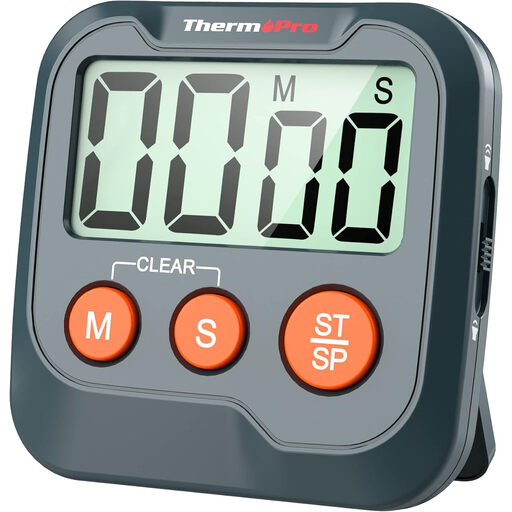
This Joybuy selection is aimed at one shorter dough-proving time, with a timer range of up to 99 minutes and 59 seconds.
 No image available
Suitable for keeping track of one shorter resting time; the maximum range is 99 minutes and 59 seconds.
The product information lists adjustable volume, a magnet, a stand and a hanging loop. A longer resting time is outside the stated range.
Use a separate countdown for each task if the timer supports it, and keep track of which alert belongs to which dish. TFA lists two timers that can run simultaneously for the 38.2025; OXO lists three timers with different beep patterns for the Triple Timer.
It depends on the time you want to set in one go. Compare the recipe time with the range of the exact timer: Brabantia lists a maximum of 99 minutes for the Tasty+ model reviewed, while TFA specifies an hours setting of up to 99 hours and 59 minutes for the 38.2049.02.
Not automatically. Use the recipe’s stated time as a reminder to check the dough: according to King Arthur Baking, conditions and the characteristics of the dough, among other things, affect how quickly it proves. Assess the dough using the instructions in your recipe.
It varies by model. Brabantia lists an included CR2032 battery for the Tasty+ model reviewed, while TFA specifies two AAA batteries that aren’t included for the 38.2025. Check the packaging for the exact variant.
In the Netherlands, you’re entitled to a product that works as it should, and there’s no fixed statutory guarantee period. The Dutch government says the seller must deal with problems involving a faulty product. A manufacturer’s guarantee, such as the five years Brabantia lists for this Tasty+, is in addition to your statutory rights.