
Cooking one roast
You want to start and check one timer while the meat rests, without setting functions you don’t need. IKEA and HEMA describe their digital timers as simple ways to keep track of time.


A simple digital countdown timer is usually enough to time one resting period; choose a dual timer if you want to keep track of a side dish at the same time. A timer won’t tell you whether meat is cooked through: the Netherlands Nutrition Centre recommends using a meat thermometer in the centre of the meat, not against a bone.
You want to start and check one timer while the meat rests, without setting functions you don’t need. IKEA and HEMA describe their digital timers as simple ways to keep track of time.
You want to time the resting period and check that the meat is cooked as you like it. As well as a timer, you’ll need to measure the temperature. The Netherlands Nutrition Centre recommends checking the temperature in the centre of the meat when roasting.
You want to time the resting period and another dish separately. According to the manufacturer, the TFA Dostmann 38.2025 has two simultaneous time displays.
First decide whether you need to time one resting period, keep track of two separate timings or check the temperature as well. A timer keeps track of time; you’ll need a thermometer to check whether food is cooked through.
| What to consider | What to look for | Who is this important for? |
|---|---|---|
| One resting period | Check the countdown, the controls and how to stop the alarm. The HEMA manual describes a maximum countdown of 99 min 59 s. | If I just want to know when to check the roast again, I’d rather choose a timer that’s easy to set. Around 33% of consumers mainly need one clear, easy-to-follow resting time. |
| Checking whether food is cooked | Check whether you have a meat thermometer or can choose a model with a temperature probe. The Netherlands Nutrition Centre advises measuring in the centre of the meat, not against a bone. | If checking whether the meat is cooked is my main concern, I need more than an alarm to tell me when time is up. Around 25% of consumers prioritise checking the temperature. |
| Two dishes | Look for two simultaneous timers; a timer that counts up and down doesn’t necessarily keep track of two timings at once. | If I’m planning the roast and a side dish at the same time, I want to be able to track both timings separately. Around 17% of consumers mainly need two independent timings. |
| Checking the display and positioning | Check how easy the display is to see, the alarm options and whether a magnet or stand suits the place where you want to use the timer. | If my timer isn’t next to the worktop, I want to be able to see the time and notice the alarm from where I’m cooking. Around 25% of consumers prioritise visibility and positioning. |
A timer tells you when the time is up, but it doesn’t show the temperature inside the meat. To check the temperature, the Netherlands Nutrition Centre recommends placing a meat thermometer in the centre of the meat, not against a bone.
Use the timer to schedule a check, and a thermometer when you want to check the temperature.
If you don’t already have a meat thermometer and want to check the temperature, you’ll need to buy a separate thermometer or a suitable combination model.
A timer that can count both up and down doesn’t automatically keep track of two independent timings.
If you also want to time a side dish, check specifically whether the model has two simultaneous timers.
Which batteries are included varies by model. IKEA says the AAA battery for the LJUNGPIPARE is sold separately; HEMA supplies the digital stainless-steel model reviewed without an AAA battery. Brabantia says the reviewed Tasty+ comes with a CR2032 battery.
Before buying, check the battery type and what’s included with the exact version.
If batteries aren’t included, you’ll need to buy them separately before you can use the timer.
Orthex lists the GastroMax 6669-1 as measuring 8 x 8 x 1 cm; a Joybuy product listing gives measurements of 8 x 8 x 1.5 cm and includes a temperature function that Orthex doesn’t describe for this model.
Check the exact version and its features in the product information before choosing based on a model number.
IKEA describes the LJUNGPIPARE as a clock and timer with a magnet, timer function and stopwatch. The FANTAST is a cooking thermometer/timer for anyone who also wants to check the temperature.
The digital magnetic stainless-steel model is designed for anyone who wants to set and track one timing.
The Tasty+ magnetic digital kitchen timer is a good option if you’d rather use a rotating ring than minute and second buttons.
The 38.2025 is designed for two simultaneous timings; the 38.2054.01 offers a single count-up and countdown timer with large digits.
Orthex describes the GastroMax 6669-1 as a digital timer that counts up and down, with a stand and magnet.
This selection from Joybuy includes timers for one resting period, as well as models that also use a temperature probe.
 No image available
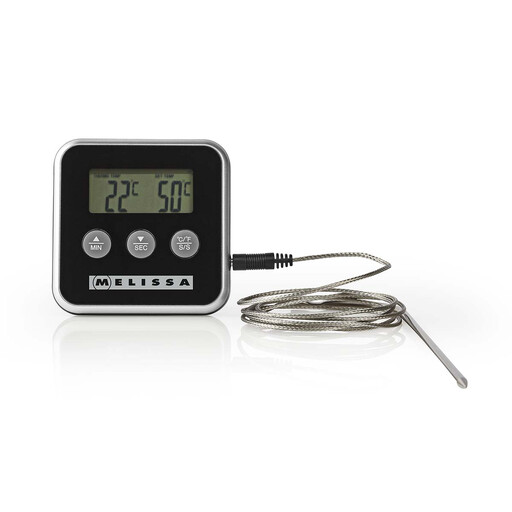
A good choice if you want to check the temperature of the roast as well as set a timer.
The product name lists an alarm timer and a range of up to 250 °C; the product information mentions a probe.
To check the temperature, measure in the centre of the meat, not against a bone.
 No image available
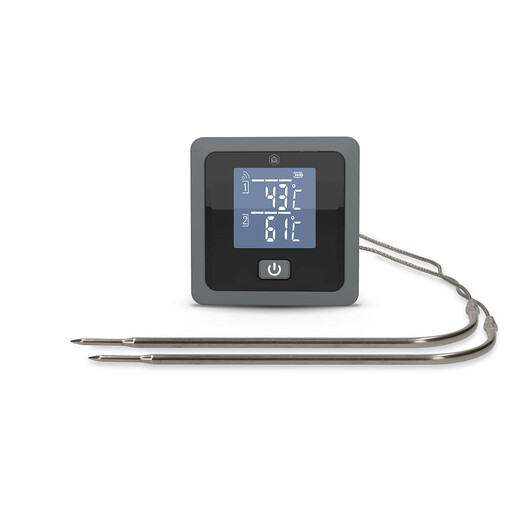
Ideal if you want to check the temperatures of two foods at once and use a timer function.
The product name lists two probes, Bluetooth, an LCD screen, buzzer alerts and push notifications.
Use temperature readings in line with the advice for the dish and type of meat you’re cooking.
 No image available
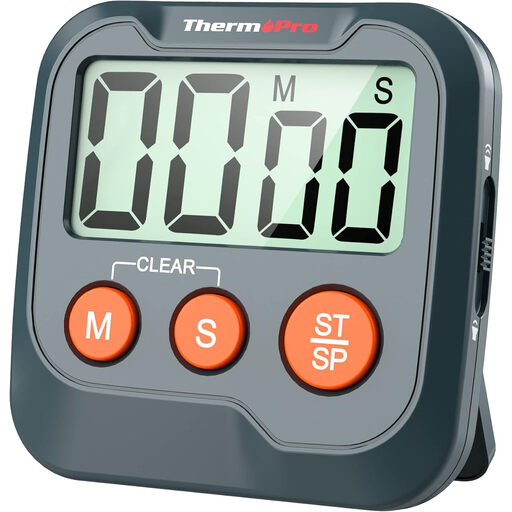
A good choice if you want to time one resting period and check the display from a convenient spot.
The product name lists a stopwatch and a time setting of up to 99 min 59 sec. The product information mentions adjustable volume, a magnet, a stand and a hanging option.
A timer function won’t tell you whether meat is cooked; use a meat thermometer if needed.
 No image available
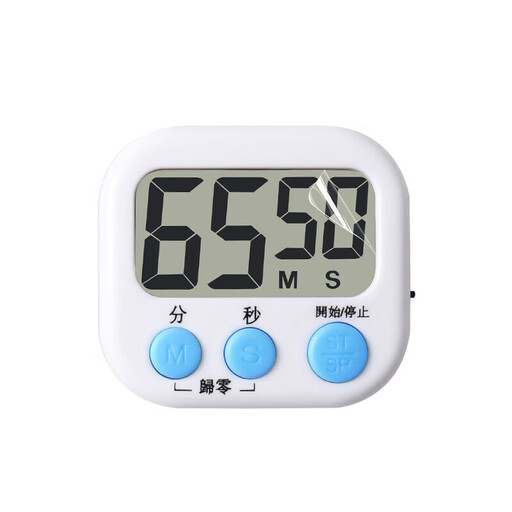
A good choice if you’re looking for a simple digital countdown timer for cooking.
The product name lists an alarm reminder; the product information mentions a countdown for cooking.
An alarm tells you when time is up, not the temperature or how well the meat is cooked.
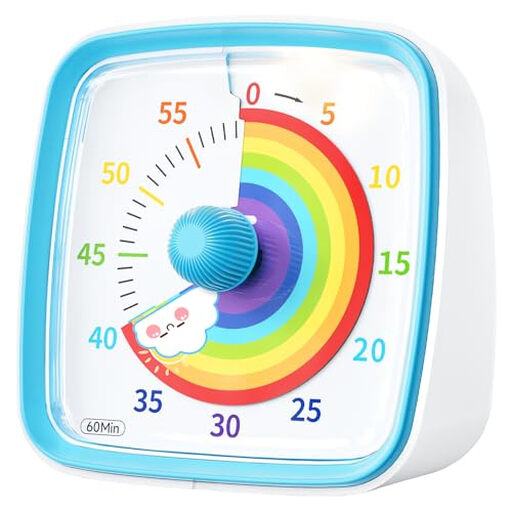 No image available
Suitable if you’d rather keep track of a countdown visually.
The product name lists a 60-minute countdown and a silent function. According to the product information, there’s no audible beep; the countdown and alert are visual.
Check that a silent, visual alert suits the place where you’re cooking.
No. A timer tells you when time is up; the Netherlands Nutrition Centre recommends using a meat thermometer to measure the temperature in the centre of meat or fish when roasting, not against a bone. The right advice on how well something should be cooked depends, among other things, on the type of meat. The Netherlands Nutrition Centre advises extra care for older people, pregnant women, young children and people with a weakened immune system.
Place the timer somewhere you can read the display and notice the alert. According to IKEA, the LJUNGPIPARE has a magnet; according to the manufacturer, the TFA Dostmann 38.2025 has a magnet and a stand. Check that the fixing method suits the place where you want to use it.
It depends on the model. IKEA says the AAA battery for the LJUNGPIPARE is sold separately; HEMA supplies the stainless-steel model reviewed without an AAA battery, while Brabantia says the reviewed Tasty+ comes with a CR2032 battery. Check the packaging for the exact version.
According to ACM ConsuWijzer, you have a statutory guarantee as well as any seller’s warranty. If a product doesn’t meet what you could reasonably expect from it, the seller must resolve the problem free of charge under the applicable terms, for example by repairing or replacing it, or refunding you. There isn’t simply a fixed two-year statutory warranty period in the Netherlands for every timer.
No. The Dutch government says used batteries must not go in the bin. You can take them to shops and supermarkets that sell batteries, among other collection points.