
Vandaag of morgen in huis

Kwaliteit gegarandeerd

Welkomstaanbiedingen ontgrendelen: GRATIS bezorging | Tot 80% korting | Gratis 30 dagen JoyPlus-proefperiode
Download de app
More and more people are setting up permanent home offices. An electric sit-stand desk is often high on their wish list. The promise is clear: switch from sitting to standing at the touch of a button. This helps you stay mobile and adopt a more active work posture.
But the market is flooded with models that look identical at first glance. Unfortunately, there are hidden pitfalls. Many buyers fall into the same traps, ending up with a desk that becomes irritating or even unusable after just a few months. As a Joybuy Product Recommendation Officer, I'm here to help you see through the marketing fluff. Let's look at the three most common mistakes so you can avoid buyer's remorse.
The biggest annoyance with a cheaper standing desk is instability. As soon as you raise the desk to its highest position, it wobbles with every keystroke. Your monitor shakes, and spilling a glass of water becomes a real risk. This is often caused by a frame that's too light or poor construction.
An electric desk is meant to encourage you to change your posture more often. But if the motor sounds like a coffee grinder or takes forever to reach the right height, you'll quickly stop using it. The barrier to using the feature becomes too high, and your expensive sit-stand desk turns into a regular, static one.
Some desks are promoted with features like app integration, built-in wireless chargers, or complex touchscreens. While these sound modern, they significantly drive up the price without adding essential value. The core functionality—a stable and smoothly adjustable work surface—is what truly matters.
To avoid the pitfalls above, there are a few technical specifications you should always check. These determine the long-term quality and usability of your home office desk.
A stable desk starts with the frame. Look for models with a solid steel frame. This provides the necessary rigidity, even at the highest setting. Also, check the maximum static load capacity. A load capacity of 70 kg is a good benchmark for a standard home office setup with a laptop, one or two monitors, and other accessories. This ensures the desk won't sag or wobble under the weight of your equipment.
A quality motor is not only quiet but also smooth. A desk with a memory function is a very practical addition. It allows you to save your ideal sitting and standing heights. With a single press of a button, the desk moves directly to the correct position. This small convenience makes a world of difference in daily use and ensures you'll actually use the feature.
Think carefully about the space you need. A 120 x 60 cm desktop is often sufficient for a laptop and a single monitor. Do you work with multiple screens or like having extra space for documents? Then a larger size like 140 x 60 cm or 160 x 70 cm is a better choice. However, a large desktop on an unstable frame is a bad idea, so always make sure the foundation (the frame) is solid.
Based on these criteria, we've selected a few models that suit different user profiles. These aren't "winners," but practical choices that cleverly avoid the common pitfalls.
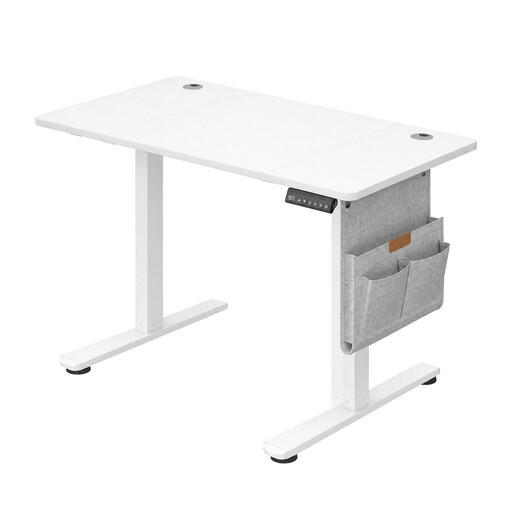
Why it's a match: Ideal for those who want a full-featured ergonomic desk but have limited space. The 120 cm wide desktop fits perfectly in a smaller room or a corner of the living room without compromising on functionality.
The solid steel frame ensures stability, even at the maximum height of 120 cm. The motor is quiet, and the four memory presets make switching between heights effortless, so you'll actually use the feature.
Full functionality in a compact size. Includes handy extras like a storage drawer and cable grommets for a tidy workspace.
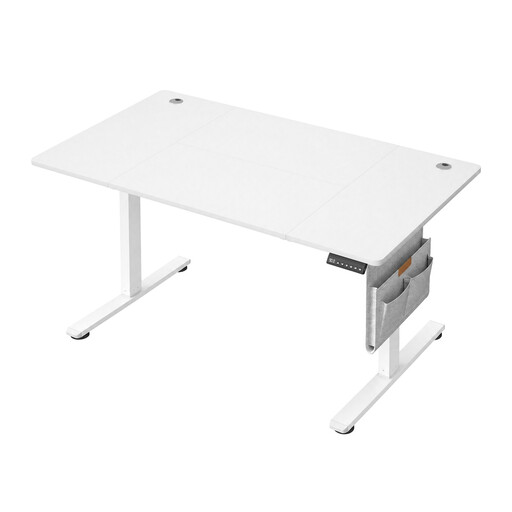
Why it's a match: For the professional or student who works with multiple monitors or simply needs more workspace. The generous 160 x 70 cm desktop offers plenty of room for an extensive setup.
Despite the large desktop, the desk remains stable thanks to the steel frame with a 70 kg load capacity. The motor is designed for smooth and quiet adjustments, which is essential for a peaceful work environment.
A very spacious work surface combined with a convenient USB-C port in the controller for charging your devices. No more fussing with extra adapters on your desk.
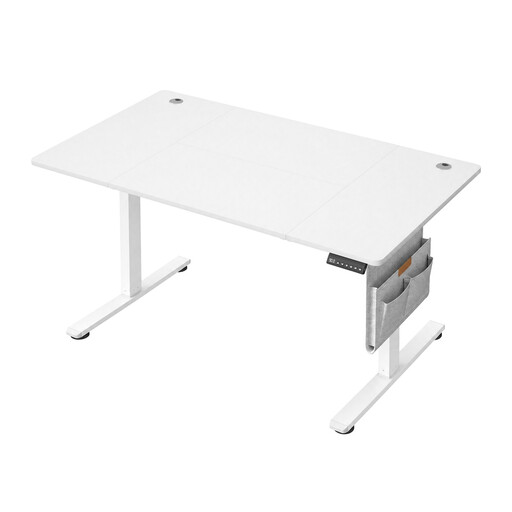
Why it's a match: For those who want to combine functionality with a sleek and tidy appearance. The white design and smart storage features blend seamlessly into a modern interior.
This desk focuses on the essentials: a stable frame and a reliable, quiet motor with a memory function. It avoids expensive, unnecessary gimmicks and invests in what matters for a clean and functional workspace.
Smart details for a tidy desk. The integrated storage drawer, a hook for a bag or headphones, and cable grommets help keep cables and clutter out of sight.
An **ergonomic desk** is a personal choice. If the suggestions above aren't exactly what you're looking for, check out our full range. We've compiled an up-to-date list of desks that meet strict criteria for stability and functionality.
Most electric desks for home use have a maximum static load capacity of around 70 kg. This is more than enough for a typical setup with monitors, a laptop, and accessories. Always check this specification before making a purchase, especially if you have heavy equipment.
Strictly speaking, no, but it's highly recommended. Without a memory function, you have to manually find the right height each time. Chances are, you'll stop doing this after a while. A desk with a memory function significantly lowers the barrier to switching, allowing you to get the most out of your investment in a height-adjustable desk.
Quality motors are designed to move up and down thousands of times, which translates to years of trouble-free use. Most desks have built-in overheat protection. As stated in the product descriptions, you may need to wait 18 minutes after 2 minutes of continuous adjustment. This protects the motor and extends its lifespan. Normal daily use will rarely reach this limit.
