
Print photo editor
You assess photo colours yourself for the printed yearbook and want to be able to check colour profiles and a print proof. Adobe describes colour management, ambient light and paper as parts of an integrated print workflow.


If you assess print colours yourself, look for demonstrable calibration options and a managed colour workflow. For page layout, resolution, adjustability and connectivity may matter more. A wide colour gamut or HDR alone does not guarantee that a print will match what you see on screen.
You assess photo colours yourself for the printed yearbook and want to be able to check colour profiles and a print proof. Adobe describes colour management, ambient light and paper as parts of an integrated print workflow.
You arrange photos, captions and pages, and need enough sharp, usable screen space, with connections that suit your computer. BenQ and Dell’s specifications show why resolution and connectivity vary from model to model.
You read and correct a lot of text in a study, so screen positioning, reflections and adjustability all matter. Adobe includes the viewing environment as part of colour assessment.
Choose this option: if you assess photos for print yourself, compare the calibration options and stated colour gamut of the exact model.
Bear in mind: EIZO lists hardware calibration for the CS2740; BenQ lists a factory calibration report and 100% sRGB for the PD2705Q. Neither specification alone guarantees the printed result.
Choose this option: if you view lots of pages, small text and images at once, compare the resolution, adjustability and laptop connection you need.
Bear in mind: Dell lists USB-C power delivery of up to 90 W and an RJ45 port for the P2725QE; LG lists an adjustable stand and USB-C for the 27UP850K-W. These features do not prove colour accuracy for print.
Choose this option: if you mainly proofread text and lay out simple pages, a general-purpose Full HD monitor such as the Philips 27E1N1100A/00 could suit your work.
Bear in mind: Philips lists a resolution of 1920 × 1080 pixels on a 27-inch screen for this model. That gives you fewer pixels for fine details than the QHD and 4K models discussed here.
For print, the screen is only one part of the assessment: Adobe also highlights the importance of colour management, ambient light and paper. So start by identifying your main task, then check the details that matter for it.
| What to consider | What to look for when buying | Most relevant to |
|---|---|---|
| Colour assessment for print | Check the colour gamut and calibration options of the exact model, and ask your printer for the output profile. | If I assess photos for print myself, I want to be able to manage what I see on screen and work with the right profile. Around 36% of consumers make colour assessment for print their top priority. |
| Sharpness and page overview | Compare the native resolution, screen size and available desk space. BenQ lists 2560 × 1440 for the PD2705Q; Dell lists 3840 × 2160 for the P2725QE. | When laying out pages, I want to see text, photos and panels together without losing detail. Around 29% of consumers put page overview at the top of their list. |
| Comfort in a quiet study | Check the height adjustment, screen coating, desk depth, and the position of lamps and windows. If relevant, assess audible monitor noise separately for the exact model. | During long proofreading sessions, I want to reduce reflections and position the monitor comfortably. Around 21% of consumers put workspace comfort first. |
| Laptop connection and charging | Check that your laptop supports video through the connection and that the stated charging power is sufficient. BenQ lists 65 W Power Delivery for the PD2705Q; Dell lists up to 90 W for the P2725QE. | If I work on a laptop, I want to know whether the connection provides a picture and enough power. Around 14% of consumers make laptop connectivity their main priority. |
A screen specification alone does not tell you what the printed page will look like. Adobe describes colour management, lighting and paper as parts of the assessment.
Ask your printer for the output profile, then view critical photos using that profile and an appropriate proof preview. Calibration, profile settings and a proof print also take time.
A similar diagonal measurement does not mean that models have the same resolution. Philips lists 1920 × 1080 for the 27E1N1100A/00, while the other models discussed have QHD and 4K resolutions.
Compare the native resolution and check that the text size and page layout suit your work.
Your laptop, port and monitor all need to support the required video connection. The charging power must also be suitable for your laptop.
Check your laptop’s requirements, the connection on the exact monitor model and the cable you need. You may also need a suitable cable or a separate laptop power supply.
The ColorEdge CS2740 is an option if you assess colour-critical yearbook photos yourself.
The DesignVue PD2705Q is designed for page layout work, with an adjustable QHD screen.
The Pro Plus P2725QE is a 27-inch 4K option for page layout and a laptop workstation.
The UltraFine 27UP850K-W is an adjustable 27-inch 4K option with USB-C.
The 27E1N1100A/00 is a general-purpose 27-inch Full HD option for proofreading text and simple page layouts.
These Joybuy picks suit yearbook page layout and detailed viewing, with options for colour-focused design work, spacious page layouts and laptop use.
 No image available
The stated 4K resolution could be useful when viewing pages and details on screen.
3840 × 2160; 60 Hz; 4 ms; HDMI; DisplayPort; height-adjustable stand.
 No image available
The stated resolution and aspect ratio are useful if you want to view wide page layouts and panels side by side.
5120 × 2160; 21:9; 100 Hz; USB-C with 65 W Power Delivery; height-adjustable stand.
Check that the USB-C connection and power delivery suit your laptop’s capabilities and requirements.
 No image available
This model could suit page layout work if a 4K screen and the stated colour validations fit your workflow.
3840 × 2160; Thunderbolt 3 with 85 W power delivery. The product description mentions Calman verification and Pantone validations; these claims alone do not guarantee a match with a print.
 No image available
The stated 4K resolution and screen size are useful if you want to view pages and images side by side.
3840 × 2160; IPS; 90 W USB-C power delivery; RJ45 port.
Check that the video connection, charging power and ports suit your laptop and workspace.
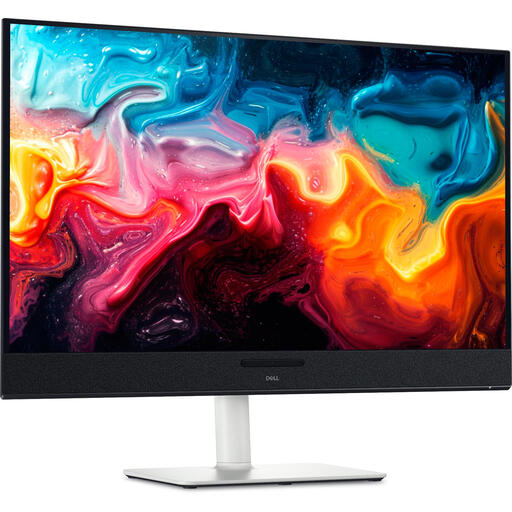 No image available
The stated 31,6-inch 4K screen could suit page layout and image checking; the screen specification alone does not tell you what a print will look like.
3840 × 2160; QD-OLED; 120 Hz; height-adjustable, tiltable and swivelling stand.
No. A wide colour gamut alone cannot predict the print result. For colour-critical work, use a suitable monitor profile, consider the lighting and create a proof preview using the relevant output profile. Adobe points out that what you see is also limited by the screen and viewing conditions.
Reduce direct sunlight and reflections, and calibrate and profile the screen if you’re doing colour-critical work. Adobe recommends recalibrating if you subsequently change the colour or brightness settings.
Only if your laptop supports video through the connection you’re using and the power delivery is sufficient. BenQ lists DisplayPort Alt Mode and 65 W Power Delivery for the PD2705Q; Dell lists up to 90 W for the P2725QE. Check these details against your laptop’s requirements.
For a distance purchase from a business, there is usually a 14-day cooling-off period. Before buying, check the seller’s information about the cooling-off period and the applicable terms. A purchase from a private individual is not covered by the same example of a distance purchase. This cooling-off period is separate from your rights if a product is faulty or not as described.
When you buy as a consumer, you are entitled to a product that is fit for purpose. According to the Dutch government, the Netherlands has no fixed statutory guarantee period. A manufacturer’s guarantee does not replace your statutory rights, and the seller is your point of contact if there is a problem.