For designing a yearbook in a student room, a colour-focused monitor is most relevant if you’re checking photos for print; a general-purpose 4K monitor may be a better fit if page and text detail matter more. Compare colour modes and calibration, resolution, stand and laptop connections. Adobe highlights that the output profile, paper and lighting also have an influence, so a screen alone cannot guarantee a match with the printed result.
Who is this choice relevant to?
Photo editor preparing images for print
If you edit yearbook photos, you’ll want to assess colour choices without assuming that the screen guarantees the final printed result. Adobe describes calibration, ambient lighting, paper and colour management as factors that work together.
Yearbook designer
If you check text, photos and pages side by side, you may want to consider resolution, readability and an adjustable setup. Lenovo Netherlands highlights screen size, resolution and compatibility as points for students to consider; Philips lists height adjustment for the 27E1N1800AE/00.
Student with a small workspace
If you need to fit a monitor, stand and laptop on a limited desk, check the dimensions and connections against your setup. Lenovo Netherlands includes size and compatibility among the factors students should consider; BenQ also lists the dimensions of the PD2705U, including its stand.
What should you consider when choosing?
First decide whether print-focused colour assessment or page and text detail matters more. Then check that the screen, stand and connections suit your student room and laptop.
| Consideration |
What should you check? |
Who should prioritise this? |
| Colour for print |
Check the colour mode, stated sRGB coverage and calibration; ask the printer about the output profile. |
If I’m checking photos for print, I want to align my colour choices with the printer’s profile and a proof print. Around 29% of consumers put colour assessment first. |
| Sharpness and page overview |
Compare the resolution, screen size and display scaling on your computer. |
When laying out pages, I want to check captions and image frames clearly without text becoming uncomfortably small. Around 23% of consumers give detail and page overview top priority. |
| Desk space |
Measure the available width and depth; compare the dimensions including the stand and check whether it can be adjusted. |
In a student room, I want to know in advance whether the screen and stand will fit alongside my laptop and study materials. Around 18% of consumers make physical desk space their main priority. |
| Purchase value |
Compare the features you need and check the energy label for the specific model. |
If I don’t need every specialist feature, I want to weigh up the essentials against what I’m willing to spend. Around 18% of consumers put value for money first. |
| Laptop connection |
Check the video output, the power needed for charging and the connections on both your laptop and monitor. |
For a tidy desk, I want to know whether one cable can provide a picture and enough power for my laptop. Around 12% of consumers make the laptop connection their main priority. |
Common pitfalls
-
Assuming a stated colour gamut guarantees accurate print colours
A colour specification alone doesn’t guarantee that the screen will match the printed yearbook. Adobe also points to calibration, ambient lighting, paper and the printer’s output profile.
Ask the printer which output profile to use, and check a proof print before settling on your final colour choices.
-
Looking only at the screen size
The stand takes up space too, and resolution and adjustability vary by model. Screen size alone won’t tell you whether a monitor will fit comfortably on your desk or suit your layout work.
Measure the space available and compare the dimensions including the stand, resolution and adjustment options for the exact model.
-
Assuming every USB-C port delivers both a picture and enough power
USB-C features and maximum charging power vary between monitors; your laptop must also support video over the port you’re using.
Check the specifications for both devices before relying on a single cable.
-
Confusing a manufacturer’s warranty with your statutory rights
A manufacturer’s warranty is separate from your statutory right to a product that meets reasonable expectations. The Dutch Government states that there is no fixed statutory warranty period in the Netherlands.
Keep your proof of purchase and contact the seller if a product is faulty. Assess any additional warranty by what it actually offers.
Monitor brands to consider
BenQ
The PD2705U is one example for photo and layout work where stated colour coverage and connections are important.
- BenQ lists the PD2705U as a 27-inch 4K monitor with 99% sRGB and 65 W USB-C power delivery.
- The colour figures are supplied by the manufacturer and don’t guarantee that printed colours will match the screen.
ASUS
The ProArt PA278CV is a 27-inch QHD alternative for colour-focused layout work.
- ASUS lists a 2560 × 1440 resolution, 100% sRGB, factory calibration and 65 W USB-C power delivery for this model.
- The colour figures are supplied by the manufacturer; at the same screen size, QHD has fewer pixels than 4K.
Philips
The 27E1N1800AE/00 is a general-purpose 4K option for checking pages and text.
- Philips lists this model as a 27-inch 4K monitor with an IPS panel and a height-adjustable stand.
- These product specifications don’t guarantee that a proof print will have the same colours as the screen.
Dell
The UltraSharp U2723QE is a 4K option with USB-C hub features.
- Dell specifies a 27-inch 4K screen and up to 90 W USB-C power delivery for the U2723QE.
- These specifications apply to this model and don’t, by themselves, indicate how closely the screen will match printed materials.
Joybuy monitors for yearbook design
This selection of Joybuy products includes 4K monitors for checking detail, as well as models whose product information also mentions colour work or adjustability. Check that the connections, stand and workspace suit your setup for each model.
 No image available
MSI Pro MAX 271UPX12G, 27-inch 4K UHD 120Hz QD-OLED monitor
The 27-inch 4K resolution suits anyone who wants to check details on yearbook pages.
The product name lists 120 Hz and a QD-OLED panel; the product information also mentions USB-C.
View at Joybuy
 No image available
Philips 27E1N1800AE/00, 27-inch 4K UHD IPS monitor
This model may suit anyone who wants to inspect pages in detail and adjust the screen height.
The product name lists 3840 × 2160, 60 Hz, 4 ms, HDMI, DisplayPort and a height-adjustable stand.
View at Joybuy
 No image available
MSI Modern MD272UPHG, 27-inch 4K UHD monitor
This 27-inch 4K model is worth considering if you want to check page layouts and images in detail.
The product name lists a resolution of 3840 × 2160 pixels.
View at Joybuy
 No image available
INNOCN CB27U1, 27-inch 4K UHD monitor
This model may be worth considering if you want to combine 4K detail checking with the USB-C connection listed in the product name.
The product name lists 3840 × 2160, an IPS panel, 120 Hz, USB-C 90 W PD and a height-adjustable stand.
View at Joybuy
 No image available
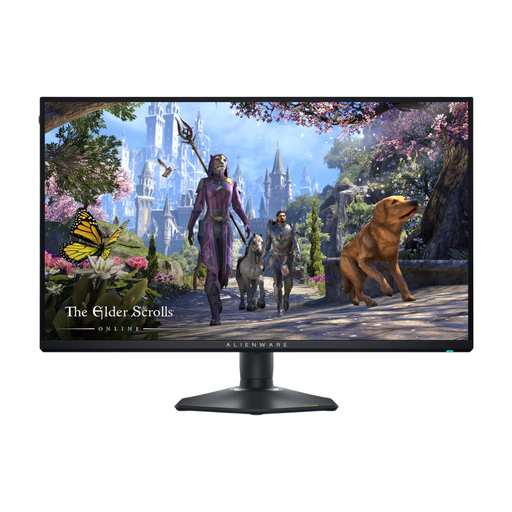
Alienware AW2725QF, 27-inch 4K monitor
This 27-inch 4K model may suit anyone who wants to check fine details on yearbook pages.
The product name lists a resolution of 3840 × 2160 pixels.
View at Joybuy
Frequently asked questions
Is high sRGB coverage enough to predict print colours?
No. sRGB coverage alone can’t predict whether the printed yearbook will have the same colours as the screen. Adobe also identifies calibration, ambient lighting, paper and the printer’s output profile as factors. Ask the printer which profile to use, and check a proof print if needed.
How should I set up a monitor for long layout sessions?
Position the screen so it’s comfortable to view and minimises distracting reflections. Keep the lighting as consistent as possible when assessing colour; Adobe describes calibration, ambient lighting, paper and colour management as factors that work together.
Will a single USB-C cable work with every laptop?
No. A monitor’s USB-C connection doesn’t guarantee that every laptop can receive a picture and enough power through a single cable. Check whether the laptop port supports video and compare the power required with the monitor’s specifications. BenQ and ASUS list 65 W USB-C power delivery for the PD2705U and PA278CV respectively.
What warranty applies to a monitor in the Netherlands?
There is no fixed statutory warranty period in the Netherlands: you can expect the product to meet what you could reasonably expect from your purchase. The Dutch Government makes clear that any manufacturer’s warranty is separate; contact the seller if the product is faulty.
What should I look for on a monitor’s energy label?
Check the label for the specific model and compare its stated energy efficiency. The European Commission describes an A-to-G scale for electronic displays, with exceptions for certain types of screen.


