
Vandaag of morgen in huis

Kwaliteit gegarandeerd

Welkomstaanbiedingen ontgrendelen: GRATIS bezorging | Tot 80% korting | Gratis 30 dagen JoyPlus-proefperiode
Download de app
Building a new PC with an AMD Ryzen 9000 series processor is an exciting project. The motherboard is the nerve centre of your system, but the market is flooded with marketing terms and specifications that confuse more than they clarify. Many PC builders fall into the same traps, wasting money on features they don't need or, worse, choosing a board that bottlenecks their expensive components.
Before you make a decision, it's crucial to recognise three common pitfalls:
To avoid these traps, it's better to focus on a few technical specifications that truly matter. These are the factors that determine your PC's performance and future-readiness.
The chipset is the traffic controller of your motherboard. For the new Ryzen 9000 series, the X870 and B850 chipsets have been introduced. The key difference lies in the "E" of an X870E motherboard.
As mentioned earlier, robust power delivery is crucial. You don't need to be an electrical engineer to assess this. Look for motherboards with a solid number of power phases (e.g., 14+2+1) and beefy, metal heatsinks on the VRMs around the processor socket. This ensures your processor remains stable, even during long gaming sessions or when rendering videos. A good ATX gaming motherboard doesn't cut corners here.
For online gaming and downloading large files, a fast, stable network connection is indispensable.
Furthermore, all new AM5 motherboard platforms require DDR5 motherboard memory, which offers a significant performance improvement over the older DDR4.
Based on these criteria, we have selected a few motherboards that suit different types of users.
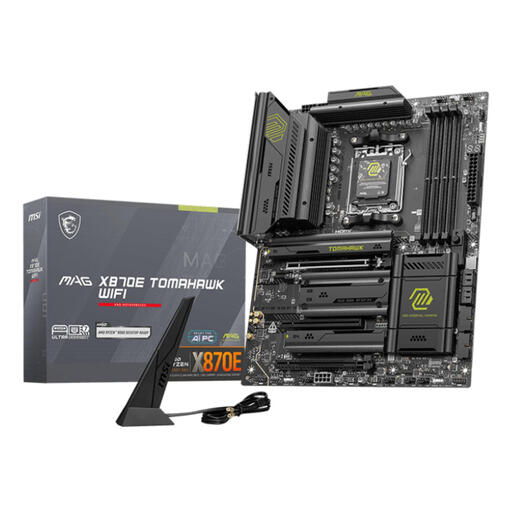
Why This Fits Their Persona: This is for the user who refuses to compromise. You're building a high-end system and want it to remain relevant for years to come. You want to be able to use the fastest storage and graphics card without any limitations.
This board focuses on performance, not gimmicks. The X870E chipset guarantees full PCIe 5.0 bandwidth for the GPU and SSD, and its robust power delivery is built for heavy loads, helping you avoid the 'throttling' trap.
Full PCIe 5.0 support for maximum future-proofing. Features Wi-Fi 7 and 5 Gigabit Ethernet for ultra-fast network performance.
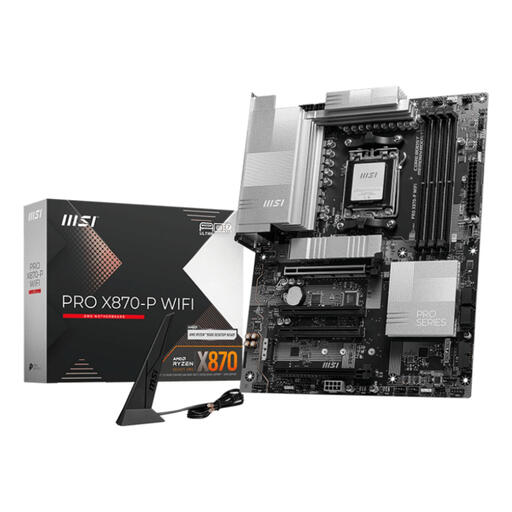
Why This Fits Their Persona: You want to build a powerful and modern system, but you know you don't need every 'extreme' feature. You're looking for the best price-to-performance ratio in the high-end segment.
This board avoids the trap of overpaying. You get the modern X870 chipset with PCIe 5.0 for your graphics card and fast M.2 slots, without the extra cost of the 'E' variant that you might not fully utilise.
Offers modern features like Wi-Fi 7, 5Gbps LAN, and a PCIe 5.0 x16 slot. It even includes a USB4 port, which is an excellent addition in this price range.
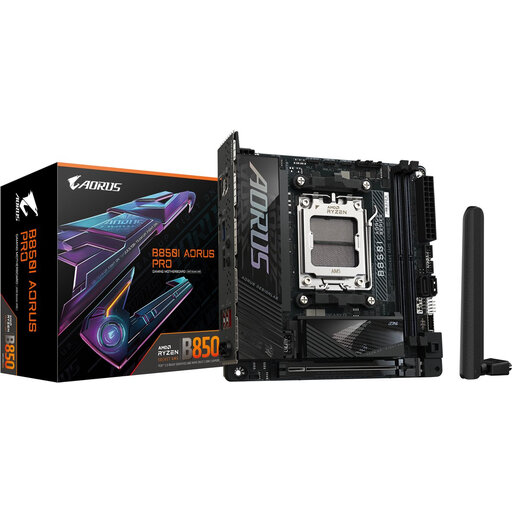
Why This Fits Their Persona: You want maximum power in a minimal footprint. A Mini-ITX build is your goal, but you don't want to compromise on essential performance for your Ryzen 9000 processor.
This board proves that small doesn't have to mean weak. It has a strong power delivery system for its size and modern features, helping you avoid the trap of using a motherboard that's too weak for a powerful CPU in a small case.
Despite its Mini-ITX form factor, this board offers a PCIe 5.0 x16 slot, a PCIe 5.0 M.2 slot, Wi-Fi 7, and 2.5G LAN. A complete high-end experience in a compact package.
We have compiled a complete, real-time list of products that fully satisfy these strict selection criteria and UK safety regulations.
Not strictly. A Ryzen 9000 processor will also work on X870 and B850 motherboards. However, an X870E motherboard is recommended if you want to get the absolute maximum out of your system. It provides the bandwidth to run a PCIe 5.0 graphics card and a PCIe 5.0 NVMe SSD at full speed simultaneously, which is the ultimate setup for performance and future-proofing.
A motherboard with WiFi 7 offers noticeable advantages over older standards. The main benefits are potentially much higher speeds, significantly lower latency (ping), and better performance in environments with many other Wi-Fi networks. For online gamers, streamers, and anyone who regularly downloads large files, this is a valuable upgrade that ensures a more stable and faster wireless connection.
No, the AM5 motherboard platform, including all X870 and B850 chipsets, is designed exclusively for DDR5 memory. DDR4 modules will not physically fit in the slots and are not electronically compatible. When upgrading to a new AM5 system, you will also need to invest in a new set of DDR5 memory.
