What should you look for when sockets are scarce?
Standalone e-ink writing tablet
A good fit if: you want to write directly on the device and prefer a dedicated note-taking experience.
Trade-off: battery life depends on how you use it. According to reMarkable, searching handwritten notes on Paper Pure requires Connect.
Standalone Android tablet with pen
A good fit if: you want to write on a screen without a computer and use Android apps.
Trade-off: a pen that doesn’t need charging, such as the Wacom Pro Pen 3 according to Wacom, doesn’t remove the need to charge the tablet itself.
Screenless pen tablet
A good fit if: you already use a compatible computer, phone or tablet and view your notes on it.
Trade-off: the writing surface isn’t a standalone note-taking device; you still need a host device and app. Wacom describes One by Wacom as computer-dependent.
Connected pen display
A good fit if: writing directly on a visible screen matters to you and you can check the connection requirements in advance.
Trade-off: for the Android connection on Huion Kamvas 13, the manual specifies extra power and a compatible USB-C connection.
When you’re taking handwritten digital notes and sockets are scarce, your choice often comes down to which need matters most to you. In practice, several considerations may be important at the same time.
| What to consider |
What to look for when buying |
Who is this more important to? |
| Writing without a socket |
Compare battery life for the quoted usage with your writing time; also check which devices need charging. |
If I can’t use a socket during a long study day, I want to know whether my device will last through my writing session. Around 36% of consumers put freedom from mains power first. |
| Writing directly on the screen |
Decide whether you want to write directly on the document or are happy to look at the screen of a connected device. |
I want to see the pen stroke alongside my document, so I’d rather write on the screen itself. Around 29% of consumers prioritise writing on screen. |
| Using a device you already own |
Check that your laptop or phone, connection and note-taking app work with the pen tablet. |
If I want to keep using my current laptop or phone for notes, I’m looking for a compatible pen tablet rather than a standalone tablet. Around 21% of consumers prioritise using an existing device. |
| Finding and sharing notes |
Check the app, storage, search and export options you need, and find out which features work without a subscription. |
I want to find or share my notes later, so I need the right features. Around 14% of consumers put their note-taking and export workflow first. |
Joybuy products for handwritten notes
This product selection ranges from standalone tablets with a pen to a reusable LCD writing surface for handwritten notes. Check how notes are saved and which features are available for each model.
 No image available
Wacom MovinkPad 11 standalone drawing tablet
Ideal if you want to write on the tablet screen without a connected computer.
11.45-inch IPS screen, 8 GB RAM, 128 GB storage, Android 14 and Wacom Pro Pen 3.
View at Joybuy
 No image available
Lenovo Yoga Tab ZAG60028PL with Tab Pen Pro
A tablet with an included pen for taking handwritten notes directly on the screen.
11.1-inch 3.2K 144Hz touchscreen, Snapdragon 8 Gen 3, 12 GB RAM, 256 GB storage, Wi-Fi 7 and Android 15.
View at Joybuy
 No image available
Lenovo Idea Tab Plus WiFi 12.1-inch with pen, Rose
Ideal if you want to take handwritten notes and annotate documents on a tablet.
12.1-inch 2.5K screen, 8 GB RAM, 256 GB storage and an included Lenovo Pen.
View at Joybuy
 No image available
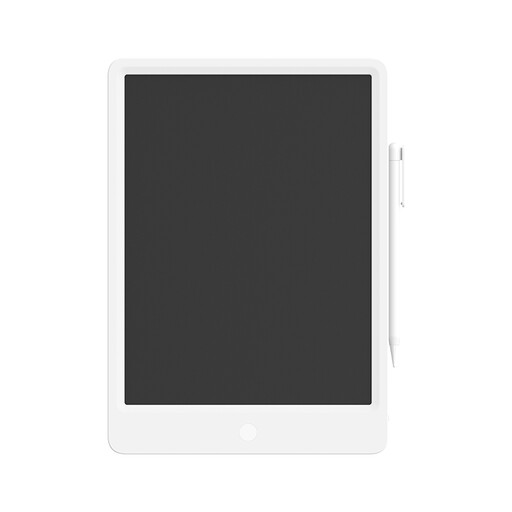
Mi LCD Writing Tablet 13.5-inch with stylus
A reusable writing surface for anyone who wants to write by hand without using a general-purpose tablet as a note-taking screen.
13.5-inch LCD screen and stylus.
View at Joybuy
 No image available
iFLYTEK AINOTE Air 2, 8.2-inch E Ink tablet with stylus
Ideal if you want to take handwritten notes on a standalone E Ink screen.
8.2-inch screen and 2600 mAh battery. The product description mentions transcription and handwriting recognition; check that the features suit the way you plan to use it.
View at Joybuy
Frequently asked questions
Do I need a socket while I’m writing?
Not if a standalone writing tablet, charged in advance, has enough battery for your session. reMarkable Support quotes up to three weeks for Paper Pure with around one hour of note-taking a day, and up to five days at eight hours a day. Compare your usage with those stated conditions.
Will a pen tablet with a battery-free pen work without a laptop?
Not necessarily. Wacom describes One by Wacom as a pen tablet for use with a computer, even though the pen doesn’t need a battery. For other models, check which phones, tablets or computers they support as host devices.
What should I check when connecting a pen display?
Follow the manual for the exact model and check the connections on your device. For Kamvas 13, Huion specifies a compatible USB-C connection with DisplayPort support and extra power for Android; the optional USB-C cable isn’t included.
Do I need extra features to search or share notes?
It depends on the device and feature. reMarkable says that Paper Pure can export notes by email in PDF, PNG or SVG format, but searching handwritten notes requires Connect. Check in advance which features you need and the terms on which they’re available.


