
Writing teacher giving live demonstrations
Wants to show the pen tip, paper and hand movements from a stable overhead view.


Choose a document camera or adjustable camera arm for a stable overhead view when the pen tip and your hand movements are the focus. If you want to switch regularly between showing yourself and the paper, a webcam with a desk view may be suitable. Test the framing, readability, lighting and microphone with your own setup.
Wants to show the pen tip, paper and hand movements from a stable overhead view.
Wants to film writing and avoid unnecessarily capturing other users or their conversations in the picture or sound.
Switches between speaking to camera and briefly showing what is happening on the desk.
Start with the writing movement, then check that the setup, framing and audio recording suit your shared workspace.
| What to consider | What to look for | Who it matters to |
|---|---|---|
| Following writing movements | Compare the capture area and focus on the paper. Also check the combination of resolution and frames per second in the video mode you want to use. | When I write live, I want the pen tip and my hand movements to be easy to follow. Around 36% of consumers prioritise legible writing. |
| Privacy and sound | Frame the work surface and check which microphone the presentation app is using. | In a shared studio, I want to keep other users and their conversations out of the recording as much as possible. Around 29% of consumers give this protection top priority. |
| Moving the setup | Check whether the base or clamp fits the table, which connection is required and whether your presentation app recognises the camera. | If the workspace needs to be clear again after a session, I want to be able to set up and put away the camera quickly. Around 21% of consumers prioritise a setup that is quick to recreate. |
| Showing your face and the paper | Check whether the camera position works with your screen and desk, and whether the image remains clear when you switch between views. | When I alternate between explaining something and showing it on paper, I don’t want to rebuild the whole setup each time. Around 14% of consumers give this flexibility top priority. |
Some cameras have different maximum frame rates for different resolution modes. So the highest resolution alone doesn’t tell you how smoothly moving writing will appear.
Compare the resolution and frames per second of the mode you’ll actually use while writing.
A perspective-corrected desk view from the edge of a screen is not the same as a camera physically mounted above the paper.
Check that the screen, paper and camera angle you want combine to give you a clear image.
A physical overhead view may require a different mount, so check your preferred setup before choosing accessories.
A tight frame won’t stop an active microphone from picking up other people’s conversations.
Check the image and audio source while the room is being used normally, and agree arrangements before recording other people.
The V4K is a USB document camera for materials on a table.
According to CZUR, the Fancy S Pro combines a document camera and webcam with an adjustable arm.
The HD Pro is a portable USB document camera with a flexible neck.
According to Insta360, the Link 2 is a webcam that can also show your desk temporarily using DeskView.
Reach is a camera with an adjustable overhead arm for demonstrating materials on a table.
This selection includes webcams, a document camera and a conference camera. Check each model to make sure its camera angle, the live view you want and the audio source suit your demonstration and shared workspace.
 Image unavailable
Could suit you if you’re looking for a computer webcam and want to cover the lens when it’s not in use. Check which microphone is active in your presentation app.
The product name lists 4K UHD, 8 MP, autofocus, two built-in microphones and a privacy cover. EU version, black.
 Image unavailable
For capturing flat documents. Before you buy, check that the live view works with the presentation app you use for your writing demonstration.
The product name describes a portable document scanner for flat sheets up to A3 and compatibility with Windows and macOS.
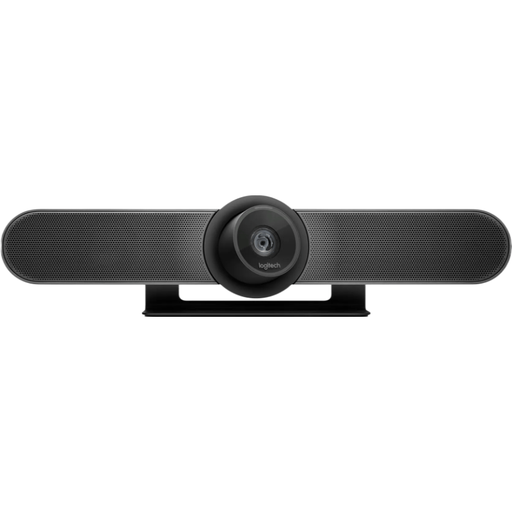 Image unavailable
Designed for video conferencing in small meeting rooms. In a shared studio, its room-focused framing may make it harder to keep other people out of shot.
The product name lists video at 3840 × 2160 with up to 30 fps. Check the framing where you’ll be writing.
Position the camera so the paper and pen tip stay in shot as your hand moves. Test the focus and the resolution and frame rate combination in the same app you’ll use to present. The HUE HD Pro has manual focus.
A built-in microphone doesn’t guarantee that other people’s conversations will stay out of the recording. Check which microphone is active in your video app and test the sound in the room as it’s normally used.
As well as any commercial warranty, the statutory guarantee applies: a product must meet the expectations you could reasonably have of it when used normally. According to ACM ConsuWijzer, if a product breaks sooner than expected, the seller must put things right, for example by repairing or replacing it, or refunding your money. There is no single fixed statutory guarantee period for every camera.
That depends on who is being filmed, the purpose and how the recording will be used. If an organisation processes footage in which people can be identified, the Dutch Data Protection Authority says it must tell them what happens to their personal data and why. Stricter conditions also apply to workplace video surveillance; a writing demonstration does not automatically count as video surveillance.