You can start with the phone you already own in good daylight. Take a clear photo of the whole basket, then separate photos showing the weave and any signs of use. Only consider another device if your phone can’t capture the details you want in focus. A compact camera could suit you if you often photograph small details, while an interchangeable-lens camera is worth considering if you regularly photograph products and want to choose your own lenses.
Who is this advice for?
Occasional private seller
If you’re listing a single basket, first see whether your current phone can take a recognisable full-basket shot and clear close-ups. Marktplaats Zakelijk recommends showing the product as a whole, along with relevant details.
Seller of small handmade items
If you regularly photograph woven items or their finishing, check how close your device can focus and whether it captures your subject’s details clearly. OM SYSTEM lists a microscope mode for the Tough TG-7.
Seller with a regular photo set-up
If you photograph products regularly, being able to recreate the same composition can be important. Consider the lens and any additional equipment you might need, too. Canon explains how to use a tripod to keep your framing consistent.
What should you look for when choosing?
Marktplaats Zakelijk recommends a clear full-product photo, close-ups and restrained editing. So assess both the whole basket and the details that matter.
| What to consider |
What to look for when buying |
Who is this important for? |
| Full-basket photo and cost |
First, take a test photo of the whole basket with your current phone and check the focus and framing. |
For a single listing, I want to check that my phone can capture the whole basket in focus before buying another device. Around 36% of consumers give top priority to a full-product photo and avoiding an unnecessary purchase. |
| Details of the weave |
Check the close-up capabilities of the exact device and take a test photo of a detail in suitable light. |
If I want to show the texture of the weave and small finishing details, the close-up needs to be sharp and well lit. Around 29% of consumers prioritise seeing these details. |
| Colour and signs of use |
Photograph the basket in even daylight and check the colour and condition against the real thing. Avoid editing that changes how they look. |
I want potential buyers to be able to assess the colour and any signs of use accurately, rather than seeing only an attractively edited image. Around 21% of consumers prioritise an accurate representation of colour and condition. |
| Repeatable set-up |
Decide whether you’ll be photographing several products and whether you’ll need a tripod, a separate camera or another lens. |
If I list products regularly, I want to be able to recreate the same composition without starting from scratch for every listing. Around 14% of consumers give repeatability top priority. |
Common buying mistakes
-
Buying a new camera before trying your phone
For a listing, what matters is whether you can show a clear photo of the whole product and the relevant details. You don’t automatically need a new device to do that.
First, take some test shots in daylight. Only buy something specific once you know what your current phone can’t capture well.
-
Confusing a very short focusing distance with a complete product photo
The 1 cm minimum shooting distance OM SYSTEM lists for the Tough TG-7 is intended for very close-up details. A close-up feature like this doesn’t necessarily tell you anything about how well the camera can photograph the whole basket, and it may block light from reaching your subject.
Assess the close-up and full-basket photos separately, and make sure the camera isn’t blocking the light.
-
Assuming every interchangeable-lens camera kit includes a macro lens
According to Canon, the Canon EOS R100 kit includes the RF-S 18-45mm lens. That’s not the same as including a separate macro lens.
Check exactly what’s in the kit and try the supplied lens to see whether it captures the detail at a large enough size and in focus.
-
Editing out the colour or signs of use to make your listing more appealing
Strong filters and edits can change how the basket’s true colour or condition appears. Marktplaats Zakelijk recommends using filters and edits sparingly.
Keep your photos realistic and show any relevant signs of use clearly.
Relevant brands to consider
Google
The Pixel 9a is an example of a smartphone for anyone who needs a new phone as well.
- Google lists Macro Focus for the Pixel 9a, a feature for capturing small details.
- This feature doesn’t guarantee that a detail on your basket will be in focus. Also check that the phone can photograph the whole basket clearly.
OM SYSTEM
The Tough TG-7 is a compact camera option for anyone who regularly wants to capture small details without changing lenses.
- OM SYSTEM lists a microscope mode and a minimum shooting distance of 1 cm.
- This short distance is intended for close-ups. Assess the exposure and the full-basket image separately.
Canon
The EOS R100 with the RF-S 18-45mm kit lens is an interchangeable-lens camera option for anyone who photographs products regularly and wants the flexibility to choose lenses.
- Canon lists the RF-S 18-45mm lens as part of this kit.
- For this lens in manual focus mode, Canon lists magnification of up to 0.25× and a minimum focusing distance of 15 cm. It isn’t a separate macro lens, so check whether it can capture the detail you want at a large enough size.
Cameras and smartphones at Joybuy
This selection includes smartphones and separate cameras for anyone looking for a device to take listing photos. Check each model to make sure its features and controls suit the full-basket photo and close-ups you want to take.
 No image available
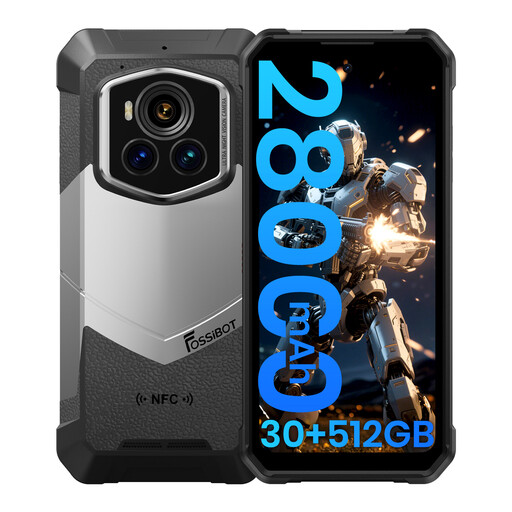
Fossibot F107 Pro rugged smartphone, 5G
A smartphone option if you’re also looking for a phone to take listing photos.
The product title lists Android 15, 12 GB + 18 GB memory, 512 GB storage and 200 MP + 32 MP cameras. Check whether the camera can capture the close-ups you want in focus on your own basket.
View at Joybuy
 No image available
DJI Osmo Pocket 4 Standard Combo
A separate pocket camera option if you’re looking for a standalone device for photos.
The product title lists a 1-inch CMOS sensor, 2× lossless zoom and a rotating screen. Before buying, check whether the camera is suitable for photographing both the whole basket and the details you want to show.
View at Joybuy
 No image available
Komery W6 digital camera
A separate digital camera option if you’d rather not use your smartphone to take photos.
The product title lists 12× optical zoom, 4K, Wi-Fi and 64 MP. Check that the zoom and focus suit the distance you’ll be photographing the basket from.
View at Joybuy
 No image available
DJI Osmo Pocket 3
A compact camera option if you’re looking for a separate device for photos.
The product title lists a 1-inch CMOS sensor, fast focusing and a rotating touchscreen. Check that the shooting distance suits the details of your basket.
View at Joybuy
 No image available
Songdian Pocket Camera
A pocket camera option if you’re looking for a separate device to take listing photos.
The product title lists 4K, 44 MP and 16× zoom. Check that the camera can capture the whole basket and the details you want in focus.
View at Joybuy
Frequently asked questions
What photos should you take of the basket?
Start with a photo of the whole basket against a plain background. Add photos of the weave, inside, base and any signs of use. If needed, include a familiar object to show the size.
How can you avoid blurry photos or inaccurate colour?
Photograph the basket in even daylight and check the focus on your screen. A tripod can help you keep the composition steady across a series of photos. If you notice a colour cast, check the white balance or light source.
Do you need to buy a macro lens straight away for an interchangeable-lens camera?
No. First try the lens that actually comes with the kit and see whether it captures the weave at a large enough size and in focus. The Canon EOS R100 kit includes the RF-S 18-45mm lens. Check whether it meets your needs before choosing any additional equipment.
Who should you contact if your new camera isn’t working properly?
For a consumer purchase, the seller is your point of contact for a solution if the product isn’t as it should be, according to the Rijksoverheid. Any manufacturer’s warranty does not replace this right.


