
Vandaag of morgen in huis

Kwaliteit gegarandeerd

Welkomstaanbiedingen ontgrendelen: GRATIS bezorging | Tot 80% korting | Gratis 30 dagen JoyPlus-proefperiode
Download de app
A wireless mouse for multiple devices may seem straightforward to choose at first glance. Yet many people end up buying a model that does not suit their workspace. A mouse may be wireless, for example, but only work with one computer. Silent buttons, Bluetooth and a USB receiver are not always included in the same mouse either.
For homeworkers, students and office professionals, three pitfalls are particularly relevant:
Below, you’ll find out which specifications you actually need to check and which models suit different usage situations.
A good multi-device mouse clearly states how many devices can be paired at the same time and which connections it uses. There are broadly two options:
Don’t just look for the word Bluetooth. Check whether the mouse can switch between devices without having to pair it again each time. According to the product specifications, the Trust Yvi+ supports one 2.4GHz USB receiver and two Bluetooth channels, allowing it to connect to up to three devices in total.
A USB receiver with a USB-A connection may require an adapter when used with modern laptops or tablets. It’s a small detail, but a common cause of buying mistakes.
A silent mouse is useful in a shared office, library or living room. However, check whether “silent” refers to the main buttons and not just the marketing name. The product information should list this as a feature or specification.
For mobile use, dimensions and weight are more important than lots of extra buttons. A compact mouse weighing around 55 to 85 grams is easier to carry in a laptop bag. Also consider the shape:
An ergonomic shape is not a medical solution. Above all, choose a model that suits your hand, grip and working posture.
DPI determines the sensitivity of the cursor. For documents, spreadsheets and browsing, adjustable settings around 800 to 1600 DPI are often sufficient. A mouse with adjustable DPI lets you switch between more precise and faster movements.
Also consider the power supply:
Finally, check that the packaging and material claims are clearly described. According to the product information, the Trust Yvi+ includes recycled plastic and plastic-free packaging, among other features. This is verifiable product information, but it does not automatically say everything about the product’s overall environmental impact.
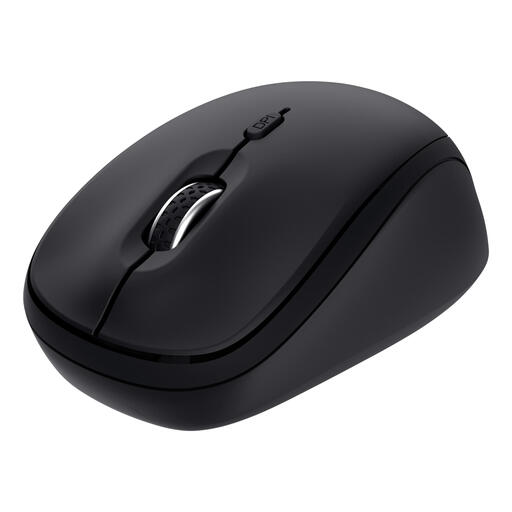
Why it suits this profile: This compact wireless mouse combines Bluetooth with a 2.4GHz USB receiver and, according to the product specifications, can be paired with up to three devices.
The connection options and number of devices are clearly specified. The silent buttons and compact design also help ensure that you don’t choose based on low price alone.
Up to three connections, silent buttons, 800/1600 DPI and a stated battery life of up to 12 months with one AA battery.
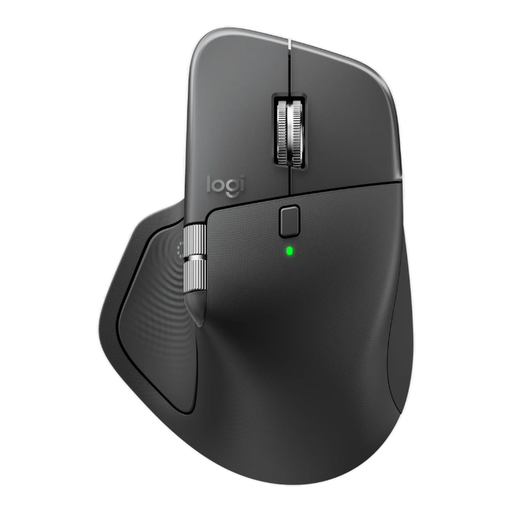
Why it suits this profile: This model is designed for office professionals who work across multiple devices, handle many documents and value additional control options.
You get more than just a high DPI value: the product specifications list three paired devices, Bluetooth, a USB receiver, quiet clicking and programmable buttons.
8,000 DPI, horizontal scrolling, eight buttons, rechargeable battery and support for up to three devices.
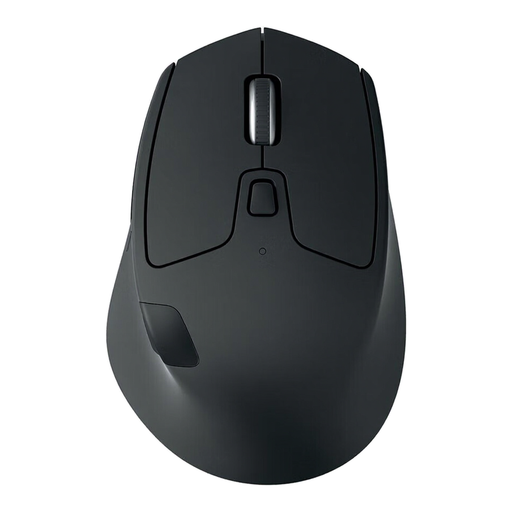
Why it suits this profile: The M720 is suitable for users who regularly switch between three computers and value extra buttons and long battery life.
The Easy-Switch function is designed for three paired devices. This means you don’t have to set up a connection again each time.
Support for three devices, optical sensor, eight buttons and a stated battery life of up to 24 months with one AA battery.
We’ve put together a complete, up-to-date list of products that fully meet these strict selection criteria and the applicable European safety regulations.
Switch on the mouse and open the Bluetooth settings on the first device. Select the mouse and complete the pairing process. Repeat this for the second Bluetooth channel if the model supports it. For a PC or laptop with USB-A, connect the supplied USB receiver. Then use the device-selection button to switch between connections.
Its lifespan depends on the buttons, scroll wheel, battery type and daily use. A replaceable battery makes long-term use simple, while a built-in rechargeable battery may lose capacity over time. As well as checking the battery life, review the warranty conditions and store the USB receiver safely; without it, a 2.4GHz mouse may be less practical to use.
Not necessarily. Both types use power and can run on batteries or a rechargeable battery. Bluetooth can be convenient when you don’t want to use a USB port. A mouse with a USB receiver is often easy to connect to a desktop or laptop. So choose based on your devices and connections first, and price second.
