
Vandaag of morgen in huis

Kwaliteit gegarandeerd

Welkomstaanbiedingen ontgrendelen: GRATIS bezorging | Tot 80% korting | Gratis 30 dagen JoyPlus-proefperiode
Download de app
A wireless mouse keeps your desk tidier and is useful with a laptop, home office or gaming PC. However, a high DPI value or striking design does not automatically mean that a model will suit the way you use it. The right choice mainly depends on the connection, hand shape, battery type and how you use the mouse.
DPI determines how quickly the cursor moves across the screen. A mouse with adjustable DPI is practical, but a higher setting is not useful for everyone. For office work, 800 to 1600 DPI is often sufficient. For photo editing, large screens or gaming, a wider adjustable range can be more useful.
Also consider the sensor, polling rate and the surface on which the mouse works. A high DPI without accurate tracking will not automatically provide smoother control.
A Bluetooth mouse connects directly to devices that support Bluetooth. This is useful with laptops and tablets because you do not need a USB receiver. A 2.4GHz connection usually works via a small USB dongle and is practical for computers without reliable Bluetooth support.
Check the following in advance:
For a wireless mouse for PC and Mac, the official compatibility list is more important than simply seeing the words “multi-platform”.
A model with a built-in rechargeable battery eliminates the need for loose batteries, but it does need to be charged regularly. With a mouse that uses AA or AAA batteries, running costs depend on the quality and price of replacement batteries.
Pay attention to the difference between:
For everyday work, a dual-mode mouse with Bluetooth and 2.4GHz offers flexibility. According to the product description, the lofree Wavy Chips EP115 supports Bluetooth 4.0 and 2.4GHz. This means it can be used with different devices, but according to the specifications it is not suitable for Mac devices in Boot Camp dual-system mode.
A true multi-device mouse should not only support multiple connections, but also have a clearly marked switching button. According to the manufacturer, the Trust Ozaa+ can connect to up to three devices at the same time: one via the 2.4GHz receiver and two via Bluetooth.
An ergonomic shape is a personal matter. A larger mouse offers more support for your hand, while a compact mouse is easier to carry around. So check the dimensions and weight carefully, especially if you are looking for a wireless mouse for a laptop.
A vertical ergonomic mouse also takes some getting used to. The Logitech MX Vertical has an angle of 57 degrees and is designed for a handshake-like position. This does not guarantee greater comfort for every user; fit, posture and regular breaks remain important.
A quiet mouse is useful in a shared office, library or peaceful home workspace. “Quiet” does not always mean completely silent. According to the product information, Logitech and HP claim up to 90% less click noise on certain models. These are brand specifications, not a universal measurement for every working environment.
Also look out for additional features:
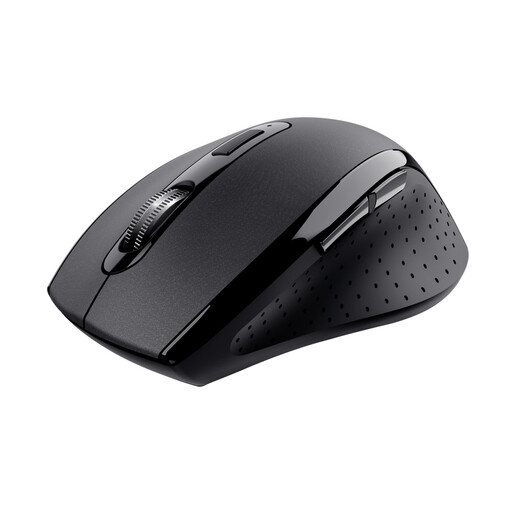
Why it suits this profile: A straightforward wireless computer mouse for home, study and standard office work, with a 2.4GHz receiver and a stated range of 10 metres.
The specifications clearly state the connection, DPI and battery requirements: two AAA batteries, so there are no unclear expectations about charging.
Ergonomic shape, DPI switch, stowable receiver and suitable for both left- and right-handed use according to the product information.
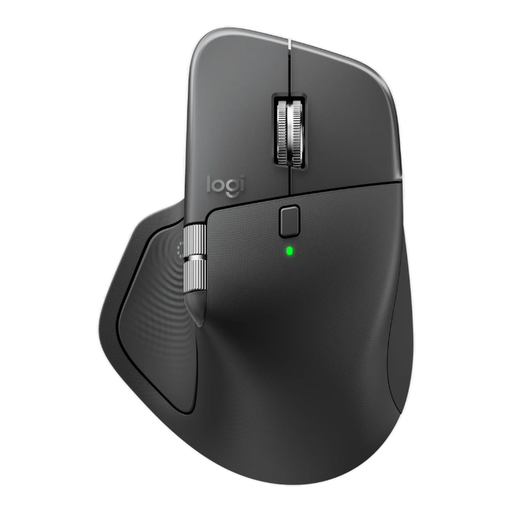
Why it suits this profile: Designed for intensive office work with multiple devices, frequent scrolling and customisable functions.
The product details mention Bluetooth, a Logi Bolt receiver, three paired devices and a rechargeable battery. However, check in advance that your computer has the correct receiver port.
8,000 DPI, horizontal scrolling, 8 programmable buttons and quiet clicking according to the product specifications.
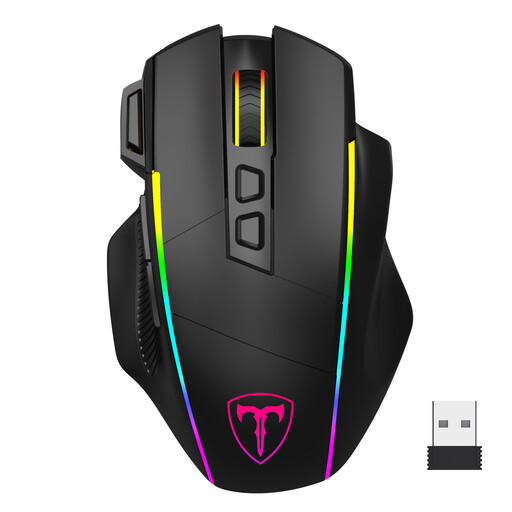
Why it suits this profile: For gamers and users who want to combine 2.4GHz, Bluetooth and a wired USB-C mode.
The connection options and software limitations are clearly stated: according to the product information, the configuration software works only on Windows and in wired mode.
6 DPI levels up to 10,000, 8 programmable buttons, RGB lighting and a rechargeable battery according to the brand description.
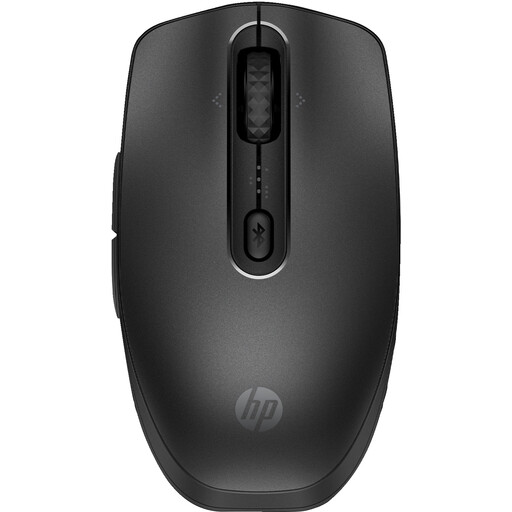
Why it suits this profile: A slim Bluetooth mouse for office, laptop and use with up to three devices.
The battery can be recharged via USB-C or Qi, and compatibility with Windows, macOS and ChromeOS is stated. Check that your Qi charger is suitable.
4000 DPI, quiet clicks, seven buttons and a stated battery life of up to four months per charge.
We have put together a complete, up-to-date list of products that fully meet these strict selection criteria and the applicable European safety regulations.
No. A Bluetooth mouse requires Bluetooth support on the laptop. A 2.4GHz model needs a free USB port. Also check Windows, macOS, ChromeOS or tablet compatibility on the product page.
Its lifespan depends on the switches, rechargeable battery or disposable batteries, intensity of use and maintenance. Manufacturers often state a battery life, but this is an indication based on usage. Keep the mouse dry, charge it according to the instructions and store the USB receiver in a fixed place.
That depends on the purchase price, charging frequency and lifespan of the built-in battery. A rechargeable mouse saves you from buying loose batteries, while a model with AA or AAA batteries can be used again immediately once you replace the battery. So do not compare the price alone; also consider the connections, battery life and warranty terms.
