
Vandaag of morgen in huis

Kwaliteit gegarandeerd

Welkomstaanbiedingen ontgrendelen: GRATIS bezorging | Tot 80% korting | Gratis 30 dagen JoyPlus-proefperiode
Download de app
A wireless gaming mouse gives you greater freedom of movement and a tidier desk. For competitive FPS, MOBA and esports games, however, DPI and RGB lighting are not the only important factors. Weight, connectivity, shape, software and battery usage all determine whether a mouse is right for you in practice.
If you only look at impressive marketing figures, you may end up paying unnecessarily for features that do not suit your monitor, grip or games. Below, you’ll find the key points to check, along with some popular choices for different usage profiles.
A 26000 DPI gaming mouse sounds appealing, but the maximum value is not automatically the sensitivity you will use while gaming. Many FPS players set their DPI lower and combine it with the in-game sensitivity setting. More important are a stable sensor, a suitable mouse surface and the ability to fine-tune the settings accurately.
Also check how the DPI is specified. According to the product information, the Rapoo VT3 allows you to set the X and Y axes independently. This can be useful with widescreen monitors or specific resolutions, but first check whether you can configure this using the available software.
A gaming mouse with an 8K polling rate reports its position up to 8,000 times per second. This can refine input processing, but the difference compared with 1,000 Hz is not equally noticeable in every game or on every computer. A higher polling rate can also use more system resources.
According to Rapoo’s own information, the VT3 supports a native wireless polling rate of 8,000 Hz, without additional software algorithms or a separate 8K dongle. Treat this as a technical specification, not a guarantee of better gaming results. Check whether your PC, monitor and game can make meaningful use of this setting.
A gaming mouse with long battery life can last for weeks or months, but the stated runtime often depends on the polling rate, lighting and connection type. The Rapoo VT3 is stated to offer up to 750 hours of battery life at 1,000 Hz. At 8,000 Hz or with intensive use, the actual runtime may be lower.
So check:
An ultralight gaming mouse weighing around 50 to 70 grams can be comfortable for quick movements and low sensitivity. A heavier model may feel more stable with larger hands or a palm grip. Weight alone therefore does not tell you whether a mouse will be comfortable.
Pay attention to the dimensions, the position of the thumb buttons and the shape of the rear. An ergonomic gaming mouse is usually designed for a specific hand orientation. Left-handed players benefit from a symmetrical model, while right-handed users often prefer more support on the thumb side.
For a wireless mouse for PC and Mac, the connection options are important. Some models use a 2.4GHz receiver, while others combine this with Bluetooth and USB. Bluetooth is practical for laptops and everyday use, while a 2.4GHz connection is generally intended to provide low latency during gaming.
Also check the software. According to the product information, the Rapoo VT3 uses the A HUB driver for Windows and Mac OS. This allows you to configure programmable buttons, macros and onboard memory, among other things. Not every advanced feature is available on every operating system.
A gaming mouse with programmable buttons is useful for MOBA, MMO and productivity tasks, but extra buttons can get in the way during FPS games. Do not just look at the total number; also consider their placement and click resistance.
Macro support can be useful for permitted shortcuts and complex software tasks. Always check the rules of the game or competition. Features that are not permitted in a particular environment must not be used there.
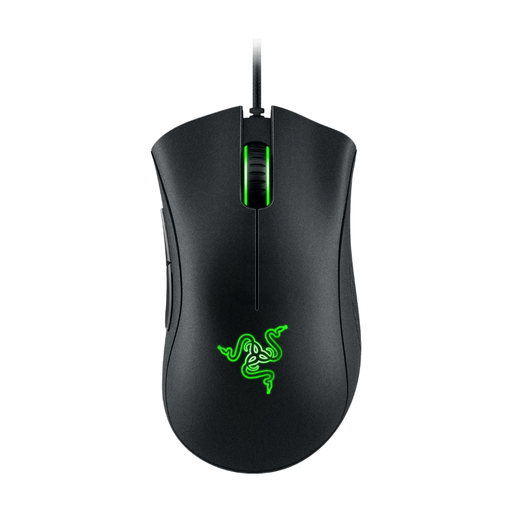
Why it suits this profile: If you want to try a straightforward gaming mouse first, this model offers a wired connection without charging breaks or wireless settings to configure. According to the product information, its shape is designed for right-handed use.
You are not paying for a high wireless polling rate or battery that you do not need. The specifications state 6,400 DPI, five buttons and a polling rate of up to 1,000 Hz.
Wired USB connection, adjustable DPI, five programmable buttons and a stated lifespan of up to 10 million clicks.

Why it suits this profile: This wireless esports mouse combines a low stated weight of 53 grams with extensive adjustment options for players who want to fine-tune their setup precisely.
The product description states that it offers independent X/Y DPI, onboard memory and support for Windows and Mac OS. This means you do not have to recreate your settings for each device.
According to Rapoo’s own information: native 8,000 Hz wireless, up to 26,000 DPI, 10 programmable buttons, macro support and up to 750 hours of battery life at 1,000 Hz.

Why it suits this profile: The compact shape and stated weight of 53 grams suit FPS players with smaller hands or a preference for a compact grip.
The specifications state a wireless polling rate of up to 8,000 Hz and a rechargeable battery. Bear in mind that additional features may require Logitech G HUB software.
HERO 2 sensor, up to 44,000 DPI according to the product information, five programmable buttons and a stated battery life of up to 95 hours.
We have put together a complete, up-to-date list of products that fully meet these strict selection criteria and the applicable European safety regulations.
It can be, particularly with models offering a stable 2.4GHz connection and low stated latency. Consider the complete connection, not just the polling rate. Also check that the receiver is positioned correctly and that the battery has sufficient charge.
Its lifespan depends on the switches, battery, usage and maintenance. Manufacturers sometimes state a click rating, but this is not a guarantee for every user. A rechargeable battery loses capacity over time; a model that allows you to continue playing while connected by cable helps prevent interruptions.
With a rechargeable model, you mainly pay for the electricity used while charging. Models with AA or AAA batteries involve recurring costs unless you use rechargeable batteries. So, alongside the purchase price, consider the battery type, charging options and the features you actually need.
