
Vandaag of morgen in huis

Kwaliteit gegarandeerd

Welkomstaanbiedingen ontgrendelen: GRATIS bezorging | Tot 80% korting | Gratis 30 dagen JoyPlus-proefperiode
Download de app
Wireless earbuds are handy for music, podcasts, phone calls, commuting and sport. However, a long list of features does not automatically mean a model will suit the way you use it. A low price may be tempting, but an average fit, limited battery life or unclear compatibility can quickly make a purchase less practical.
Pay particular attention to these three common pitfalls:
An impressive battery claim without clear conditions
Manufacturers often state the maximum playback time at a particular volume and without active noise cancellation. With ANC, phone calls and frequent charging, actual battery life may be shorter.
Confusing noise cancellation with complete silence
Active noise cancellation, or ANC, is designed to reduce background noise. The result varies according to your ear shape, fit and surroundings. A brand may state a specific number of decibels, but that does not guarantee the same experience for every user.
Misinterpreting water resistance
An IP rating indicates the conditions against which a product is protected. IPX4, for example, is intended to protect against splashing water, while IP55 indicates limited protection against dust and water jets. Neither rating means you can submerge your earbuds.
The choice between in-ear earbuds, half-in-ear and clip-on models has a major effect on comfort and stability. In-ear earbuds partially seal the ear canal and can therefore block out more background noise. Choosing the right size of silicone ear tips is important: a loose fit reduces bass response and can cause the earbuds to fall out.
For sports, sports earbuds with an ear hook or secure wing tip are often practical. Check the IP rating as well. IPX4 is suitable for sweat and light rain according to the product information, but not for swimming or heavy rain.
Most Bluetooth earbuds use Bluetooth 5.2, 5.3 or 5.4. A higher version number may offer features for a more efficient connection, but the experience also depends on your smartphone, laptop and software.
Also check:
A wired model may be simpler. USB-C earbuds such as the Samsung EO-IC100 and Sony IER-EX15C do not require Bluetooth pairing or a battery. They work directly with devices that support audio over USB-C. Check that your phone, tablet or laptop supports USB audio.
Do not just look at the total battery life with the charging case; also check the playback time of a single earbud. For long journeys, earbuds with long battery life are useful, while a short quick-charge function may sometimes be more important for everyday use.
For calls, consider the number of microphones, their positioning and any noise reduction for conversations. A model with multiple microphones may, according to the product description, be designed to pick up voices more clearly. However, call quality also depends on wind, traffic and the phone app being used.
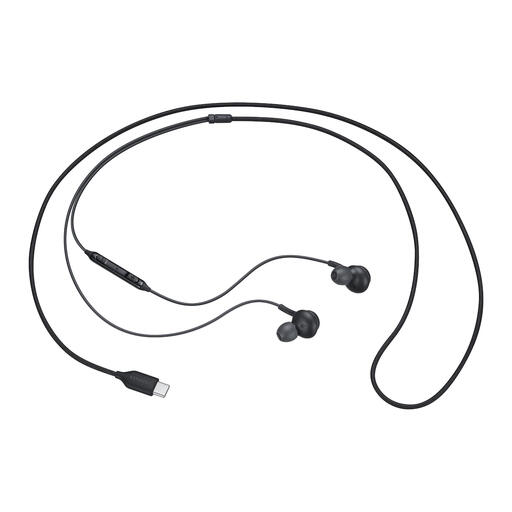
Why it suits this profile: If you mainly want to listen without charging or managing Bluetooth settings, this USB-C model is a simple choice for compatible phones, tablets and laptops.
There is no built-in battery that becomes less capable over time. The USB-C cable also avoids Bluetooth pairing issues.
Built-in DAC according to the product information, USB-C connection, microphone and a weight of 18,35 grams.
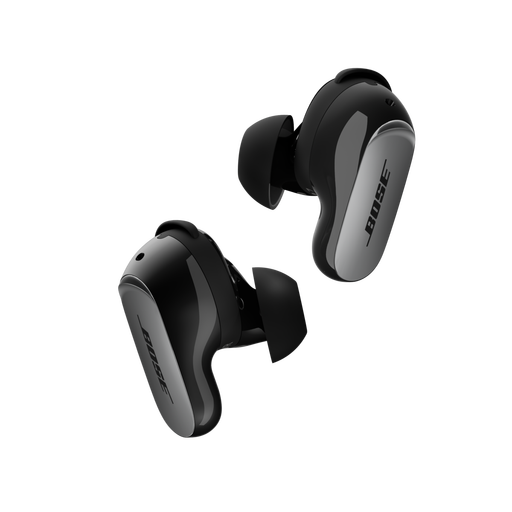
Why it suits this profile: According to the product information, this model is aimed at users who place a high value on ANC, adjustable sound and comfort while travelling and during everyday use.
The stated playback time is listed as up to six hours per charge, allowing you to compare the claim with your own use of ANC.
Bluetooth 5.3, multipoint pairing, USB-C and wireless charging for the case, plus IPX4 splash resistance.
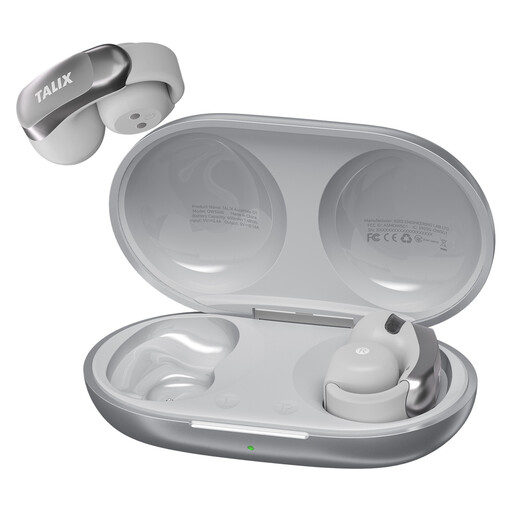
Why it suits this profile: The clip-on fit with silicone ear hook is designed for users who want their wireless earbuds to stay secure during commuting, fitness and everyday activities.
The ear hook helps prevent the earbuds from falling out, while IPX4 makes the model suitable for sweat and light rain according to the product information, but not for submersion.
Up to 28 hours with the charging case, Bluetooth 5.3, four microphones and a stated weight of 5,2 grams per earbud.
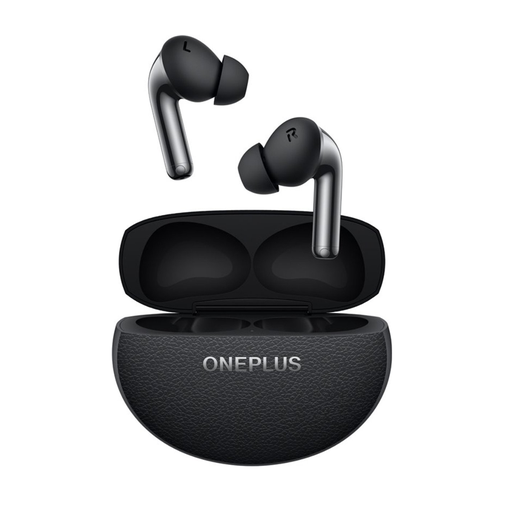
Why it suits this profile: An option for anyone who combines music and calls on the go with ANC, multipoint and a charging case for everyday use.
The product information states the battery life both with and without noise cancellation. This makes it easier to compare with your listening habits.
Bluetooth 5.4, LHDC/AAC/SBC codecs, two drivers per earbud, three microphones plus VPU and an IP55 rating.
We have put together a complete, up-to-date list of products that fully meet these strict selection criteria and the applicable European safety regulations.
Open your phone’s Bluetooth settings, take the earbuds out of the charging case and select the product name from the list. Some models support Google Fast Pair or a similar quick pairing option. If pairing does not work, remove the previous connection and try again. Also check that both earbuds have enough charge.
Battery life per charge varies by model and settings. ANC, high volume and frequent calls reduce playback time. The battery loses capacity over time through charging cycles. A charging case, USB-C connection and fast charging can make everyday use easier, but they do not prevent normal battery wear.
They can be, provided you check in advance which features you genuinely need. Consider the fit, microphone, Bluetooth version, IP rating, warranty and battery life under realistic conditions. A wired USB-C model may be more affordable and practical if you do not need a battery or wireless connection.
