
Vandaag of morgen in huis

Kwaliteit gegarandeerd

Welkomstaanbiedingen ontgrendelen: GRATIS bezorging | Tot 80% korting | Gratis 30 dagen JoyPlus-proefperiode
Download de app
An older car does not necessarily need a new radio or a complete infotainment system. With a wireless CarPlay screen for your car, you can add navigation, hands-free calling and music via your smartphone. Android users can enjoy similar features with an Android Auto screen.
However, there are clear differences between models. A large screen does not automatically mean convenient operation, and “plug and play” says little about how it connects to your car speakers. Pay particular attention to the following potential pitfalls.
With wireless Apple CarPlay and wireless Android Auto, the connection usually runs via Bluetooth and Wi-Fi. The initial pairing may need to be done manually; after that, the screen should reconnect to your smartphone automatically on subsequent journeys. Check the following in advance:
A product that supports Bluetooth audio only is not a fully wireless CarPlay screen.
A 10- or 11-inch screen is easy to read, but it also takes up space on the dashboard. The mount must be secure and must not block your view of the road, mirrors or important controls. A suction mount or dashboard holder is practical, but check that the base is suitable for the shape of your dashboard.
Only use video features such as YouTube or Netflix when the car is safely parked. While driving, navigation, calls and audio should remain the focus.
A model with a 4K dash cam can capture a lot of detail, but the final image also depends on the lens, lighting, storage and compression. So look at the complete camera system:
A reversing camera helps with manoeuvring, but it does not replace checking all around the car.
A CarPlay dashboard screen of around 10 inches usually provides enough room for maps, menus and phone calls. A higher resolution makes text and camera footage sharper. Examples in this range include:
Also look for brightness adjustment and a day-and-night mode. In the Netherlands, bright daylight, rain and dark roads regularly alternate.
Not every car receives audio in the same way. A universal car screen can usually use a built-in speaker, Bluetooth, an FM transmitter or AUX. AUX often provides a direct connection to the car radio, while Bluetooth gives a tidier installation if the original radio supports it.
Check which connection your car has before buying. A screen may display navigation perfectly, but without a suitable audio connection, music or spoken GPS directions will be limited to the small built-in speaker.
Many portable models work via a 12V or 24V socket. This makes installation simple, but the cable must be routed neatly. A rear camera requires additional wiring. Also check:
A built-in battery can support a quick start, but during everyday use the screen will usually remain dependent on the vehicle charger.
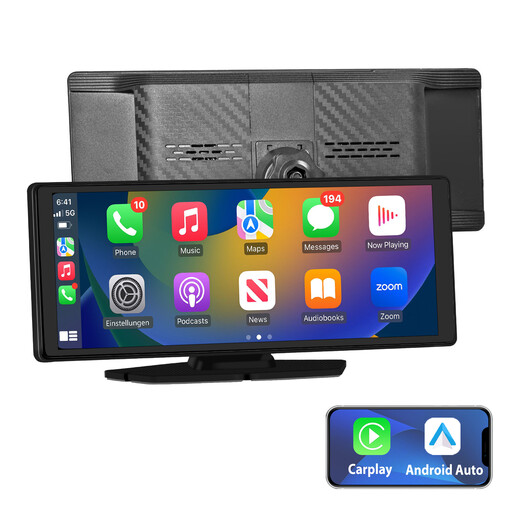
Why it suits this profile: This plug-and-play car screen combines wireless Apple CarPlay, wireless Android Auto, GPS navigation and several audio options. The supplied mount and car charger reduce the number of separate accessories required.
The product description explicitly mentions both CarPlay and Android Auto, as well as AUX, FM, Bluetooth and built-in audio. However, check whether your smartphone version is supported.
10.26-inch IPS touchscreen, online GPS navigation and voice control. According to the product description, the installation is suitable for various vehicle models.
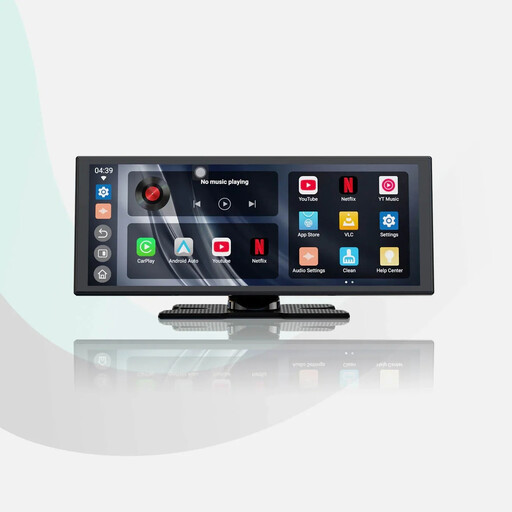
Why it suits this profile: Suitable for drivers who want a large screen and built-in features without replacing the factory-fitted radio.
The specified dual Wi-Fi and Bluetooth connection is designed to keep pairings stable. According to the product description, the screen also supports audio mixing during navigation.
11.4-inch display with 1920 × 720 pixels, built-in apps and a supplied 1080p reversing camera with parking guide lines.
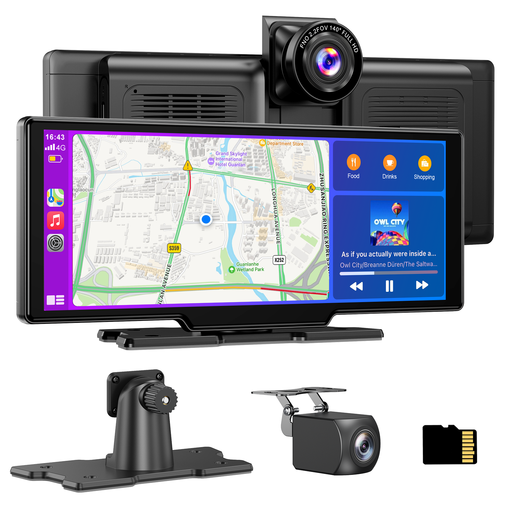
Why it suits this profile: A practical choice for anyone who wants to use a front camera, reversing camera and continuous recording in addition to navigation.
The product information mentions loop recording, a 64GB TF card and a separate 1080p water-resistant rear camera. This means storage and reversing functionality are covered from the outset.
4K front camera, 1080p rear camera, 140-degree viewing angle, Bluetooth, FM and AUX. According to the product description, the system works on 12–24 volts.
We have put together a complete, up-to-date list of products that fully meet these strict selection criteria and the applicable European safety regulations.
Position the screen so that you can read the route without taking your eyes off the road for too long. Then connect your smartphone via Bluetooth and Wi-Fi. Next, test the key functions while the car is stationary:
A software update may change functionality or compatibility. Therefore, keep the manual and check the manufacturer’s latest instructions first if you experience connection problems.
A portable model can often be used in different cars, vans and motorhomes when a suitable 12V or 24V connection is available. The smartphone must be compatible with Apple CarPlay or Android Auto. The audio connection also varies from one vehicle to another.
That depends on the product. Some car screens are supplied with a 1080p reversing camera, while other models only have a connection and require the camera to be purchased separately. Always check the package contents and cable length.
The screen itself draws power via the vehicle connection. Online GPS navigation, music and built-in streaming apps usually require a smartphone hotspot or Wi-Fi. This may use mobile data. Dash cam functions also require storage; some models include a TF card, while others do not.
