
Vandaag of morgen in huis

Kwaliteit gegarandeerd

Welkomstaanbiedingen ontgrendelen: GRATIS bezorging | Tot 80% korting | Gratis 30 dagen JoyPlus-proefperiode
Download de app
A dependable wireless mouse transforms your daily computer setup, eliminating desktop cable clutter and making mobile working between home, office desks, and cafes effortless. Modern ultrabooks and compact laptops frequently sacrifice legacy ports, leaving users to decide whether a dedicated 2.4 GHz USB receiver or a direct Bluetooth link makes the most sense for their workflow. Matching your connection type to your machine prevents port shortages and guarantees smooth navigation from the moment you power on.
Beyond connectivity, ergonomic comfort and power delivery shape long-term satisfaction. Whether you prefer the set-and-forget convenience of a mouse that runs for a year on a single dry cell or the sustainability of an internal rechargeable battery with multi-device switching, understanding the functional differences ensures you invest in hardware that fits your daily productivity routine.
Many wireless mice rely strictly on a 2.4 GHz USB-A nano receiver to communicate with your computer. If you carry a modern ultrabook or tablet with only USB-C ports, an older USB-A dongle forces you to carry an unwieldy adapter hub everywhere. Before purchasing, verify whether the mouse supports direct Bluetooth pairing, features a USB-C receiver, or requires a standard rectangular USB-A connection.
Rechargeable internal batteries eliminate disposable battery purchases, but an uncharged device can interrupt critical meetings if you forget your dedicated charging cable. Conversely, mice powered by standard AA cells can last months or even a full year on a single battery, yet require you to keep a spare cell in your desk drawer. Select the power architecture that suits your personal charging habits.
A mouse that looks sleek in product photography may feel cramped during full workdays if the physical contour does not match your hand size or desk habits. Furthermore, asymmetrical ergonomic mice are strictly moulded for right-handed users, leaving left-handed professionals unable to navigate comfortably. Check whether the casing is symmetrically sculpted or shaped specifically for single-handed use.
The choice between 2.4 GHz wireless and Bluetooth directly governs receiver convenience, latency, and how many hosts you can control simultaneously.
Optical sensor precision, measured in dots per inch (DPI), determines how smoothly and accurately the cursor travels across your monitors.
Standard stepped scroll wheels handle everyday web reading, but specialised workflows benefit from enhanced scrolling mechanisms.
These three wireless mice offer distinct connection methods, battery systems, and navigation features tailored to specific user working styles.
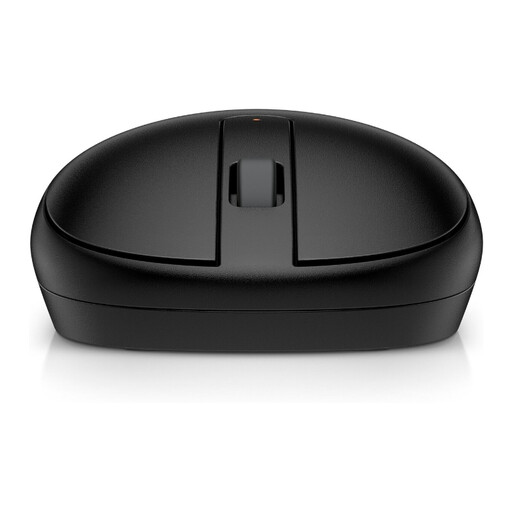
Why This Fits Their Persona: For professionals who commute between workstations or carry slim laptops, this model links straight to your machine via Bluetooth 5.1 without needing an external receiver. Its 1600 DPI optical sensor ensures smooth, responsive cursor movement across diverse flat surfaces.
You will never find yourself stranded without cursor control because an external USB dongle was misplaced or blocked by another connected accessory.
The clean, ambidextrous chassis with three responsive buttons and a central scroll wheel suits both left- and right-handed laptop users perfectly.
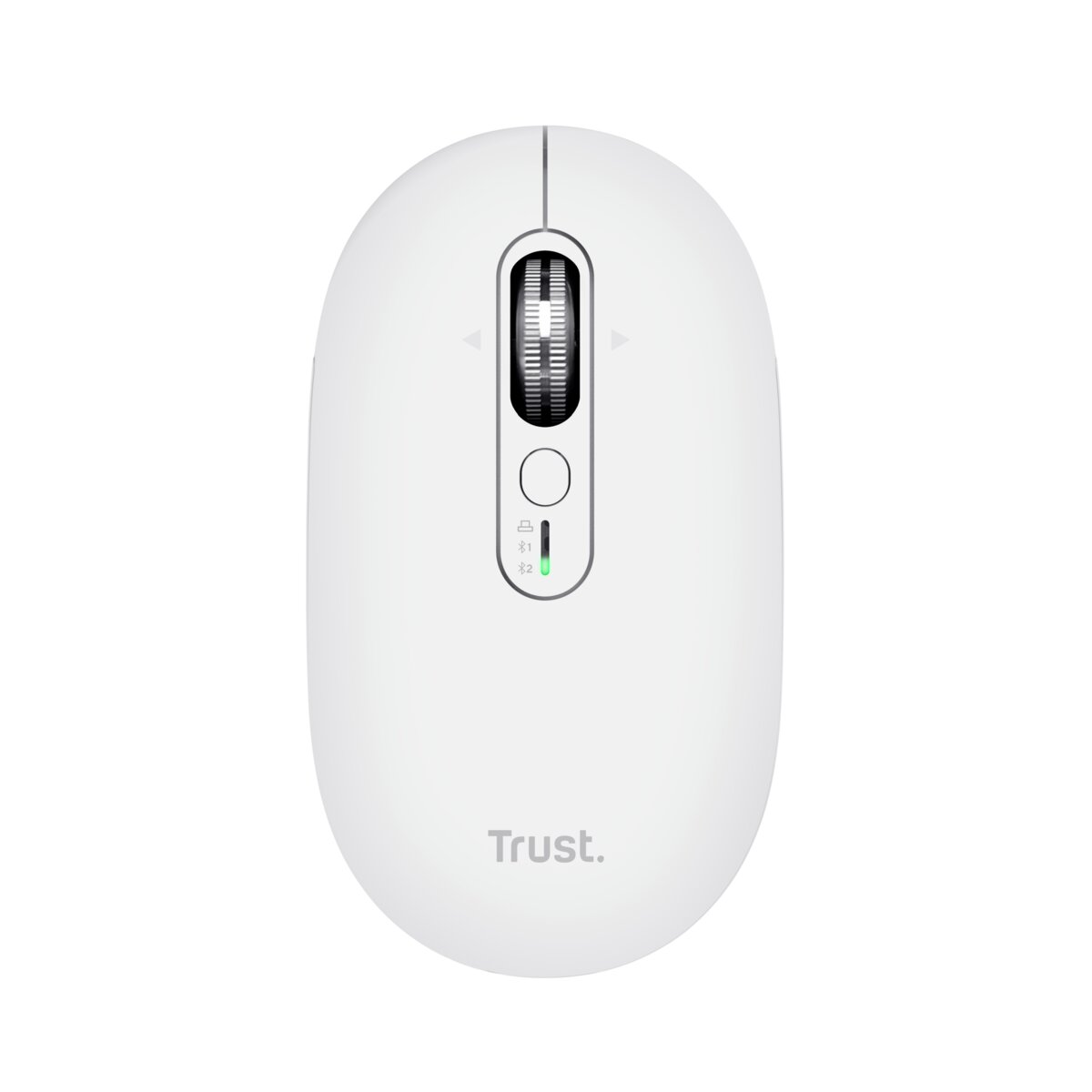
Why This Fits Their Persona: Designed for complex multi-screen desks, this sleek white mouse pairs with up to three distinct devices via dual Bluetooth channels and an included USB-C receiver. Its metal hyperscroll wheel features tilt functionality, enabling swift horizontal scrolling across wide data tables.
Avoids the clutter of multiple mice on one desk by letting you switch between your work computer, personal laptop, and tablet with one quick toggle.
An internal rechargeable battery provides up to three months of uninterrupted runtime, eliminating disposable battery waste from your workflow.
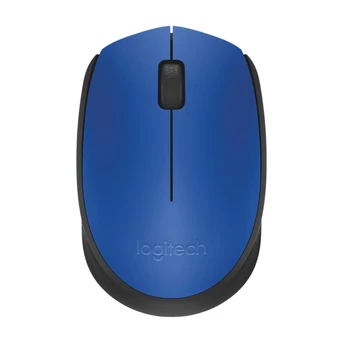
Why This Fits Their Persona: This vibrant blue peripheral offers genuine plug-and-play simplicity using a compact 2.4 GHz USB receiver that provides a stable 10-metre wireless perimeter. It integrates immediately across Windows, macOS, and Chrome OS without requiring software configuration.
Sidesteps frequent recharge cycles by operating for up to 12 months on a single, readily available AA battery.
Its compact, symmetrical shell slips effortlessly into any workstation drawer or bag, delivering dependable everyday tracking for standard desk tasks.
If you require specialised vertical ergonomic contours, silent mechanical click switches, or dedicated gaming precision sensors, explore our wider range of input devices to match your desktop space.
Yes. A Bluetooth mouse pairs directly with your computer, tablet, or modern laptop using the device's internal Bluetooth receiver. This leaves every physical USB-A and USB-C port free for storage drives, secondary monitors, or charging cables.
Rechargeable mice feature integrated internal batteries that you top up via a charging cable, avoiding ongoing battery purchases while typically delivering several weeks to months of continuous operation. Mice powered by standard AA alkaline batteries run for longer intervals between servicing, often up to a year, but require an occasional battery replacement.
Multi-device wireless mice incorporate multiple connection channels, such as two Bluetooth profiles alongside a dedicated 2.4 GHz USB receiver. You pair each channel with a separate workstation, laptop, or tablet, and flick a physical toggle button underneath the casing to transfer cursor control instantly between systems.
