
Vandaag of morgen in huis

Kwaliteit gegarandeerd

Welkomstaanbiedingen ontgrendelen: GRATIS bezorging | Tot 80% korting | Gratis 30 dagen JoyPlus-proefperiode
Download de app
A wireless QWERTY US keyboard may seem straightforward to choose at first glance. However, small differences in layout, connectivity and size can cause daily frustration. Think of a missing number row, a USB receiver that does not fit your laptop or keys that sound too loud in a shared workspace.
Pay particular attention to these common pitfalls:
Do not just look for the words “QWERTY US”. Also check for ANSI, the number of keys and the product image. A full-size model usually has around 104 keys and a separate numeric keypad. A compact wireless keyboard with a 75% layout often retains the arrow keys and function row, but leaves out the numeric keypad.
For programmers, the position of characters such as @, " and # is important. Also check the language settings in Windows, macOS, ChromeOS, Android or iOS. A physical QWERTY US keyboard is only comfortable to use when the software is set to the correct input language too.
There are three common options:
A USB receiver may have a range of several metres. Actual stability depends on the surroundings, USB ports and possible sources of interference. So check the stated specifications rather than relying only on general marketing terms such as “long range”.
A membrane or scissor keyboard is generally designed for quiet, light typing. That makes it suitable for office work, video calls and use in a shared space. Mechanical switches usually provide more noticeable tactile feedback and are popular with gamers and keyboard enthusiasts. However, check whether the switches can be replaced, for example using hot-swap, and whether the manufacturer specifies a switch type.
Also compare the power supply:
A “quiet” product claim should be understood as a product characteristic from the manufacturer’s description, not as a guaranteed noise level in every environment. Even a quiet wireless keyboard can be audible when you press the keys firmly.
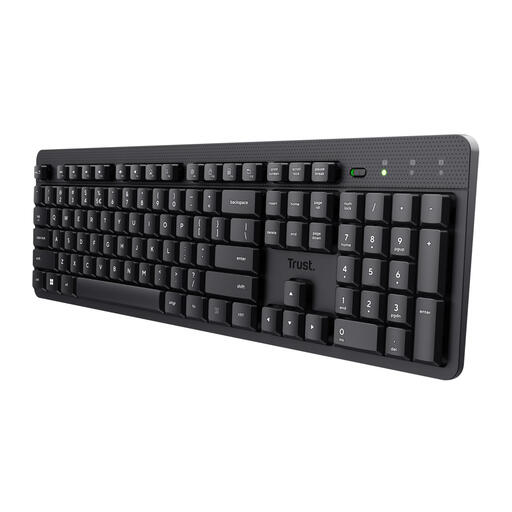
Why it suits this profile: This full-size model is aimed at home workers and office users looking for a quiet layout with a numeric keypad, without Bluetooth or mechanical extras.
The product information explicitly states QWERTY US, full-size format, a numeric keypad and a USB receiver. This makes it clear in advance that Bluetooth and lighting are not included.
Membrane keys, 104 keys, numeric keypad, spill-resistant case and an on/off switch.
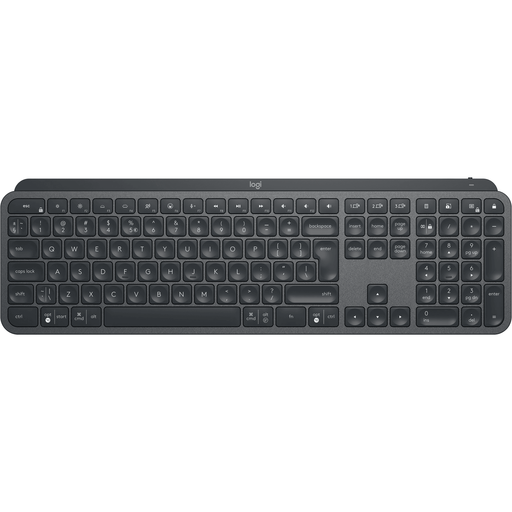
Why it suits this profile: A choice for professionals who want to use a full-size keyboard with lighting, a numeric keypad and multiple connectivity options.
The specifications mention both Bluetooth and a wireless radio connection, as well as Easy-Switch for up to three devices. This means it is not a model with just one way to connect.
Full-size layout, backlighting, rechargeable battery and support for Windows, macOS, Android and iPadOS.
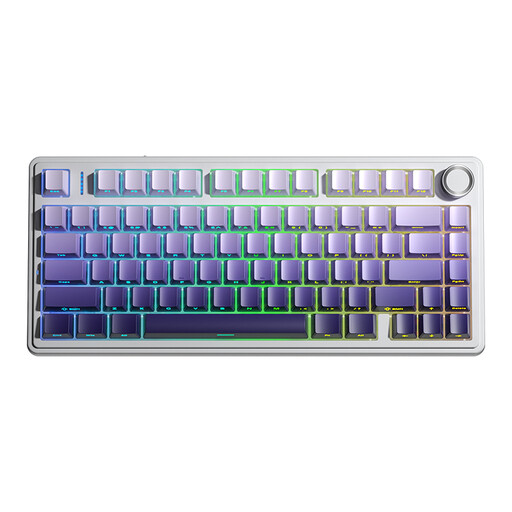
Why it suits this profile: This model is aimed at gamers and enthusiasts looking for a mechanical wireless keyboard with RGB, hot-swap functionality and multiple connection options.
The product description lists Bluetooth, 2.4GHz and a USB cable separately, as well as support for 3- and 5-pin hot-swap switches. However, check your preferred switch and compatibility in advance.
75% layout with 81 keys, RGB lighting, 4000mAh battery, programmable functions and multifunctional knob.
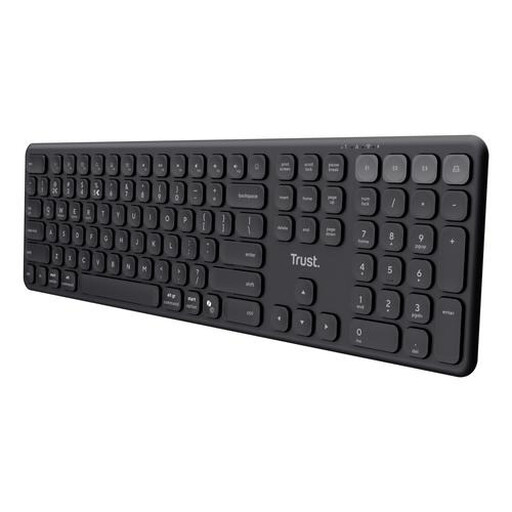
Why it suits this profile: Ideal if you want to control a laptop, tablet and smartphone from one quiet full-size keyboard.
The connectivity options are clearly specified: one USB receiver and three Bluetooth channels. You therefore know in advance how many devices you can pair.
Four connections, scissor keys, numeric keypad, USB-C charging and compatibility with Windows, macOS, iOS, Android and ChromeOS.
We have put together a complete, up-to-date list of products that fully meet these strict selection criteria and the applicable European safety regulations.
Yes, but check the physical key layout and set the input language to English (United States) if you want the symbols on the keys to match exactly what you type. With a Dutch software layout, for example, characters and keyboard shortcuts may behave differently.
That depends on the model. A standard USB keyboard usually works with one receiver. A Bluetooth keyboard or tri-mode keyboard may support multiple devices. Check the exact number of channels and whether you need to switch between them manually.
This varies by product type. Battery-powered models can work for a long time without charging, while rechargeable models need to be charged regularly via USB-C. RGB lighting, Bluetooth, frequency of use and automatic sleep mode all affect battery life. So check the stated battery life and confirm whether it applies with or without lighting.
