
Vandaag of morgen in huis

Kwaliteit gegarandeerd

Welkomstaanbiedingen ontgrendelen: GRATIS bezorging | Tot 80% korting | Gratis 30 dagen JoyPlus-proefperiode
Download de app
A wireless QWERTY US keyboard can be useful for programming, working from home, gaming and using international software. However, many models look similar, even though they can differ significantly in layout, connection and size. The wrong choice often only becomes apparent after purchase: missing keys, an awkward US layout or a battery that runs out sooner than expected.
This buying guide helps you check the most important specifications and choose a wireless keyboard that suits your workspace and the way you use it.
The term QWERTY only refers to the order of a number of letters. The layout may still vary. So check whether the product explicitly mentions US, US English, ANSI or QWERTY US. A Dutch or European keyboard, for example, has a different placement for punctuation marks, the Enter key and some symbols.
This is particularly relevant for programmers, creatives and users who touch-type with an American keyboard layout.
A keyboard with a USB receiver usually works via a 2.4GHz radio connection. That is different from a Bluetooth keyboard. Bluetooth is convenient with some laptops, tablets and smartphones, while a desktop PC often needs a free USB port for the receiver.
Also check how many devices it supports. A basic model usually supports one connection. A multi-device keyboard can switch between multiple computers, tablets and phones.
Manufacturers often quote battery life under specific conditions. According to Logitech's own figures, the MX Keys for Business can work for around 10 days with backlighting, or up to 5 months without it. Trust states that the Vaiya can last up to 6 months on a single charge. Actual battery life depends on the lighting, frequency of use and the condition of the battery.
With a keyboard that uses AA or AAA batteries, you will also need to keep spare batteries available. A rechargeable keyboard avoids this, but it does need to be charged periodically via USB-C.
A full-size keyboard with a numeric keypad is suitable for spreadsheets, accounting and entering lots of figures. Bear the space requirements in mind: a full-size model is often around 42 to 45 centimetres wide.
A compact keyboard measuring 60%, 75% or 80% takes up less desk space. However, it may not have a numeric section, function keys or navigation keys. A 75% model usually retains the arrow keys and a row of function keys, but always check the product images and specifications.
For a quiet workspace, membrane, scissor or low-profile keys are often a more sensible choice than clicky mechanical switches. According to the product specifications, the Trust Ody II uses quiet low-profile membrane keys. The Trust Vaiya has scissor-style keys with a laptop-style profile.
A mechanical keyboard can be an attractive option if you want clear feedback, interchangeable switches or gaming features. In that case, pay attention to the switch type. Clicky switches are generally noisier than linear or silent variants. “Silent” is not a universal technical standard, so check the switch type and user feedback.
Check the following before buying:
For gaming, N-key rollover, anti-ghosting and a stable connection are relevant specifications. For office work, quiet keys, multimedia shortcuts and a numeric keypad are often more important than RGB.
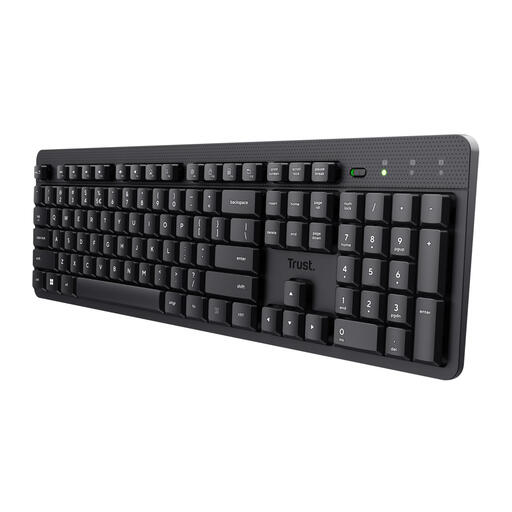
Why it suits this profile: This full-size model is aimed at home workers and office users looking for a straightforward wireless connection and quiet keys.
The US/QWERTY layout and numeric keypad are clearly stated. The connection uses the included USB receiver; Bluetooth and a built-in battery are not included.
Full-size ANSI layout, 104 keys, quiet membrane keys, a spill-resistant housing and a range of up to 8 metres according to the product specifications.
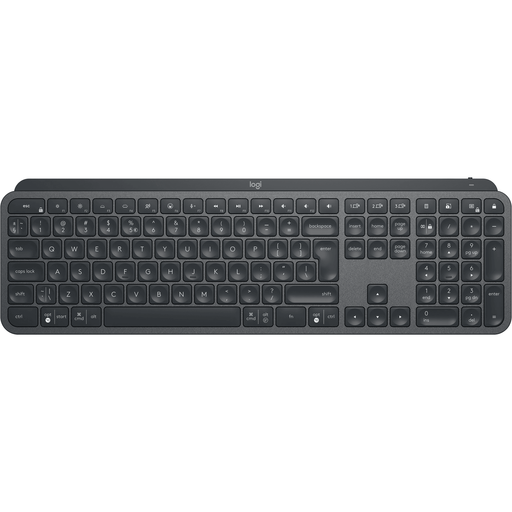
Why it suits this profile: Programmers, analysts and creatives get a full-size keyboard with several connection options and device switching.
The connection works via Bluetooth or Logi Bolt, and according to the product information the keyboard can switch between three devices. The battery is rechargeable.
Full-size format, numeric keypad, white backlighting, USB-C charging and Easy-Switch keys for up to three devices.
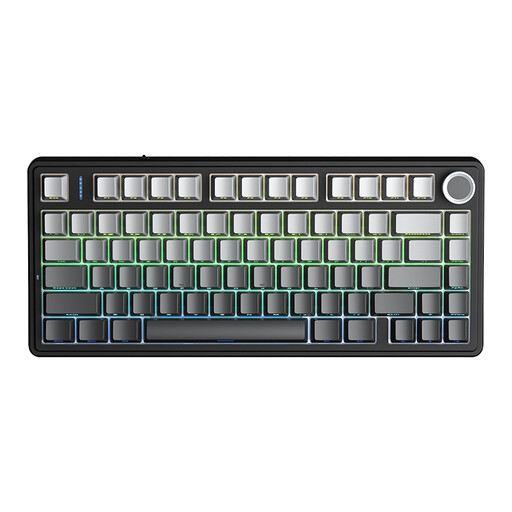
Why it suits this profile: This compact model is aimed at gamers and users who want to combine mechanical features, RGB and several connection options.
The layout is listed as US layout. You can choose between Bluetooth, 2.4GHz and USB. Bear in mind that the 75% format does not have a numeric keypad.
Hot-swappable 3- or 5-pin switches, RGB lighting, programmable keys, N-key rollover and a rechargeable 4000 mAh battery according to the product description.
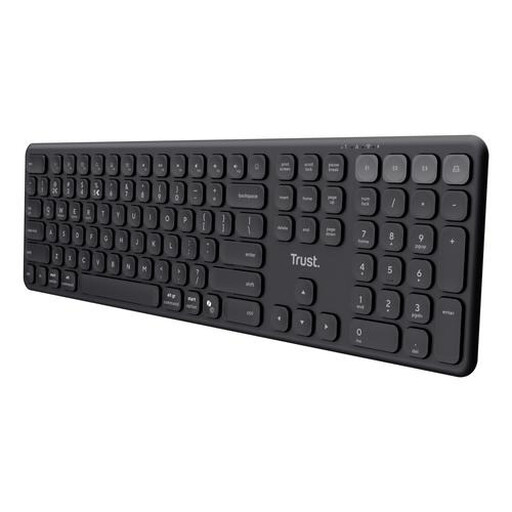
Why it suits this profile: Suitable for anyone who alternates between a laptop, tablet and phone and wants a full-size layout with quiet keys.
The product specifications list one USB receiver and three Bluetooth channels. This makes the difference from a single-device model clear.
US/QWERTY, numeric keypad, USB-C rechargeable battery, scissor keys and compatibility with Windows, macOS, iOS and Android.
We have put together a complete, up-to-date list of products that fully meet these strict selection criteria and the applicable European safety regulations.
Yes, usually. However, the physical key layout and the language setting on your computer are two different things. Set your preferred keyboard language in Windows, macOS or ChromeOS and check where the punctuation marks are located. For programming, a US layout can actually be useful because of the placement of certain symbols.
Bluetooth is often convenient for a laptop or tablet because it does not use a USB port. A keyboard with a USB receiver is suitable for desktops and plug-and-play use. For maximum flexibility, you can choose a model with both options, such as the Trust Vaiya or Logitech MX Keys for Business.
This varies by model and usage. Replaceable batteries can last for months, while a rechargeable keyboard needs to be charged regularly via USB-C. Backlighting usually reduces battery life. So check whether the quoted battery life is based on use with or without lighting, and whether the battery is replaceable.
It can be, but pay attention to the noise level. Clicky switches can be disruptive in a shared space. Choose linear or silent switches if you are looking for a mechanical keyboard for the office and home. For a quieter typing experience, membrane and scissor keys are often the simpler choice.
