
Vandaag of morgen in huis

Kwaliteit gegarandeerd

Welkomstaanbiedingen ontgrendelen: GRATIS bezorging | Tot 80% korting | Gratis 30 dagen JoyPlus-proefperiode
Download de app
A wireless mouse keeps your desk tidier and is handy with a laptop, home office or gaming PC. However, many models look very similar. A low price may be appealing, but you could later find yourself dealing with a missing USB port, an uncomfortable shape or a battery that runs out quickly.
As a Joybuy Product Recommendation Officer, I therefore start by checking verifiable specifications. Pay particular attention to these three common pitfalls:
A mouse with a USB receiver usually uses a 2.4GHz radio connection. Plug the nano receiver into a USB port and you can often get started without any additional software. This is practical for a fixed desktop PC or a laptop with USB-A.
A Bluetooth mouse connects directly to a compatible laptop, tablet or computer. You do not need a separate receiver, but the pairing process can vary between operating systems. Therefore, check whether Windows, macOS, ChromeOS, Linux or Android is supported.
Some models offer both options. According to the product information, the Dell Pro Premium Mouse MS900 supports 2.4GHz RF and Bluetooth 5.1 and can be paired with up to three devices. This is useful if you switch between a work laptop and a personal computer.
An optical mouse uses a light sensor to register movement. For office work, browsing and word processing, 800 to 1600 DPI is sufficient for many users. A mouse with adjustable DPI gives you more control over the cursor speed.
For gaming, higher DPI values, additional buttons and a high polling rate may be useful. For example, the Rapoo VT3 specifies up to 26,000 DPI, adjustable X/Y values and a wireless polling rate of up to 8,000 Hz. These features are mainly relevant if you actually use them in your games or software.
Please note: DPI is not a direct guarantee of quality. Also consider the sensor, adjustment options, weight and software compatibility.
A wireless computer mouse runs on replaceable batteries or a built-in rechargeable battery. A model with AA or AAA batteries is ready to use straight away and remains practical if you keep spare batteries to hand. A rechargeable mouse eliminates disposable batteries, but it does need to be connected to a USB cable regularly.
Also check:
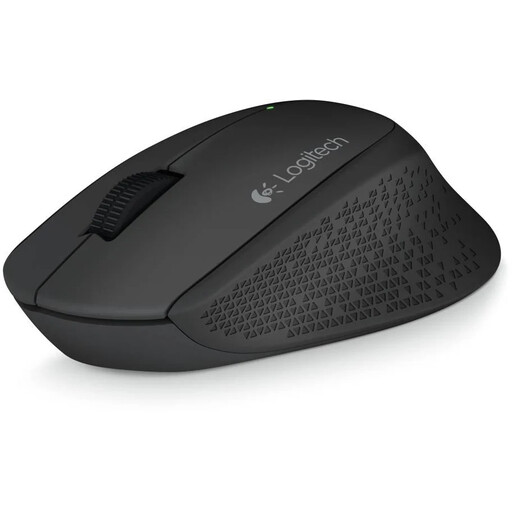
Why it suits this profile: This right-handed wireless mouse is designed for straightforward use at home or in the office. The USB receiver and included AA battery make setup simple.
The specifications are clear: 2.4GHz RF, a range of up to 10 metres, a 1000 DPI optical sensor and three buttons. However, check beforehand that your computer has a USB-A port.
Right-handed design, rubber grips, 1000 DPI and plug-and-play use without additional software.
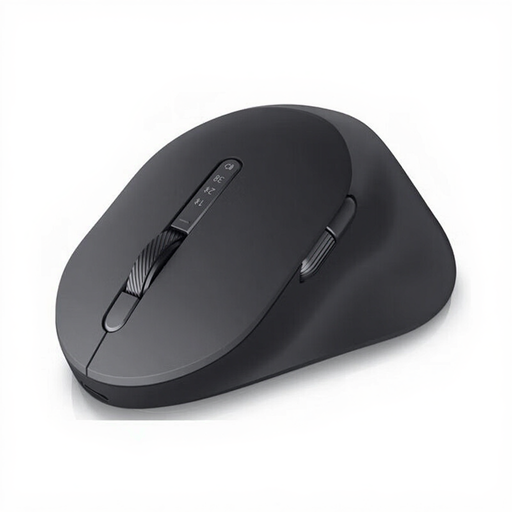
Why it suits this profile: Business users who want to combine support for multiple devices, programmable functions and a rechargeable mouse get a more comprehensive package here.
The mouse is not limited to a single connection: it supports RF and Bluetooth 5.1. DPI is adjustable from 800 to 8000, so you are not restricted to one sensitivity level.
Horizontal and vertical scroll wheels, seven buttons, USB-C charging and support for up to three devices.
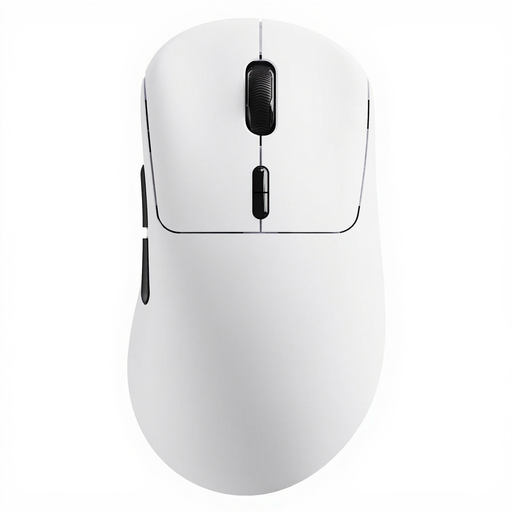
Why it suits this profile: Gamers looking for a lightweight gaming mouse with plenty of customisation options can consider the 53-gram weight, programmable buttons and high polling rate.
The product information gives specific figures for weight, DPI and polling rate. A HUB software for Windows and Mac is required for programmable functions.
53-gram weight, up to 26,000 DPI, ten programmable buttons and a long battery life according to the product information.

Why it suits this profile: This compact, quiet mouse is designed for users who want less clicking noise in an open-plan office, library or shared home office.
According to the product description, the mouse offers quiet clicking, scrolling and gliding. When buying, however, check whether quiet operation is the most important feature for your needs.
Ambidextrous shape, RF and Bluetooth connectivity, adjustable DPI up to 4020 and a stated battery life of up to 36 months.
We have put together a complete, up-to-date list of products that fully meet these strict selection criteria and the applicable European safety regulations.
Yes, a model with a USB receiver generally uses 2.4GHz RF and does not need Bluetooth. You do, however, need a spare, compatible USB port. If your laptop only has USB-C, an adapter or a Bluetooth mouse may be more practical.
This varies by model, battery type and usage. According to the product information, mice with AA or AAA batteries can operate for months or even several years. A rechargeable mouse must be charged via USB-C or another supplied cable. Always check whether the stated operating time is a manufacturer’s estimate; it is not a fixed guarantee for every user.
A quiet mouse can be useful in a shared space. For gaming, sensor precision, polling rate, response time, weight and the number of programmable buttons are also important. So do not choose based solely on the “quiet” label: compare the full product specifications with your games and computer.
