
Vandaag of morgen in huis

Kwaliteit gegarandeerd

Welkomstaanbiedingen ontgrendelen: GRATIS bezorging | Tot 80% korting | Gratis 30 dagen JoyPlus-proefperiode
Download de app
A wireless mouse keeps your desk tidier and is useful alongside a laptop, desktop or tablet. Yet many models look similar, while the differences in everyday use can be significant. A cheap mouse may work perfectly well for short tasks, for example, but feel less comfortable during long working days. A high DPI value can also sound impressive without being a setting you actually need.
Joybuy Product Recommendation Officer helps you assess the key specifications of a wireless computer mouse in practical terms. This helps you avoid paying mainly for marketing features and choose a model that suits your work, studies, travel or gaming.
A mouse can connect via a 2.4GHz USB receiver, Bluetooth or both. A USB receiver usually works immediately once you plug it into a USB-A port. Bluetooth is more convenient for a laptop without a spare USB port, but your device must support Bluetooth.
Also consider the number of devices. A standard model is often designed for one computer. A multi-device mouse, on the other hand, can switch between several devices. This is useful if you use, for example, a work laptop, personal laptop and tablet.
DPI determines how far the cursor moves in response to a particular hand movement. For office work, around 800 to 1600 DPI is sufficient for many users. Gamers or people working with several screens may appreciate more adjustment options.
A mouse with adjustable DPI offers flexibility, but check how many settings it actually has. In practice, a model with 3600 DPI and five levels may be more useful than a mouse that only advertises a high maximum. Also consider the sensor type. An optical mouse generally works well on a normal, matt surface. Tracking can be less predictable on glass or a highly reflective desk.
The stated battery life is usually an indication based on particular usage conditions. According to Logitech product information, the M330 Silent Plus can last for up to 24 months, for example; similar long periods are quoted for HP models. Actual performance depends on usage, sleep mode, battery type and settings.
Therefore, check whether the mouse uses AA or AAA batteries, has a built-in rechargeable battery and how charging works. A replaceable battery is convenient if you do not want to wait for recharging. A rechargeable battery eliminates loose batteries, but it does require you to charge the mouse from time to time.
Choose a Bluetooth mouse if you mainly use laptops, tablets or devices without USB-A. According to the product information, the HP 240 Pike Silver uses Bluetooth 5.1 and does not require a dongle. A model with a 2.4GHz receiver is practical for desktops and office PCs.
Check the following before buying:
A compact wireless mouse for a laptop is easy to carry around, but may feel less spacious for people with larger hands. A larger mouse often provides more support for your hand. Also consider handedness: some models are designed for right-handed use, while ambidextrous mice are suitable for both left- and right-handed users.
An ergonomic mouse may have an unusual shape, such as a vertical hand position. This may not feel familiar straight away. Check the dimensions and weight, and think about how many hours a day you use the mouse. Claims about comfort or ergonomics should be considered as product features, not medical promises.
A silent mouse is useful in a shared workspace, library or office. “Silent” does not always mean completely noiseless, so check whether the claim specifically applies to the main buttons. Programmable buttons and adjustable scrolling speed may be useful for fast-paced work. For simple web browsing and word processing, three buttons and a scroll wheel are usually enough.
Gamers should also consider weight, polling rate, DPI range, programmable buttons and connection type. A wireless gaming mouse with a 2.4GHz connection may be designed for low latency, while Bluetooth tends to focus more on flexibility and energy efficiency.
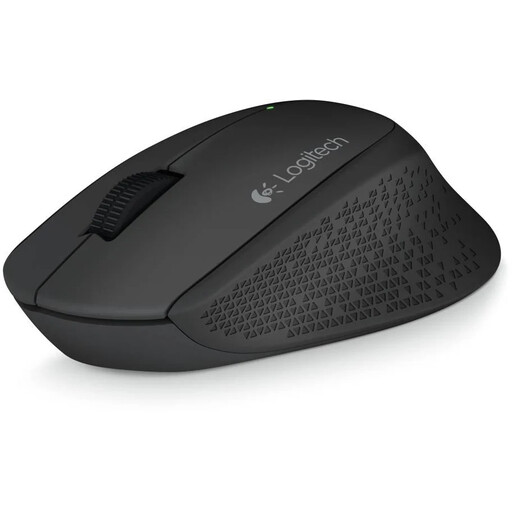
Why it suits this profile: The M280 is designed for everyday use, with a 2.4GHz connection, a 1000 DPI optical sensor and three buttons.
The specifications are straightforward: no unnecessary gaming features, just a USB receiver and a range of up to 10 metres according to the product information.
Rubberised grips, one AA battery and a right-handed shape for use at home or in the office.
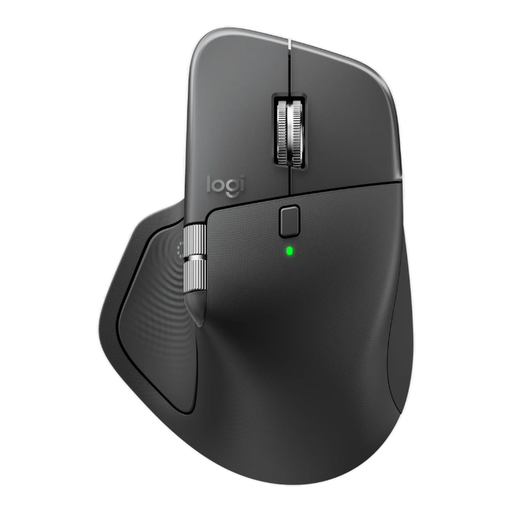
Why it suits this profile: For intensive office work, eight buttons, horizontal scrolling, Bluetooth and Logi Bolt connectivity are useful features.
The product information explicitly mentions adjustable DPI, three connected devices and a rechargeable USB-C battery. You can therefore assess the features against your own workflow.
8,000 DPI, quiet clicking, programmable buttons and a sensor that, according to the product information, can also work on glass.
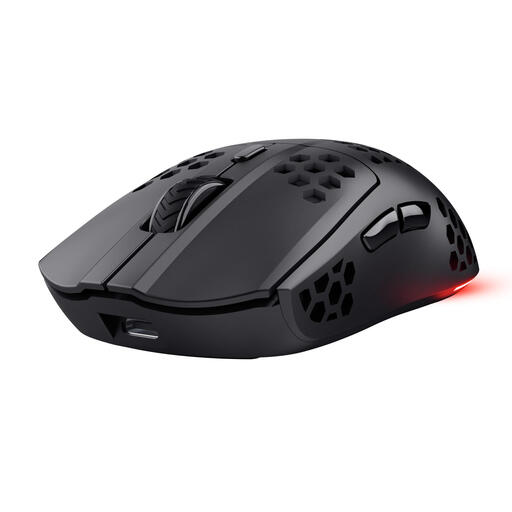
Why it suits this profile: This wireless gaming mouse is designed for PC and laptop gamers who pay attention to weight, DPI, polling rate and programmable buttons.
The product information lists not only 4800 DPI, but also a 2.4GHz receiver, 1000Hz polling rate and six programmable buttons.
A weight of 75 grams according to the listing, RGB lighting and up to 80 hours of battery life; you can continue using it while charging via USB-C.
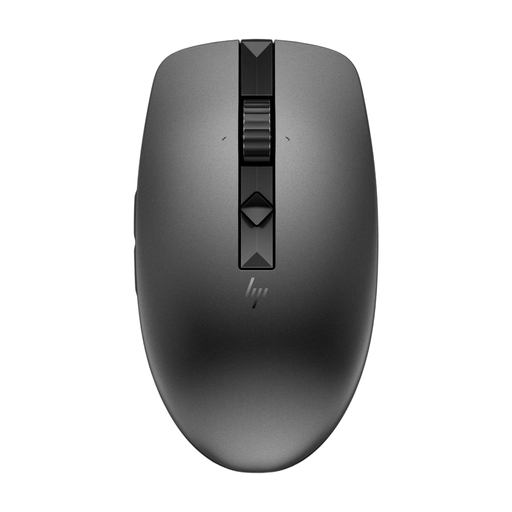
Why it suits this profile: The HP 635 is designed for users who often switch between computers and appreciate quiet, customisable control.
The connection options are clearly specified: up to three devices via the nano receiver or two via Bluetooth. The four programmable buttons are also listed.
Quiet buttons, adjustable scrolling speed and stated battery life of up to 12 months with a replaceable battery.
We have put together a complete, up-to-date list of products that fully meet these strict selection criteria and the applicable European safety regulations.
Yes, a model with a 2.4GHz USB receiver will generally work without Bluetooth on your computer. You will need a spare USB port, however. A Bluetooth mouse uses your device’s built-in Bluetooth function and usually does not require a dongle.
This varies depending on the model and how you use it. Product information gives a range of figures: from around 80 hours for a rechargeable gaming mouse to 12, 18 or 24 months for models with AA batteries. Treat these figures as stated usage times and check whether the battery is replaceable or rechargeable.
It can be, but you should consider more than just the fact that it is wireless. Check the connection, polling rate, DPI range, weight and programmable buttons. For competitive gaming, many players choose a 2.4GHz connection; for casual gaming, Bluetooth may be sufficient if the compatibility and response speed suit the way you play.
