
Vandaag of morgen in huis

Kwaliteit gegarandeerd

Welkomstaanbiedingen ontgrendelen: GRATIS bezorging | Tot 80% korting | Gratis 30 dagen JoyPlus-proefperiode
Download de app
A wireless mouse keeps your desk tidier and is useful for working from home, the office, travelling and gaming. However, a high DPI rating or long battery life does not tell you everything. A mouse may look technically impressive but be too large in practice, fail to work properly with your laptop or be awkward to switch between devices.
Joybuy Product Recommendation Officer filters the key specifications and common pitfalls, so you can compare products with confidence.
A Bluetooth mouse connects directly to a device that supports Bluetooth. This is convenient for laptops and tablets because you do not need a free USB port. However, check the Bluetooth version and operating system compatibility.
A wireless mouse with a USB receiver usually uses 2.4 GHz. This is often a practical option for a PC without Bluetooth. Some models support both connection types. Check whether the receiver is included and whether your laptop only has USB-C ports.
DPI determines how far the cursor moves with the same hand movement. For standard office work, a moderate setting is often sufficient. A mouse with adjustable DPI is particularly useful if you switch between word processing, large screens, image editing and gaming.
Do not look only at the highest figure. Also check whether you can select multiple settings and how easily you can switch between them. An optical mouse with a 1,000 to 1,600 DPI sensor can be perfectly suitable for everyday use, while gamers often look for higher DPI, a higher polling rate and programmable buttons.
The term ergonomic mouse is used broadly. A shape that is comfortable for a right-handed user will not automatically suit a left-handed user or someone with smaller hands. So check:
A vertical shape can feel different from a traditional mouse. According to Logitech, the 57-degree angle of the MX Vertical is designed to provide a natural grip. This is a product claim made by the brand; your hand position, desk height and grip will ultimately determine whether the shape feels comfortable.
For a laptop mouse, Bluetooth is practical when you want to keep your USB ports free. A USB receiver, on the other hand, can be a reliable choice for a desktop PC. If you switch between multiple devices, look for a multi-device mouse with Bluetooth and 2.4 GHz.
Check the following first:
The Lofree EP115 supports Bluetooth and 2.4 GHz and has five DPI settings: 800, 1,200, 1,600, 2,400 and 3,600 DPI. The manufacturer states that it is compatible with Windows 8+, macOS 10.15+, iPadOS, iOS and Android 8+, among others. According to the product information, Boot Camp on Mac is not supported.
A rechargeable mouse means you do not have to replace AA or AAA batteries regularly. As well as the stated battery life, check the charging time and whether you can continue working while the mouse is charging.
For battery-powered models, costs depend on the battery type and how frequently you use the mouse. A long stated battery life is based on the manufacturer's conditions. Treat it as a guideline rather than a guaranteed period of use.
A quiet mouse can be useful in a shared home office, library or workplace. Check whether only the main buttons are quieter or whether the scroll wheel and side buttons also make very little noise.
For gaming, other features are more important, such as:
RGB lighting does not change how the mouse operates, but it can complement your desk set-up.
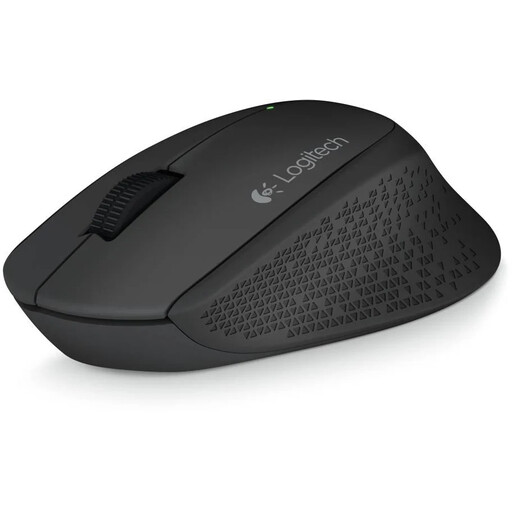
Why it suits this profile: A simple mouse for home, the office and everyday navigation, without unnecessary features.
The 2.4GHz connection uses a nano USB receiver and, according to the product information, requires no additional software.
Optical sensor with 1,000 DPI, three buttons, rubber grips and a range of up to 10 metres according to the product specifications.
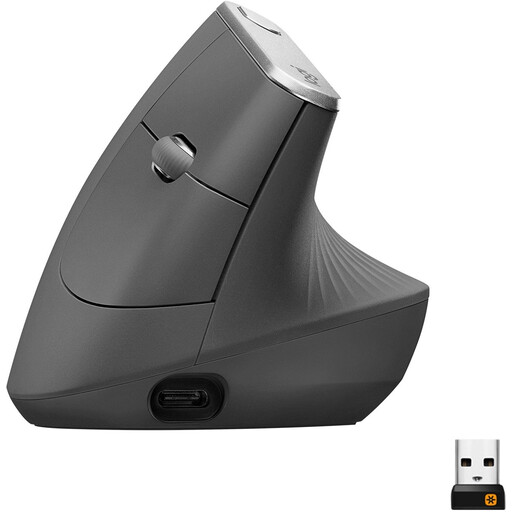
Why it suits this profile: Designed for users looking for a vertical shape, multiple connection options and a rechargeable battery.
The shape and hand orientation are clearly stated: this is a right-handed vertical mouse, not a universal model.
Bluetooth and USB receiver, adjustable sensor up to 4,000 DPI, five buttons and a rechargeable lithium-ion battery.
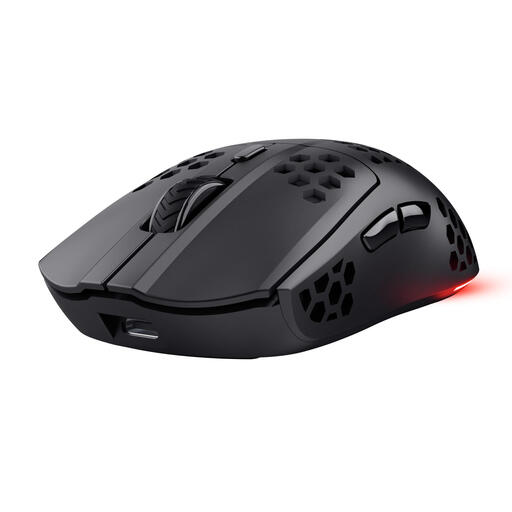
Why it suits this profile: For PC and laptop gamers who want a lightweight wireless gaming mouse with programmable buttons.
The specifications list the weight, connection, DPI range and polling rate separately, so you can assess the gaming features with confidence.
Approximately 73–75 grams, optical sensor up to 4,800 DPI, six programmable buttons, RGB lighting and USB-C charging.
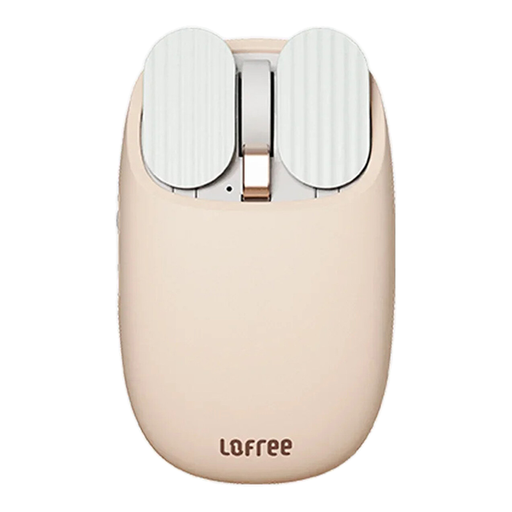
Why it suits this profile: Ideal if you use a laptop, tablet and PC and want to switch between Bluetooth and 2.4 GHz.
The dual-mode connection means you do not have to rely exclusively on Bluetooth or a USB receiver in advance.
PAW3220LU optical sensor, five DPI settings, 800mAh battery and a stated battery life of up to approximately one month.
We have put together a complete, up-to-date list of products that fully meet these strict selection criteria and the applicable European safety regulations.
No. Check whether your laptop supports Bluetooth or has a suitable USB port for the receiver. If your laptop only has USB-C ports, you may need an adapter unless you choose a Bluetooth mouse.
This varies by model, connection and usage. According to the product specifications, battery-powered models can last for months. A rechargeable mouse usually has a stated usage time per charge. Treat these figures as a guideline and also check the charging time.
It can be, but choose a model with a 2.4GHz connection, adjustable DPI, a suitable polling rate and programmable buttons. A basic optical mouse for office work is not automatically suitable for fast-paced games.
