
Vandaag of morgen in huis

Kwaliteit gegarandeerd

Welkomstaanbiedingen ontgrendelen: GRATIS bezorging | Tot 80% korting | Gratis 30 dagen JoyPlus-proefperiode
Download de app
A wireless mouse keeps your desk tidy and is convenient for a laptop, desktop computer or tablet. However, many models look very similar. A low price can be tempting, but the wrong connection, an uncomfortable shape or a battery that runs out quickly can soon become frustrating.
So don’t focus only on appearance or a high DPI rating. Above all, check how the mouse connects, how it feels in your hand and which type of power supply it uses.
A wireless computer mouse usually works via a 2.4GHz radio connection with a USB receiver, Bluetooth or both. A mouse with a USB receiver can often be used immediately with a computer that has a free USB port. Bluetooth may be more practical for a laptop or tablet without a suitable port.
Check the following beforehand:
A Bluetooth mouse means you don’t need a separate dongle, but pairing may require a few more settings. An RF mouse with a USB receiver is often simpler for office work.
DPI determines how far the cursor moves with a particular hand movement. A mouse with adjustable DPI gives you more choice between slow, precise work and faster navigation. An extremely high setting is usually unnecessary for word processing and spreadsheets.
More important are a consistent optical sensor, a suitable surface and a shape that properly supports your movements. Also look out for conflicting specifications: check whether the stated DPI is the maximum value or a fixed setting.
Brands use different descriptions for quiet buttons. According to Logitech, the M330 Silent Plus is up to 90% quieter than traditional mice. That is the brand’s claim; the perceived noise level may vary depending on the surface and the user.
A silent mouse is particularly practical in a shared office, library or home office. As well as the clicking sounds, check the scroll wheel, as this may still be audible.
Both Bluetooth and a USB receiver are suitable for everyday office work. Bluetooth is useful if you want to keep your USB ports free. A 2.4GHz receiver can be practical for plug-and-play use.
Do you work with several devices? Choose a model with multi-device connectivity. According to the product specifications, the Trust Ozaa+ can connect to up to three devices: one via the USB receiver and two via Bluetooth.
An optical mouse uses a sensor to track movements across a surface. Many office products offer between 1,000 and 3,200 DPI. Gaming models often provide higher settings and additional adjustments, but a high DPI is only useful if you find it comfortable to use.
An adjustable DPI button is useful when switching between:
Ideally, use the mouse on an even, non-reflective surface. Some optical sensors work less predictably on glass or highly polished desks.
A compact wireless mouse for a laptop is easy to carry around, but offers less palm support. A larger model may be more comfortable during long working days, but takes up more space.
Consider the following points:
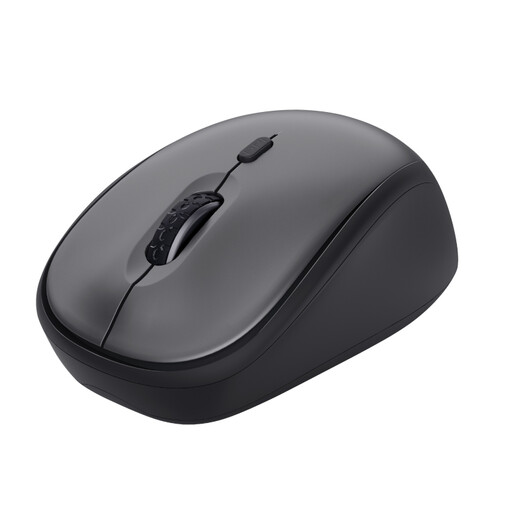
Why it suits this profile: According to the product information, this compact wireless computer mouse uses a USB micro receiver and works without additional software. This makes it suitable for basic use at home, in the office or on the go.
The DPI can be adjusted between 800 and 1600, and the receiver can be stored inside the mouse. You therefore don’t pay for features you may never use.
Silent buttons, an optical sensor, a compact design and, according to the product description, up to 12 months of use on a single AA battery.
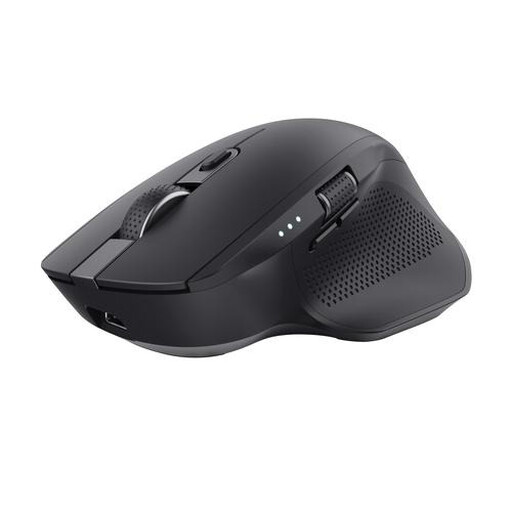
Why it suits this profile: The larger design, rubber grip and support for three devices are well suited to intensive office work with a laptop, PC and tablet.
The connection is not limited to Bluetooth or a dongle alone: you can use both. The rechargeable battery means you don’t need separate AA batteries for normal use.
Up to three connected devices, adjustable DPI up to 3200, silent buttons and an extra wheel for horizontal scrolling.
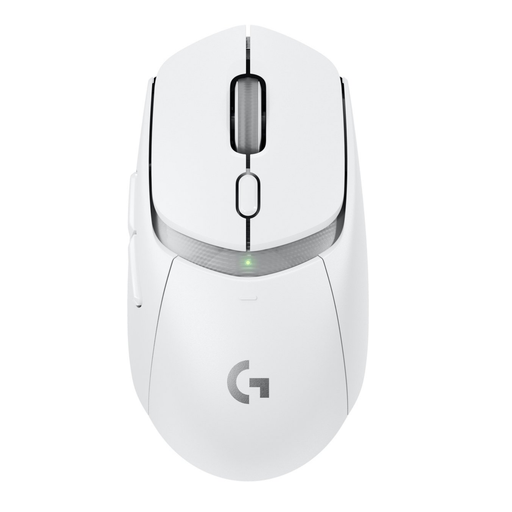
Why it suits this profile: This model is designed for gaming and combines LIGHTSPEED, Bluetooth, six buttons and an optical HERO 25K sensor, according to the product specifications.
You’re not choosing this mouse based on DPI alone: it also offers a gaming-focused wireless connection, programmable buttons and a weight of 86 grams including the AA battery.
According to Logitech, more than 300 hours of battery life from a single AA battery; there are also up to six programmable buttons.
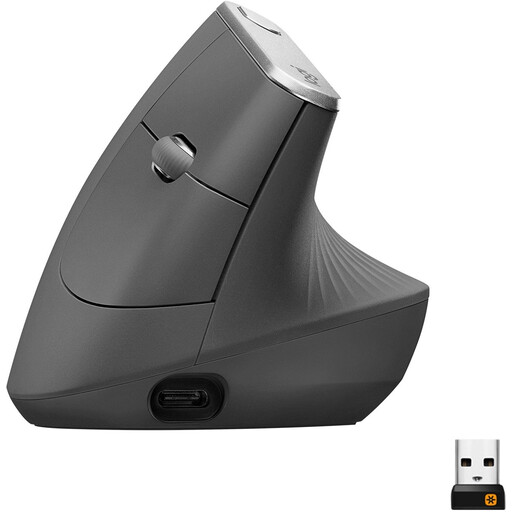
Why it suits this profile: The vertical shape, set at a 57-degree angle, is intended for users who want a different hand position from that offered by a standard mouse. This model is right-handed.
The shape is clearly described rather than disguised as a standard mouse. You can also choose between Bluetooth and a USB receiver.
Rechargeable battery, sensor with up to 4000 DPI, multi-device support and, according to the product specifications, up to four months’ use per charge.
We’ve put together a complete, up-to-date list of products that fully meet these strict selection criteria and the applicable European safety regulations.
Yes, if the model supports Bluetooth and your computer, laptop or tablet has Bluetooth. A mouse with only a USB receiver does need a suitable port. Check the connection before placing your order.
It varies depending on the model and how it is used. Product information for some mice states several months to more than a year. A rechargeable mouse needs to be charged periodically; a model with an AA battery will keep working for longer if you have a spare battery to hand.
It can be, but choose a wireless gaming mouse with a suitable low-latency connection, adjustable DPI and enough buttons. A basic silent office mouse is generally designed for documents and browsing, rather than fast-paced games.
