
Vandaag of morgen in huis

Kwaliteit gegarandeerd

Welkomstaanbiedingen ontgrendelen: GRATIS bezorging | Tot 80% korting | Gratis 30 dagen JoyPlus-proefperiode
Download de app
A wireless mouse keeps your desk tidier and is handy for use with a laptop, PC or multiple devices. However, there is a wide range to choose from. A compact model for travel has different features from an ergonomic mouse for long working days or a gaming mouse with low latency.
Pay particular attention to these three common pitfalls:
A wireless computer mouse with a 2.4GHz receiver is generally easy to connect: insert the dongle into a USB port and use the mouse. This can be handy at a fixed workstation. However, take care if your laptop only has USB-C ports; you may need an adapter.
A Bluetooth mouse leaves the USB port free and is practical for laptops, tablets and some smartphones. A multi-device mouse can also be paired with several devices. According to the product information, the Trust Ozaa Compact supports Bluetooth and RF and can connect to up to three devices. The Logitech M720 Triathlon can also switch between three paired devices, according to its specifications.
A mouse should suit your hand and the way you hold it. Consider:
An ergonomic mouse can be comfortable if you work for long periods every day, but a vertical shape often requires a short adjustment period. According to the product specifications, the Logitech MX Vertical has an angle of 57 degrees and is designed for right-handed use. The Trust Bayo II also has a vertical shape, but works via a 2.4GHz USB receiver.
Be careful with health claims: an ergonomic design may support a particular posture, but it does not automatically prevent discomfort. Choose a shape that suits your hand and take regular breaks.
DPI determines how sensitively the cursor responds to your hand movements. A mouse with adjustable DPI is useful if you want to switch between precise selection and faster movement. For office work, settings between approximately 800 and 2,000 DPI are often sufficient; gamers may have different preferences.
Also consider the power supply:
Quiet buttons are important for a peaceful working environment. According to Trust’s own information, the Ozaa Compact and Yvi+ have silent buttons. Also check whether the scroll wheel and side buttons are quiet; sometimes the claim only applies to the main buttons.
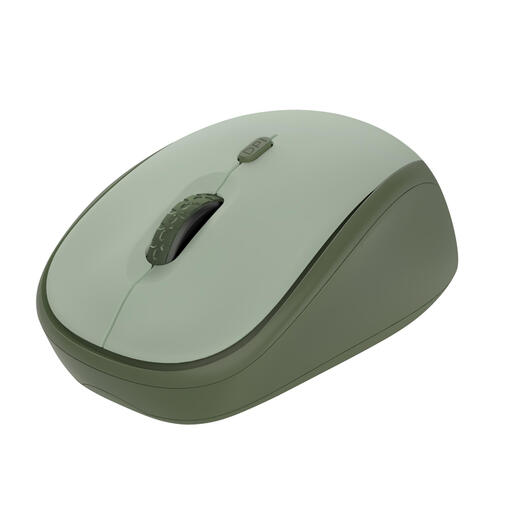
Why it suits this profile: A compact office mouse for everyday use, with a simple RF connection and adjustable sensitivity.
The product information lists silent buttons, DPI settings from 800 to 1600 and plug-and-play use via a USB receiver.
Optical sensor, 1,600 DPI and a compact design; suitable for Windows, macOS and ChromeOS according to the product listing.

Why it suits this profile: Designed for business users who scroll frequently, use multiple devices and appreciate programmable buttons.
The specifications list Bluetooth, Logi Bolt, adjustable DPI and quiet clicks, so you are not dependent on just one type of connection.
8,000 DPI, 8 programmable buttons, horizontal scrolling and connection to up to three devices according to the product information.

Why it suits this profile: For gamers who need extra buttons, a high adjustable DPI and an ergonomic right-handed shape.
As well as a wireless connection, this model also supports USB use. The 11 programmable buttons make operation more practical than simply relying on a high DPI value.
Optical sensor up to 35,000 DPI, 11 programmable buttons and 2.4GHz, Bluetooth and wired connectivity according to the product listing.
No. Check whether your laptop supports Bluetooth or has a suitable USB port for the receiver. On USB-C laptops, an RF receiver may not connect directly without an adapter. Also check the supported operating system in the product specifications.
This varies by model and usage. The Trust Ozaa Compact lists a built-in battery with up to one month’s use. The Logitech M720 Triathlon claims up to 24 months from one AA battery. Lighting, high polling rates and intensive use can affect actual battery life.
Yes, provided the model has a suitable connection, sensor and polling rate. For competitive games, a 2.4GHz connection, low latency, adjustable DPI and a shape that suits your grip are more important than the maximum DPI figure alone. For office work and study, a simpler model is usually sufficient.
We have put together a complete, up-to-date list of products that fully meet these strict selection criteria and the applicable European safety regulations.
