
Vandaag of morgen in huis

Kwaliteit gegarandeerd

Welkomstaanbiedingen ontgrendelen: GRATIS bezorging | Tot 80% korting | Gratis 30 dagen JoyPlus-proefperiode
Download de app
A wireless mouse keeps your desk tidier and is useful if you regularly switch between a laptop, PC or tablet. However, many models look very similar. A low price could mean you end up with an unsuitable connection, limited battery life or an uncomfortable shape.
When choosing a wireless computer mouse, do not focus only on DPI or appearance. The key differences often lie in the connection, size, power supply and intended use.
A wireless mouse can connect in several ways:
First check which connections your device has. A mouse with a USB receiver is less practical with a slim laptop that only has USB-C, unless you use a suitable adapter. A Bluetooth mouse will only work if your device supports Bluetooth.
DPI determines how sensitively the cursor responds. A higher value is not automatically more comfortable. For office work, an adjustable resolution of up to around 1600 or 3200 DPI is often sufficient. With a wireless gaming mouse, higher values and multiple DPI profiles can be useful, but the sensor, polling rate and software are just as important.
Also consider the surface you use it on. An optical mouse generally works well on a standard mouse mat or a smooth desk, but highly glossy or transparent surfaces may be less suitable.
A compact mouse fits easily into a laptop bag, but may feel too small during prolonged use. A large mouse with a rubberised grip provides more hand support, but takes up more space. Also check whether the model is designed specifically for right- or left-handed use.
An ergonomic mouse, such as a vertical model, has a different shape from a standard mouse. It often takes some time to get used to. Choose this type of design based on its grip, size and your working posture, rather than relying solely on marketing claims.
Check:
A multi-device mouse can be useful for people working from home who switch between a work laptop, personal PC and tablet. With some models, you can pair up to three devices via 2.4GHz and Bluetooth.
Look at the difference between:
The stated operating time depends on usage, power saving and any lighting. According to the product information, the Trust Yvi+ works for up to 12 months on a single AA battery. The Logitech M330 Silent Plus states up to 24 months. For rechargeable models, such as the Trust Ozaa+ and Trust GXT 929 Helox, the capacity is specified as a rechargeable battery with indicator and up to 80 hours of use respectively, according to Trust.
A mouse for office work usually has between three and six buttons. For gaming, programmable buttons, a polling rate of up to 1000 Hz and adjustable DPI can be useful. Also consider the weight:
With a silent mouse, check exactly what the manufacturer claims. According to Logitech’s own information, the M330 reduces clicking noise by more than 90% compared with traditional mice. This is a brand claim; the perceived volume may vary depending on the surface and the user.
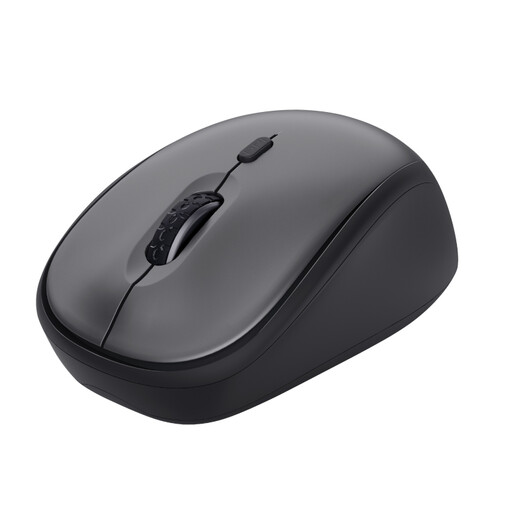
Why it suits this profile: This compact wireless mouse is designed for everyday office work, students and laptop users with limited space. The USB receiver can be stored inside the mouse.
The specifications mention silent buttons, 800 to 1600 DPI and plug-and-play operation via 2.4GHz. You therefore do not pay for features you may not need for basic use.
Compact size, silent buttons and up to 12 months’ use on a single AA battery according to the product information.

Why it suits this profile: This vertical model is aimed at users who deliberately choose a different hand position and want to control multiple devices via Bluetooth or a USB receiver.
The shape, 57-degree angle and right-handed design are clearly stated. This allows you to assess in advance whether the design suits your grip.
4000 DPI, Bluetooth, USB receiver, rechargeable battery and support for multiple devices.

Why it suits this profile: This wireless gaming mouse is aimed at PC and laptop gamers looking for a low weight, programmable buttons and a 2.4GHz connection.
The model specifically lists a weight of 75 grams, an optical sensor of up to 4800 DPI, six programmable buttons and a polling rate of up to 1000 Hz.
Rechargeable battery offering up to 80 hours according to Trust, USB-C charging while in use and RGB lighting through the honeycomb design.
We have put together a complete, up-to-date list of products that fully meet these strict selection criteria and the applicable European safety regulations.
With a mouse that uses a USB receiver, plug the receiver into a spare port and switch on the mouse. For Bluetooth, open the Bluetooth settings on your laptop, PC or tablet and select the correct model. With a gaming mouse, check whether any additional software is only available for Windows.
Keep the sensor free from dust and preferably use a flat mouse mat. Store a detachable receiver inside the mouse whenever possible. If the mouse has a built-in battery, it is advisable to use the supplied or compatible charging cable. Dispose of empty batteries and unwanted electronics through the designated collection points.
Not with every laptop in the same way. A Bluetooth model requires Bluetooth support. A mouse with a USB receiver needs a compatible USB port. Also check the operating system and whether an adapter is required.
This varies by model and usage. Product information states, for example, up to 12 months for the Trust Yvi+, up to 18 months for the HP 285 and up to 24 months for some Logitech models. Lighting, intensive use and sleep mode affect the actual battery life.
That depends on your devices. Bluetooth leaves a USB port free and is practical for laptops and tablets. A 2.4GHz receiver is often easy to set up on a PC. If you want both options, you can choose a multi-device model.
