
Vandaag of morgen in huis

Kwaliteit gegarandeerd

Welkomstaanbiedingen ontgrendelen: GRATIS bezorging | Tot 80% korting | Gratis 30 dagen JoyPlus-proefperiode
Download de app
A wireless mouse keeps your desk tidy and is handy with a laptop, desktop PC or tablet. But “wireless” doesn’t tell you much about how easy a mouse is to use. For example, a cheap mouse may only work with a USB receiver, while your laptop has few spare ports. And a high DPI doesn’t automatically make a mouse more useful for office work or gaming.
The main pitfalls to avoid when buying a wireless mouse are:
A Bluetooth mouse works without a separate receiver. That’s useful with modern laptops, tablets and devices with few USB ports. Check that your operating system and Bluetooth version are compatible.
A mouse with a 2.4GHz RF wireless connection usually uses a small USB receiver. This is a practical choice for office PCs and desktops. A multi-device mouse can pair with several devices. According to its product information, the Trust Ozaa+ can connect to up to three devices at once: one via the USB receiver and two via Bluetooth.
An optical mouse uses an optical sensor to track movement. The surface can affect tracking; a smooth mouse mat often gives more predictable results than a glossy or highly reflective desk.
DPI stands for dots per inch. A mouse with adjustable DPI lets you change the cursor speed. A moderate setting is often easier to manage for word processing. For gaming, a higher or lower setting may suit the game and your personal preference. Also check the polling rate of a gaming mouse: a rate of 1000 Hz means the position is reported up to 1000 times per second, according to the product specifications.
Look out for:
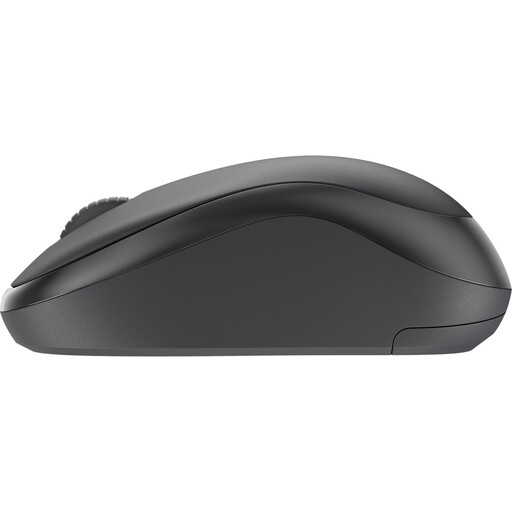
Why it suits this type of user: A straightforward choice for everyday use at home or in the office, with Bluetooth and an ambidextrous shape for left- and right-handed use.
The specifications focus on everyday essentials: three buttons, optical tracking and no unnecessary gaming features.
Bluetooth, adjustable DPI according to the product specifications and Silent Touch technology.

Why it suits this type of user: For right-handed users who value a vertical design, multiple connection options and a rechargeable battery for extended computer use.
The vertical design is clearly shown in the specifications; choose this model only if this hand position feels comfortable with your natural grip.
Bluetooth and USB receiver, adjustable up to 4000 DPI, and a rechargeable battery with fast charging.

Why it suits this type of user: Designed for PC and laptop gamers looking for a lightweight mouse, a 2.4GHz wireless connection and programmable buttons.
Its gaming features are clearly specified: 75 grams, six programmable buttons and a polling rate of 1000 Hz, according to the product information.
Optical sensor up to 4800 DPI, RGB lighting and a rechargeable battery with a stated battery life of up to 80 hours.
We’ve put together a complete, up-to-date list of products that meet these strict selection criteria and current European safety regulations.
Not always. A Bluetooth model requires Bluetooth support on your laptop. A mouse with a USB receiver needs a spare USB port. Also check the product specifications for your operating system, such as Windows, macOS or ChromeOS.
Yes, but check the connection type, polling rate, weight and sensor. A 2.4GHz wireless gaming mouse with low latency is generally designed for quick movements. A regular Bluetooth office mouse can work perfectly well for menus and strategy games, but it may not have programmable buttons or gaming software.
It depends on the power source. With a model that uses AA or AAA batteries, you’ll need to pay for replacements from time to time. A rechargeable mouse draws power via USB, so you won’t need separate batteries. Also check the battery life stated by the manufacturer: it’s a guide, not a guaranteed usage time for every working situation.
