
Vandaag of morgen in huis

Kwaliteit gegarandeerd

Welkomstaanbiedingen ontgrendelen: GRATIS bezorging | Tot 80% korting | Gratis 30 dagen JoyPlus-proefperiode
Download de app
A wireless mouse keeps your desk tidier and is useful for working from home, studying or travelling. However, many models look very similar. A low price can be tempting, but the wrong connection, an uncomfortable shape or loud clicking can quickly become frustrating.
Pay particular attention to these common pitfalls:
A 2.4GHz connection with a nano or micro USB receiver is practical for use with laptops and PCs. However, check whether your device has a free USB-A port. If your laptop only has USB-C, you may need an adapter.
A Bluetooth mouse saves a USB port and is useful for tablets and modern laptops. A multi-device mouse takes this a step further: some models can be paired with several devices and have a button for switching between them. Check how many devices are actually supported and which Bluetooth versions are compatible.
Most models in this category use an optical mouse sensor. This is suitable for documents, web browsing and office software. Ideally, use a matt mouse mat; highly reflective surfaces can affect tracking.
DPI determines how far the cursor moves with the same hand movement. For office work, 800 to 1600 DPI is often sufficient. A mouse with adjustable DPI offers greater flexibility. Do not focus only on a high maximum: for everyday use, a stable sensor and a comfortable setting are more important than a large number.
Consider the hand orientation, dimensions and weight. A model designed for right-handed use may be impractical for left-handed users. Also check whether the mouse has three basic functions or offers additional side buttons and horizontal scrolling.
Battery-powered models often use one AA battery and can last for months according to the product information, depending on usage. A rechargeable mouse avoids the need for loose batteries, but does need to be charged regularly. Also check whether you can continue working while it is charging.
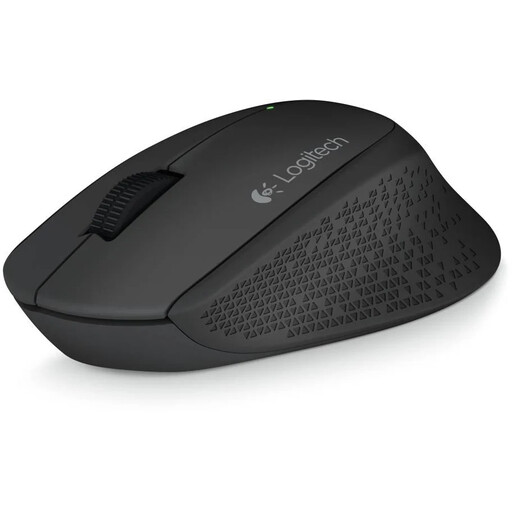
Why it suits this profile: A straightforward choice for home use and office work, with a USB receiver, three buttons and a right-handed shape.
The connection, sensor resolution and battery requirements are clearly specified. This means you will not end up with a model that requires unexpected Bluetooth pairing or additional software.
1000 DPI optical sensor, wireless range of up to 10 metres and one AA battery included.
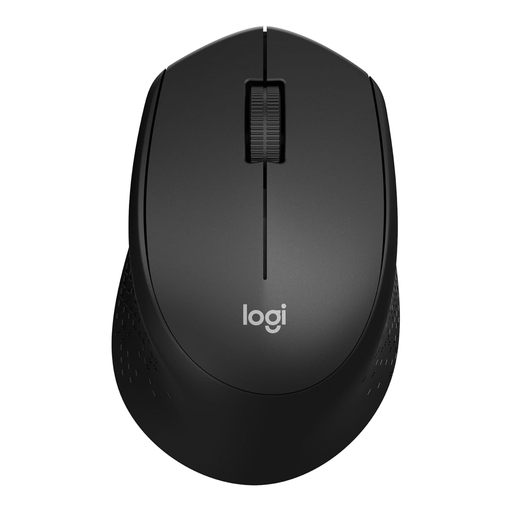
Why it suits this profile: Designed for users who want less clicking noise in a shared workspace and value straightforward installation.
The mouse uses a USB nano receiver, so you are not dependent on Bluetooth pairing. The noise-reduction claim comes from Logitech’s product information.
Optical tracking, a range of up to 10 metres and, according to Logitech, battery life of up to 24 months.

Why it suits this profile: A large right-handed mouse for wide spreadsheets, documents and workspaces with several devices.
The shape and dimensions are visibly different from those of a compact model. You therefore know in advance that this is not an ideal travel mouse, but it does provide more room for your hand.
Connection to up to three devices, rechargeable battery, horizontal scroll wheel and adjustable DPI up to 3200.
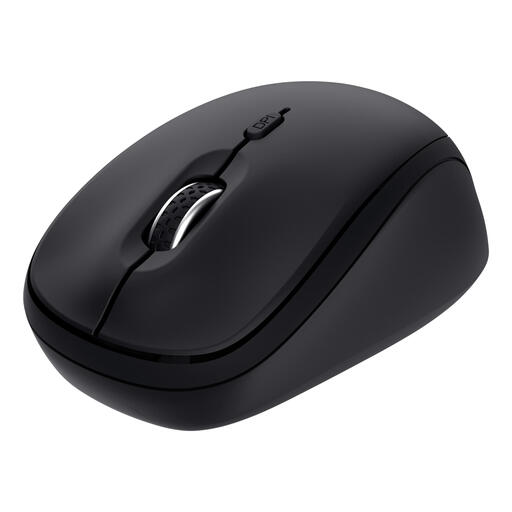
Why it suits this profile: Compact, quiet and suitable for anyone switching between a laptop, desktop and tablet.
The product information explicitly lists three connections: one 2.4GHz receiver and two Bluetooth channels. This makes the multi-device function easy to verify.
Quiet buttons, compact design, optical sensor and a choice of DPI between 800 and 1600.
We have put together a complete, up-to-date list of products that fully meet these strict selection criteria and the applicable European safety regulations.
Not automatically. A model with a USB receiver requires a suitable USB port. A Bluetooth mouse requires Bluetooth support on the laptop or PC. Also check the operating system, such as Windows, macOS or ChromeOS, in the product specifications.
This varies depending on the model, battery type and usage. Manufacturers sometimes quote a usage time of 12 to 24 months, but these are estimates from the product information. An on/off switch and automatic sleep mode can help reduce power consumption. With a rechargeable mouse, the ability to charge it while using it is particularly practical.
Not necessarily. There are simple models with quiet buttons and a USB receiver, as well as multi-device mice with Bluetooth, adjustable DPI and a rechargeable battery. So compare the features you will genuinely use first. For a student, compactness may be more important than extra buttons, while an office worker may benefit more from a larger shape or a keyboard and mouse set.
