
Analyst without a spare power socket
You want to keep reviewing lending data without needing a separate mains adaptor for your mouse. Choose between a replaceable battery and charging via an available USB connection.


First, choose between a mouse with replaceable batteries and a rechargeable model. A battery-powered mouse doesn’t need charging during your work session, while recharging is only practical if you have a suitable USB connection available. Also check whether your computer supports Bluetooth or has the USB port you need, and consider quiet clicks, the scroll wheel and how the mouse fits your hand. The stated battery life and features are manufacturers’ specifications, not the results of comparative real-world testing.
You want to keep reviewing lending data without needing a separate mains adaptor for your mouse. Choose between a replaceable battery and charging via an available USB connection.
You use your mouse around other readers or colleagues and want to keep clicking noise to a minimum. Also check the connection and power source the model uses; noise-reduction claims come from the manufacturer.
You do a lot of scrolling and pointing, and want a wheel and shape that suit your work and your hand. Arboportaal describes the strain that repetitive actions and prolonged screen work can cause, so break up extended periods of mouse use.
When power sockets are limited, the power source, clicking noise, navigation through long lists, fit and connection can all make the difference. Decide which need matters most at your workstation.
| What to consider | What to look for | Who is this important for? |
|---|---|---|
| Power while you work | Check whether the mouse runs on replaceable AA batteries or needs recharging, and whether you can use it while it charges. | I want to review lending data without having to schedule a charging break. For around 26% of consumers in this situation, uninterrupted work is the top priority. |
| Quiet clicks | Check whether the buttons on the specific model are described as quiet. | When I work in a quiet space, I want to disturb people nearby as little as possible. Around 21% of consumers prioritise quiet clicking. |
| Scrolling through lists | Check whether the wheel can scroll quickly and stop precisely; adjustable scroll speed may also be useful. | When working with long lending lists, I want to navigate quickly without scrolling past the line I need. List navigation is the main priority for around 21% of consumers. |
| Fit for repeated use | Check your hand size and the mouse shape, and see whether it is designed for left- or right-handed use. | When I use a mouse often, I want one that fits my hand. For around 16% of consumers, fit comes first. |
| Connection to your computer | Check Bluetooth support, available USB ports and whether a receiver is included. | I want to know in advance whether the mouse will connect to my computer. For around 16% of consumers, compatibility is the most important factor. |
Bluetooth can free up a USB port that would otherwise be used for a receiver, but it doesn’t tell you how the mouse is powered. A rechargeable mouse still needs a way to charge.
Check the connection and power source separately: see whether the mouse runs on batteries or needs recharging.
The Logi Bolt receiver isn’t included with the standard Logitech MX Anywhere 3S. HP, by contrast, lists a USB-A dongle in the box for the 430.
Before buying, compare the full model name and box contents with the ports on your computer.
Battery life is a manufacturer’s estimate and doesn’t tell you exactly how long the mouse will last in your working conditions. An ergonomic shape doesn’t remove the strain of repeated mouse use.
Check that the fit and power source suit your work session, and break up prolonged screen work with other tasks or a break.
The Logitech models mentioned offer different options for power, scrolling and shape.
The Trust models mentioned offer rechargeable mouse options and connections to multiple devices.
The HP 430 Multi-Device is an AA-powered mouse that can connect via Bluetooth or USB-A.
The selection below features wireless mice for computer work. Check how each model is powered and which connection and port your computer needs.
 Image unavailable
An option if you’re looking for an AA-powered mouse; the product description mentions quiet-click buttons.
The wireless receiver needs to be plugged into a USB port.
 Image unavailable
For long lists, the product description mentions fast scrolling; the mouse runs on AA batteries.
It connects via a USB receiver; Bluetooth isn’t mentioned. The stated battery life of up to three years is a product claim, not a guarantee of how long it will last for you.
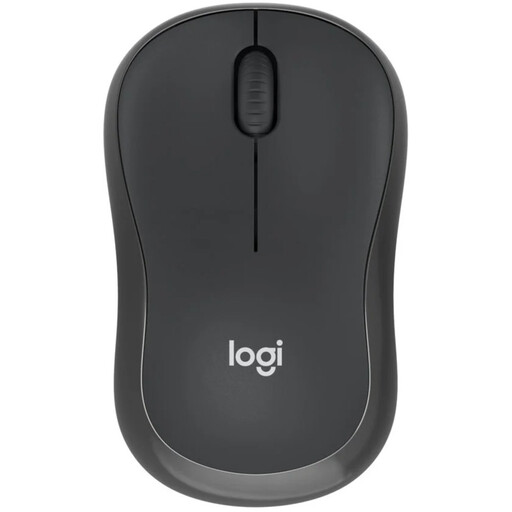 Image unavailable
An option if you don’t want to schedule a charging break during your work session: according to Logitech, the M240 uses one AA battery and connects via Bluetooth without a receiver.
Check that your computer supports Bluetooth.
 Image unavailable
The product name specifies one AA battery, 2.4 GHz and Bluetooth; the product description mentions quiet clicks.
Check which connection option and port are suitable for your computer.
 Image unavailable
The product name mentions quiet clicks and a 2.4GHz connection with a USB receiver.
The stated resolution is 1600 DPI; check that your computer has a suitable USB port.
According to Logitech, the M240 connects via Bluetooth without a dongle or USB port and runs on one AA battery. Your computer must support Bluetooth; the mouse doesn’t need its own mains adaptor while in use.
According to Logitech, you can charge the MX Anywhere 3S via the included USB-C cable while you work. Trust lists the same option for the Ozaa Compact. You’ll need a suitable USB connection.
No. Arboportaal describes the strain that repetitive hand movements and prolonged static postures can cause. So consider the fit and break up extended screen work with other tasks or a break.
According to the Dutch government, when you buy from a business as a consumer online, you’re entitled to a 14-day cooling-off period in many cases. Check the terms and any exceptions that apply to your purchase.
According to the Dutch government, used batteries must not go in general waste; you can take them to shops that sell batteries, among other places. You can take an unwanted mouse to an electrical waste collection point or your local council recycling centre.