
Vandaag of morgen in huis

Kwaliteit gegarandeerd

Welkomstaanbiedingen ontgrendelen: GRATIS bezorging | Tot 80% korting | Gratis 30 dagen JoyPlus-proefperiode
Download de app
A wireless mouse gives you more space on your desk and is useful alongside a laptop, desktop computer or tablet. However, the range is not always easy to compare. A low price may seem appealing, but later you could find yourself short of a USB port, regularly replacing batteries or discovering that the shape does not suit your hand.
The main pitfalls usually have less to do with the mouse buttons themselves and more with connectivity, power and ergonomics. Below, you can read which specifications to check and which models suit different situations.
A Bluetooth mouse works without a USB receiver, but your laptop or computer must support Bluetooth. Also check the version and compatibility with your operating system. For example, the Microsoft Surface Arc Mouse requires Bluetooth 4.0 or higher. This means an older device may not meet the compatibility requirements.
A mouse with a 2.4GHz connection usually uses a USB dongle. This often works straight away, but it does take up a USB-A port. If your laptop only has USB-C ports, you may need an adapter or hub.
Brands use terms such as silent, noise reduction and quiet in different ways. According to the product description, Logitech claims that the M330 Silent Plus produces up to 90% less clicking noise than traditional mice. HP also states up to 90% noise reduction for the HP 285.
This mainly relates to the click mechanism and does not automatically apply to the scroll wheel or side buttons. If you work in a shared space, check which buttons are specifically described as silent.
An ergonomic mouse or vertical mouse can change the position of your hand, but it takes time to get used to. A large vertical model is less practical for smaller hands or when you are travelling. A compact mouse, on the other hand, may provide too little support during long working days.
Therefore, pay attention to the dimensions, weight and hand orientation. A shape that feels comfortable in a shop or looks comfortable in a picture may be less suitable on a small desk or in a laptop bag.
First, choose between:
Also check support for Windows, macOS, ChromeOS, iPadOS or Android. A wireless computer mouse may work fully on one system, while extra buttons or customisation software may have limited availability on another.
An optical mouse uses a light sensor to register movement. For office work, studying and everyday laptop use, values between approximately 1000 and 1600 dpi are often sufficient. A higher dpi value does not automatically mean a more accurate experience; it mainly determines how quickly the cursor moves.
Models with adjustable dpi are flexible. According to the product specifications, the Trust Bayo II ranges from 800 to 2400 dpi. The Lofree Wavy Chips EP115 offers five settings: 800, 1200, 1600, 2400 and 3600 dpi. This allows you to adjust the speed for word processing, large spreadsheets or a high-resolution screen.
A mouse powered by AA or AAA batteries can last for months, but battery life depends on the settings and how you use it. A rechargeable mouse eliminates the need for loose batteries, but it does need to be connected to a cable in time.
Pay attention to the following:
A low weight is useful when you are on the move. A heavier model with a broad palm rest may feel more stable during extended periods of work.
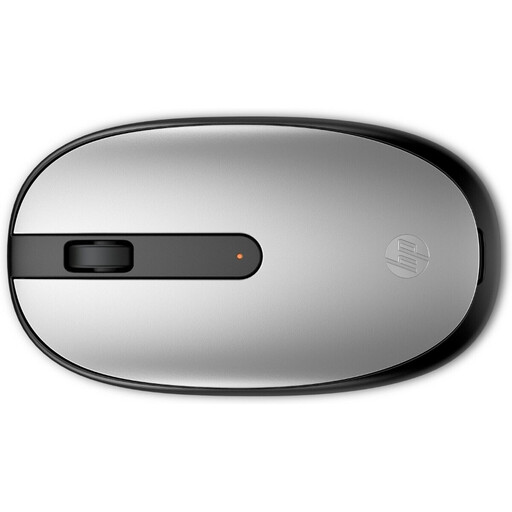
Why it suits this profile: A straightforward mouse for students, laptop users and office work. The Bluetooth 5.1 connection works without a separate dongle, and the model is suitable for both left- and right-handed use.
The product specifications state Bluetooth 5.1 and an optical sensor with 1600 dpi. However, check beforehand that your device supports Bluetooth.
54.2 grams, three buttons with scroll wheel, AA battery and compatibility with Windows, macOS and ChromeOS.

Why it suits this profile: Designed for right-handed users looking for a vertical shape, adjustable speed and several connectivity options for work and home.
The shape and size are clearly described: a 57-degree vertical mouse for right-handed use. This makes the choice more specific than a general claim about comfort.
4000 dpi, adjustable dpi, Bluetooth and USB receiver, plus a built-in rechargeable battery.

Why it suits this profile: Useful for anyone who switches between a laptop, desktop computer and tablet, or frequently works with wide spreadsheets, timelines and large documents.
The connection is specified as 2.4GHz plus Bluetooth. This allows you to pair up to three devices, but check that you have enough free ports for the receiver.
Adjustable up to 3200 dpi, rechargeable battery, silent buttons and an additional side-scrolling wheel.
We have put together a complete, up-to-date list of products that fully meet these strict selection criteria and the applicable European safety regulations.
No. A Bluetooth model requires Bluetooth support on the laptop. An RF model usually requires a suitable USB port for the receiver. Also check the operating system and any software for programmable buttons.
This varies from model to model. The HP 240 product specifications state that it uses an AA battery with a quoted battery life of up to 15 months. The HP 635 states up to 12 months, while the Logitech M330 Silent Plus offers up to 24 months. These are figures quoted by the manufacturer; actual use, sleep mode and battery type can affect the duration.
That depends on the purchase price, charging frequency and battery life. A rechargeable model saves you from buying loose batteries, but you do need to charge the mouse in good time. For occasional use, a model with a replaceable AA or AAA battery may be more practical. Consider your working habits rather than focusing solely on the battery technology.
