
Vandaag of morgen in huis

Kwaliteit gegarandeerd

Welkomstaanbiedingen ontgrendelen: GRATIS bezorging | Tot 80% korting | Gratis 30 dagen JoyPlus-proefperiode
Download de app
A wireless mouse keeps your desk tidier and is handy for a laptop, PC or home office. However, not every wireless computer mouse is suitable for every use. A compact model may be convenient on the go, but less comfortable during long working days. A high DPI rating may sound appealing, but says little about practical precision if the shape or connection isn’t right for you.
So pay particular attention to these three common pitfalls:
An RF mouse usually works via 2.4 GHz and a small USB receiver. This is practical for a PC or laptop with a spare USB-A port. The Trust Sura and Logitech M330, for example, use a wireless receiver. The receiver is small and, on some models, can be stored inside the mouse, which is useful when you’re travelling.
A Bluetooth mouse doesn’t need a separate dongle. This is useful with slim laptops or tablets that have few connection ports. Do check that your device supports Bluetooth and that pairing is possible with your operating system. Some models combine both options, such as the Trust Ozaa+, which connects to up to three devices via an RF receiver and Bluetooth.
DPI indicates how sensitively the cursor responds to movement. An optical mouse uses a sensor to register movement across the surface. For documents, email and spreadsheets, around 1,000 to 1,600 DPI is suitable for many users. For large screens, image editing or gaming, a mouse with adjustable DPI can offer greater flexibility.
Pay attention to the difference between a maximum DPI value and adjustable settings. The Trust Primo, for example, has selectable settings from 1,000 to 1,600 DPI. According to its product specifications, the Trust GXT 929 Helox offers adjustable values from 800 to 4,800 DPI. For gaming, the polling rate, button layout and sensor response are also relevant.
An ambidextrous mouse is suitable for left- and right-handed use, provided its shape suits your hand. A specifically right-handed model may offer greater thumb support, but is less flexible in a shared workspace.
Also consider the power source:
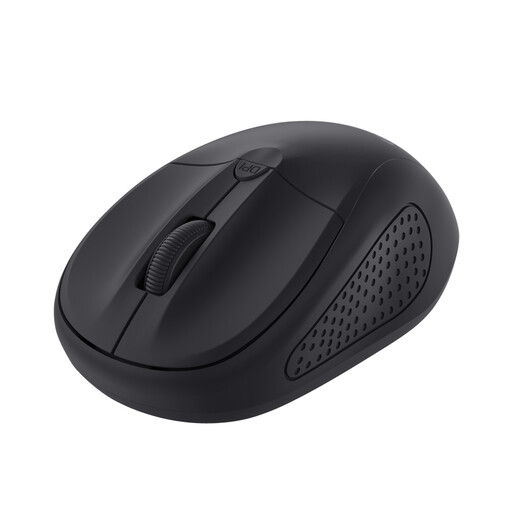
Why it suits this profile: This compact model is designed for laptop use, commuting and occasional office work. Its ambidextrous shape is practical when several people use the same mouse.
You’re not choosing based on appearance alone: the DPI can be adjusted between 1,000 and 1,600, and the RF connection has a stated range of 6 metres.
75 grams, optical sensor, on/off switch and suitable for left- and right-handed use.

Why it suits this profile: This right-handed model is aimed at users who work for long periods every day and are consciously looking to try a vertical mouse. Bluetooth and a USB receiver offer flexibility with PCs, laptops and compatible tablets.
The vertical shape and angle are clearly specified, so you know in advance that this is not a standard flat mouse. Do check that this position suits your hand.
Adjustable up to 4,000 DPI, rechargeable battery, Bluetooth, USB receiver and multi-device use.

Why it suits this profile: The larger shape, quiet buttons and support for three devices are ideal for people who switch between a laptop, PC and tablet.
You don’t have to choose between Bluetooth and RF: both connection types are available. The horizontal scroll makes wide spreadsheets more practical to navigate.
Up to three devices, adjustable up to 3,200 DPI, rechargeable battery and horizontal scroll wheel.
We’ve put together a complete, up-to-date list of products that fully meet these strict selection criteria and the applicable European safety regulations.
That depends on the connection. An RF model usually needs a spare USB-A port. A Bluetooth mouse requires Bluetooth support on the laptop. Also check the operating system listed, particularly if you use macOS, ChromeOS or a tablet.
Battery life varies depending on the model, battery type and frequency of use. A mouse with AA or AAA batteries can last for months. With a rechargeable mouse, check the stated usage time per charge and whether you can continue working while it is charging. Switch the mouse off when you won’t be using it for an extended period.
No. “Silent” usually refers to a lower clicking sound from certain buttons. Scrolling, pressing other buttons and moving across a desk may still be audible. According to information provided by brands such as Logitech and HP, click noise can be reduced considerably, but the experience still depends on the surface and how you click.
