
Vandaag of morgen in huis

Kwaliteit gegarandeerd

Welkomstaanbiedingen ontgrendelen: GRATIS bezorging | Tot 80% korting | Gratis 30 dagen JoyPlus-proefperiode
Download de app
A wireless mouse keeps your desk tidy and gives you more freedom to move. However, not every model suits every user. A compact Bluetooth mouse can be handy when you’re out and about, but less comfortable during long working days. A lightweight gaming mouse can move quickly, while an ergonomic mouse puts more emphasis on hand position and support.
The three most common pitfalls are:
A Bluetooth mouse connects directly to devices that support Bluetooth. This is handy for laptops, tablets and some Macs, as you don’t need to carry a USB dongle. However, check which operating systems and Bluetooth versions it supports.
A 2.4GHz connection usually uses a small USB receiver. It’s easy to set up and works well with a PC that has a spare USB port. If your laptop only has USB-C ports, you may need an adapter. Models with three connection options, such as Bluetooth, 2.4GHz and USB-C, are useful if you want to switch between several devices.
Also check how many devices you can pair with the mouse. According to its product specifications, the Logitech M720 Triathlon can connect to up to three devices. That’s handy if, for example, you use a work PC, laptop and tablet.
Dpi indicates the sensitivity of the sensor. A higher dpi makes the cursor move faster with smaller hand movements, but on its own, it says little about comfort or quality. A mouse for laptop and PC with adjustable dpi is more practical than a model with just one fixed setting.
For basic navigation, 1,000 dpi is often enough. An adjustable range can be useful for photo editing, large screens or gaming. A wireless gaming mouse often has a higher polling rate, too. For example, the Razer DeathAdder V3 Pro White specifies a polling rate of up to 1,000 Hz and a sensor resolution of up to 30,000 dpi. According to Razer’s product information, battery life is up to 90 hours; actual usage time depends on the settings and how you use it.
A left-handed mouse should be explicitly described as left-handed or ambidextrous. The Logitech Signature M650 L is designed for left-handed use and larger hands. There are more ergonomically shaped models for right-handed users, including the Logitech MX Master 4 for Business and HP 925 Ergonomic Vertical Mouse.
Check the dimensions and weight. A lightweight gaming mouse weighing around 60 to 65 grams moves quickly, but some users may find a heavier model more stable. A vertical mouse holds your hand at a different angle from a standard model. It may feel more comfortable, but give yourself time to get used to it.
When it comes to the battery, it’s important to distinguish between rechargeable mice and models that use AA or AAA batteries. According to Logitech, the M330 Silent Plus offers up to 24 months of battery life, while SilentTouch reduces clicking noise by more than 90 per cent, according to the manufacturer. The Logitech MX Vertical has a rechargeable battery; according to its product specifications, it lasts up to four months, and one minute of charging provides around three hours of use.
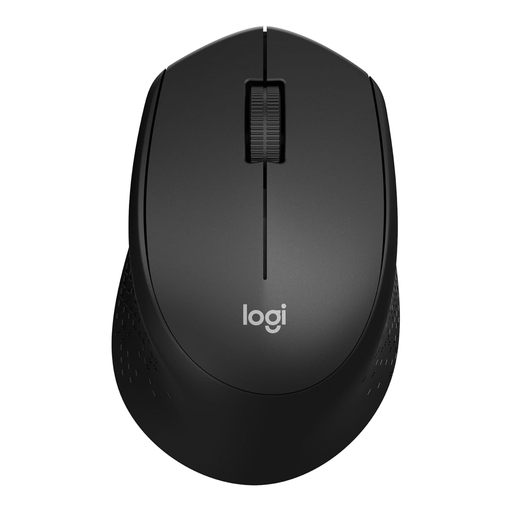
Why it suits this profile: A straightforward choice for working from home, the office and everyday use, with a USB receiver.
Its core features mean you don’t pay for functions you won’t use. The product specifications list quiet clicks, a nano receiver and up to 24 months of battery life, according to Logitech.
3 buttons, an optical sensor, a wireless connection and a stated range of up to 10 metres.

Why it suits this profile: For professionals who use several devices, horizontal scrolling and programmable buttons.
It’s about more than dpi: this mouse combines Bluetooth, Logi Bolt, eight buttons and a rechargeable battery.
8,000 dpi, pairing with three devices, quiet clicks according to Logitech, and USB-C charging.

Why it suits this profile: For gamers looking for a lightweight, right-handed mouse with adjustable precision.
The product specifications list a weight of 63 grams, 5 buttons, an ergonomic shape, and both wireless and wired use.
Focus Pro 30K optical sensor, polling rate of up to 1,000 Hz and a rechargeable battery.
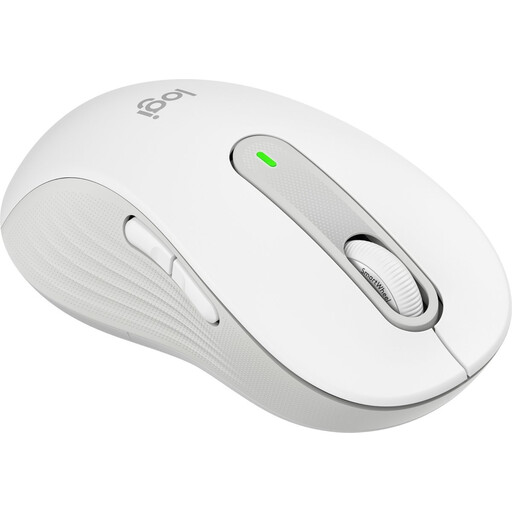
Why it suits this profile: Its shape is specifically designed for left-handed use and larger hands.
The product specifications clearly state that it’s for left-handed use, so you won’t accidentally choose a right-handed model. It connects via Bluetooth LE or Logi Bolt.
5 buttons, SilentTouch according to Logitech, and compatibility with Windows, macOS, Linux, Chrome OS, iPadOS and Android.
We’ve put together a complete, up-to-date list of products that meet these strict selection criteria and current European safety regulations.
No. Check whether the mouse uses Bluetooth, a USB receiver or both. If your laptop only has USB-C ports, a USB-A receiver won’t fit without an adapter. Also check compatibility with Windows, macOS, ChromeOS or iPadOS.
It varies by model. According to the product specifications, a mouse with an AA battery can last for up to around 24 months, while rechargeable mice often specify a usage time of several weeks to several months. Lighting, high polling rates and intensive use can affect battery life.
Yes, as long as the connection, sensor and shape suit the games you play. Choose a wireless gaming mouse with adjustable dpi, a suitable polling rate and a shape you can hold comfortably for long periods. For office work, quiet clicks, battery life and Bluetooth are often more important than an extremely high sensor resolution.
