
Vandaag of morgen in huis

Kwaliteit gegarandeerd

Welkomstaanbiedingen ontgrendelen: GRATIS bezorging | Tot 80% korting | Gratis 30 dagen JoyPlus-proefperiode
Download de app
A wireless mouse gives you more space on your desk and is convenient for a laptop, desktop or workstation with multiple devices. Yet many people buy a model that disappoints them after a short time. The problem often isn’t the price, but specifications that weren’t checked carefully enough beforehand.
A high DPI sounds appealing, but it isn’t useful for every user. DPI determines how quickly the cursor moves across the screen. For office work, 1000 to 2000 DPI is often sufficient. Gamers or users with multiple screens may want more flexibility with a mouse with adjustable DPI.
An extremely high DPI doesn’t automatically make a mouse more accurate. Also consider the type of sensor, adjustment options and software.
Long battery life is practical, but first check which type of battery is used. A model with an AA battery can be put back into use quickly, while a rechargeable mouse requires fewer disposable batteries. With a built-in battery, the charging connection is important: USB-C is generally more convenient than an older connection.
Also pay attention to how the mouse connects. A USB receiver usually works straight away, but it does take up a USB port. Bluetooth is suitable for many laptops and tablets, provided the device supports the right Bluetooth version.
An ergonomic mouse should suit your hand size, grip and how long you use it for. A vertical mouse can change your hand position, but it feels different at first and isn’t suitable for everyone. A compact model is convenient when travelling, but may provide less support for larger hands.
Therefore, always check:
A wireless computer mouse with a 2.4 GHz receiver works via a small USB dongle. This is useful for desktops and laptops with a free USB port. The Logitech M280, for example, has a wireless range of up to 10 metres and uses a nano USB receiver.
A Bluetooth mouse pairs directly with a compatible device. This saves a USB port, which is particularly useful with slim laptops. Some models support both connection types, such as the Logitech MX Master 4 for Business and the Dell Pro Compact Silent Mouse MS355.
If you switch between a laptop, tablet and desktop, it’s worth checking how many devices can be paired at the same time. ‘Multi-device’ doesn’t always mean that every device remains permanently connected.
Most models for office and home use have an optical mouse sensor. The Logitech M280 and Logitech M330 Silent Plus, for example, use a 1000 DPI optical sensor. This is designed for straightforward navigation and everyday use.
For greater control, you can choose adjustable DPI. The Logitech MX Vertical goes up to 4000 DPI, while the MX Master 4 for Business has an adjustable sensor of up to 8000 DPI, according to the product specifications. A gaming mouse may offer even higher values, but also check the polling rate, weight and number of programmable buttons.
Higher sensor resolution is mainly relevant when you want to move quickly across large screen areas or adjust settings for individual applications.
A mouse for office use usually only needs three to five buttons. Extra buttons are useful for browser navigation, shortcuts or gaming, but can make the mouse larger and heavier.
For quiet workspaces, click and scroll noise are important. According to Logitech’s own information, SilentTouch technology in the Signature M650 L reduces click noise by up to 90 per cent. The Logitech M330 Silent Plus is also described in the product information as being more than 90 per cent quieter than traditional mice. These are brand claims; the perceived reduction in noise may vary depending on the environment.
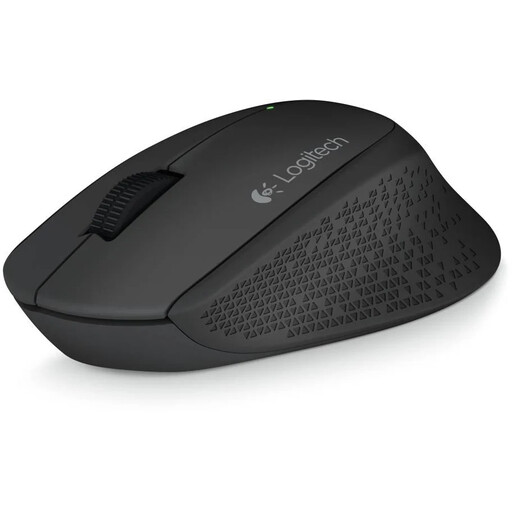
Why it suits this profile: This straightforward wireless mouse is suitable for working from home, browsing the internet and standard office tasks. Three buttons and 1000 DPI keep operation simple.
The specifications are clear: an optical sensor, 2.4 GHz connection, nano receiver and one AA battery. There are no unnecessary gaming features to make the choice more complicated.
Right-handed shape, rubber grip, 1000 DPI and a wireless range of up to 10 metres.
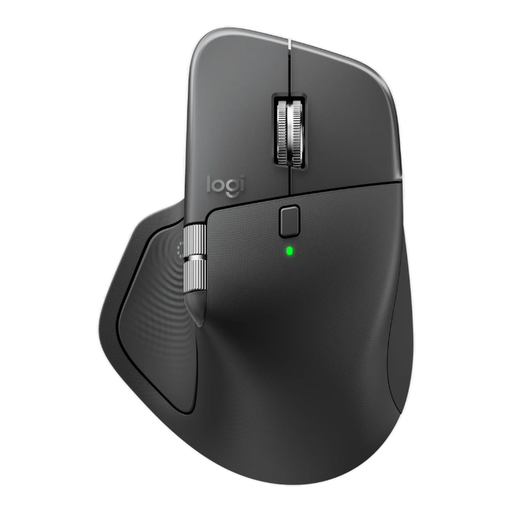
Why it suits this profile: This model is designed for business users who scroll extensively, use multiple devices and want to set up shortcuts.
The mouse combines Bluetooth with a Logi Bolt receiver, features USB-C charging and has a battery indicator. This means you can check the connection and power status in advance.
Adjustable 8000 DPI, eight buttons, horizontal scrolling, programmable functions and a rechargeable battery.
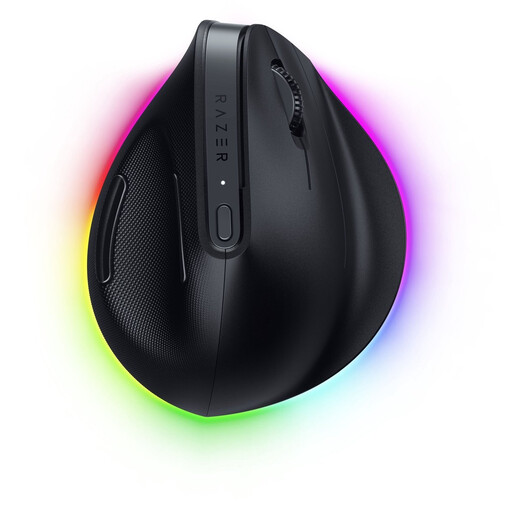
Why it suits this profile: The vertical shape, programmable buttons and combination of Bluetooth and Razer HyperSpeed suit users who work and game.
The vertical shape is a specific design choice, not just a label. However, check that the right-handed dimensions and 150-gram weight suit your hand.
Optical sensor up to 30,000 DPI, six buttons, RGB lighting and support for Bluetooth and USB-C.
We’ve put together a complete, up-to-date list of products that fully meet these strict selection criteria and the applicable European safety regulations.
That depends on the model. A Bluetooth mouse can be paired directly with a laptop, tablet or desktop. A mouse with a 2.4 GHz connection usually requires a USB receiver. Before buying, check whether your device supports Bluetooth and whether enough USB ports are available.
Battery life varies considerably depending on the model, battery type and sleep mode. An AA mouse can function for months or longer, depending on usage. You’ll need to charge a rechargeable mouse periodically via USB-C. Don’t just look at the stated battery life; also check whether it has a battery indicator and whether you can continue working while it charges.
Yes, a silent mouse can be useful in a shared space, library or home office. However, bear in mind the difference between quiet clicks and completely silent use: the scroll wheel and movement across the desk may still be audible. A soft mouse mat can help with this.
