
Vandaag of morgen in huis

Kwaliteit gegarandeerd

Welkomstaanbiedingen ontgrendelen: GRATIS bezorging | Tot 80% korting | Gratis 30 dagen JoyPlus-proefperiode
Download de app
A wireless mouse keeps your desk tidy and is ideal for working from home, studying and the office. Yet a low price or a high DPI value doesn’t tell you everything. As Joybuy Product Recommendation Officer, I therefore focus on verifiable specifications: the connection, size, power source and features that suit how you use it.
A Bluetooth mouse works without a separate USB receiver, but your laptop, tablet or desktop must support Bluetooth. Some desktop PCs lack this feature. An RF wireless mouse with a 2.4GHz receiver is then more practical, as long as you have a free USB port.
Also pay attention to the difference between a single receiver and multiple connection options. A mouse with only a USB receiver isn’t automatically suitable for a tablet or smartphone.
DPI indicates how sensitively the cursor responds to movement. A high value isn’t useful for every user. For word processing and spreadsheets, an adjustable value between around 800 and 1600 DPI is often sufficient. If you work with multiple large screens, you may benefit from a higher setting.
So check whether it’s a fixed or adjustable DPI. Also look at the type of sensor. An optical mouse usually works well on a matte desk surface, but may be less suitable for glass or highly reflective materials.
A quiet wireless mouse reduces the clicking sound, but the experience varies from model to model and depending on the surface. Check whether quiet buttons are actually listed in the product specifications. This is especially important in a shared workspace, library or home office where others don’t want to be disturbed.
Choose a wireless computer mouse based on your devices:
Always check the listed operating systems. A mouse may work on Windows, but functions can differ for macOS, ChromeOS, Android or iPadOS.
A compact mouse is easy to carry around, but offers less room for a large hand. A larger model can provide more palm support, but takes up more space in a laptop bag. Look out for:
An ergonomic mouse can feel different from a standard model. A vertical shape, such as the Logitech MX Vertical, takes some getting used to and, according to the supplied specifications, is designed for right-handed use. Treat ergonomic features as design characteristics, not as medical functionality.
A mouse that runs on AA or AAA batteries is ready to use straight away and easy to power up again. A rechargeable model avoids loose batteries, but does need to be charged regularly. “Up to” a certain number of months is a manufacturer’s estimate; the actual duration depends on usage, connection and settings.
Also check where the USB receiver is stored. On some models, you can keep it inside the mouse. This reduces the chance of losing that small component.
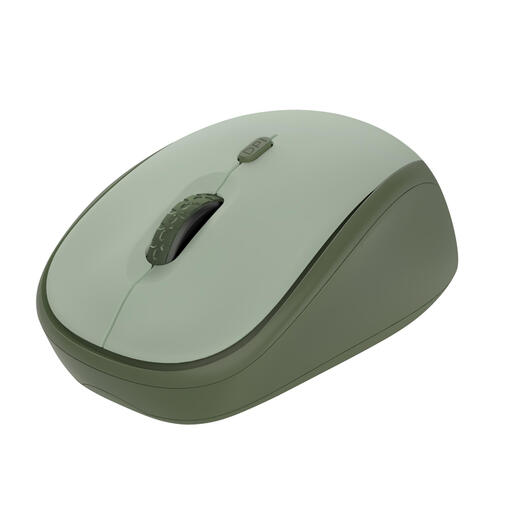
Why this fits the profile: This compact RF mouse works via plug-and-play with a USB receiver and has an adjustable DPI from 800 to 1600. That suits everyday office and home use without complicated setup.
The product specifications list quiet buttons and a DPI switch, so you don’t have to rely solely on marketing terms.
Optical sensor, range up to 8 metres according to Trust and a compact size of 95 × 57 × 40 mm.
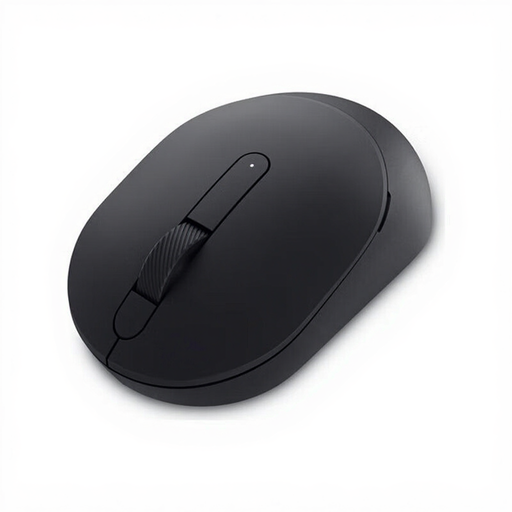
Why this fits the profile: This model combines RF and Bluetooth, giving you more flexibility when working with a laptop, desktop or tablet. The mouse is symmetrical and therefore suitable for both left- and right-handed use.
The connection options and quiet operation are listed separately in the product information. So you’re not dependent on just one type of connection.
Optical sensor, DPI up to 4020 according to the specifications and support for Windows, Mac, Android and ChromeOS.

Why this fits the profile: The vertical shape, five buttons, Bluetooth and RF receiver are aimed at users who work for long periods and use multiple devices. According to the specifications, the model is right-handed.
The shape and hand orientation are clearly described. This helps prevent you from buying an ergonomic design that doesn’t suit your hand usage.
4000 DPI, adjustable cursor sensitivity, rechargeable battery and a stated range of 10 metres.
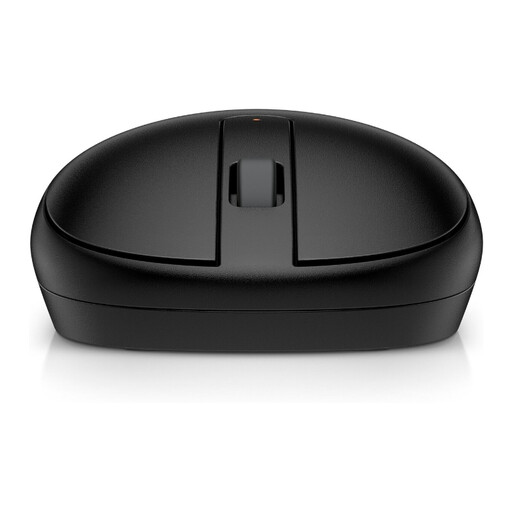
Why this fits the profile: This lightweight mouse uses Bluetooth 5.1 and doesn’t need a separate dongle. The symmetrical design is suitable for both left- and right-handed use.
The Bluetooth version, optical sensor and compatible systems are clearly stated. Just check beforehand whether your device supports Bluetooth.
54.2 grams, 1600 DPI and three buttons with scroll wheel for everyday use on the go.
We’ve put together a full, up-to-date list of products that fully meet these strict selection criteria and comply with current European safety regulations.
With an RF model, insert the USB receiver into a free USB port, install the battery or charge the mouse, and turn it on. A Bluetooth mouse is paired via the Bluetooth settings on your computer, tablet or laptop. If you have problems, follow the manual and check that the mouse isn’t already connected to another device.
This varies depending on the model, battery type and usage. Manufacturers sometimes state a battery life of several months, but this is an estimate under specific conditions. A rechargeable mouse doesn’t need loose batteries, while a model with AA or AAA batteries can be quickly put back into use.
With a model that uses replaceable batteries, the ongoing costs depend on the battery type and how often you use it. A rechargeable mouse mainly requires electricity for charging. Also look at the included accessories: a wireless mouse with USB receiver can be ready to use straight away, while a Bluetooth model may not need a dongle.
